


Jitbit Helpdesk Overview
Jitbit Help Desk Software delivers a versatile solution for managing customer service interactions. Available as both SaaS and on-premises options, it enables businesses to quickly deploy and manage support operations. The software handles thousands of support tickets daily, underscoring its reliability and scalability. Key features include help desk automation, a team mailbox, and integration with over 500 applications, which streamline workflow and enhance productivity. Its AI-powered capabilities and mobile accessibility ensure that support teams can respond efficiently to inquiries from anywhere. The inclusion of a knowledge base and canned responses facilitates faster resolution times, improving customer satisfaction. Jitbit's adaptability across various IT environments makes it a valuable tool for businesses seeking to enhance their customer service operations.
Use Cases
Customers recommend Helpdesk Management, Communication Management, Knowledge Management, as the business use cases that they have been most satisfied with while using Jitbit Helpdesk.
Business Priorities
Improve Efficiency and Enhance Customer Relationships are the most popular business priorities that customers and associates have achieved using Jitbit Helpdesk.
Jitbit Helpdesk Use-Cases and Business Priorities: Customer Satisfaction Data
Jitbit Helpdesk works with different mediums / channels such as E-Mail. Website. Chat etc.
Jitbit Helpdesk's features include Ticketing, Alerts: Popups & Notifications, and Widgets. and Jitbit Helpdesk support capabilities include 24/7 Support, Email Support, Chat Support, etc. also Jitbit Helpdesk analytics capabilities include Analytics, and Custom Reports.
Reviews
"...Integrated knowledge base capabilities...." Peer review by Rob R., Analyst
Peer review evidence (same sources as the product rating summary)
"...We trialed several different Help Desk / Ticketing solutions from various vendors and in different price ranges (including free)...." Peer review by Sam L.
"...With the logging problem above, reporting doesn't handle tracking tech calls very well as they are logged on behalf of another user...." Peer review by Rob R., Analyst
"...But all the features are there: automation engine, file-attachments, integrations (JIRA, Slack, Dropbox, Github etc), email-integration, Knowledge-base module etc. etc...." Peer review by Jamal G, Analyste
Jitbit Helpdesk, NinjaOne (formerly NinjaRMM), Giva, Cayzu Help Desk, Elevio, etc., all belong to a category of solutions that help Help Desk. Each of them excels in different abilities. Therefore, determining the best platform for your business will depend on your specific needs and requirements.
Jitbit-helpdesk is an affordable, fast, and lightweight ticketing system with an on-premises option. It offers a free trial and boasts a good-looking interface.
Popular Business Setting
for Jitbit Helpdesk
Top Industries
- Information Technology and Services
- Consumer Goods
- Education
Popular in
- Mid Market
- Large Enterprise
- Enterprise
Jitbit Helpdesk is popular in Information Technology And Services, Consumer Goods, and Education and is widely used by Mid Market, Large Enterprise, and Enterprise.
Jitbit Helpdesk Customer wins, Customer success stories, Case studies
How does Jitbit Helpdesk address your Helpdesk Management Challenges?
Why is Jitbit Helpdesk the best choice for Communication Management?
Why is Jitbit Helpdesk the best choice for Knowledge Management?
How does Jitbit Helpdesk address your Workflow Management Challenges?
What benefits does Jitbit Helpdesk offer for Revenue Cycle Management?
Robe - Manufacturing
VARGO - Information Technology And Services
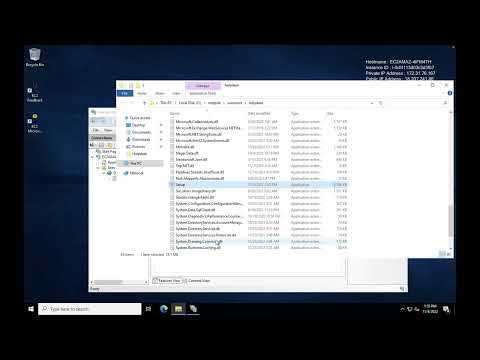
How to upgrade Jitbit Helpdesk (versions 10+)
Frequently Asked Questions (FAQ)
What buyers ask before choosing Jitbit Helpdesk
Integrations What CRM integrations are available for Jitbit Helpdesk?
Jitbit Helpdesk offers a variety of CRM integrations to enhance your support operations. Notable integrations include popular platforms such as Salesforce, HubSpot, and Zoho CRM, allowing seamless data flow between your helpdesk and customer relationship management systems. These integrations enable support teams to access customer information directly within Jitbit, improving response times and service quality. Additionally, Jitbit's REST API provides the flexibility to create custom integrations with any CRM not listed, ensuring that your specific business needs are met. With these integrations, you can automate ticket creation from CRM activities, track customer interactions, and maintain a comprehensive view of customer relationships, ultimately driving better customer satisfaction and operational efficiency.
Integrations How does Jitbit Helpdesk connect to Salesforce and HubSpot?
Jitbit Helpdesk connects to Salesforce and HubSpot through native integrations that streamline customer support and enhance CRM capabilities. With the Salesforce integration, you can create and manage support tickets directly from Salesforce, allowing your sales and support teams to collaborate effectively and maintain a unified view of customer interactions. Similarly, the HubSpot integration enables you to sync tickets and customer data, ensuring that your marketing and support teams have access to the same information, which improves response times and customer satisfaction. Additionally, for teams needing more tailored solutions, Jitbit offers a well-documented REST API that allows for custom integrations with both platforms, enabling you to automate workflows and manage tickets programmatically. This flexibility ensures that Jitbit Helpdesk can fit seamlessly into your existing tech stack.
Integrations What are the setup steps for integrating Jitbit Helpdesk with Marketo?
To integrate Jitbit Helpdesk with Marketo, start by ensuring you have administrative access to both platforms. First, log into your Jitbit Helpdesk account and navigate to the integrations section. Here, you will find options to connect with various platforms, including Marketo. Obtain your Marketo API credentials, which typically include the client ID and client secret, from your Marketo account settings. Next, return to Jitbit and input these credentials in the designated fields to establish the connection. Once integrated, you can set up automation rules to sync ticket data with Marketo, allowing for streamlined marketing efforts based on customer support interactions. Finally, test the integration to ensure data flows correctly between both systems, enhancing your overall customer engagement strategy.
Integrations How does the API access work for Jitbit Helpdesk integrations?
The API access for Jitbit Helpdesk integrations is facilitated through a comprehensive REST API that allows users to programmatically interact with all helpdesk functions, such as creating tickets, updating statuses, pulling reports, and managing users. This API is particularly beneficial for teams using tools not natively supported by Jitbit, enabling them to build custom integrations tailored to their specific workflows. Additionally, Jitbit offers API hooks powered by Automation Rules, which provide instant visibility into helpdesk activity without the need for constant polling. To set up these hooks, users can navigate to the Admin section, create rules that trigger HTTP requests based on ticket events, and enhance their integration capabilities. Overall, the API access empowers businesses to streamline their support processes and improve operational efficiency.
Integrations What is the data flow between Jitbit Helpdesk and third-party applications?
The data flow between Jitbit Helpdesk and third-party applications is facilitated through a variety of native integrations and a well-documented REST API. When integrated with tools like Jira, GitHub, Slack, Microsoft Teams, and Zapier, Jitbit Helpdesk can automatically sync ticket information, user data, and updates, ensuring seamless communication across platforms. For instance, when a ticket is created or updated in Jitbit, corresponding actions can be triggered in these third-party applications, such as notifying team members in Slack or creating tasks in Jira. Additionally, users can customize workflows by adding custom JavaScript and CSS or utilizing the API to build tailored integrations that meet specific business needs. This flexibility enhances productivity and ensures that all relevant data is accessible across the tools your team already uses.
Integrations Are there any limitations to the integrations available with Jitbit Helpdesk?
Jitbit Helpdesk offers a wide range of integrations, including native connections with popular tools such as Jira, GitHub, Slack, Microsoft Teams, Basecamp, WhatsApp, and Zapier, among others. While these integrations cover many common use cases, there may be limitations based on specific functionalities or the depth of integration with certain applications. For teams requiring more customized solutions, Jitbit provides a well-documented REST API that allows for the creation of custom integrations, enabling users to build workflows tailored to their unique needs. However, users should be aware that setting up custom integrations may require development resources and technical expertise. Overall, while Jitbit Helpdesk supports a robust integration ecosystem, the extent of functionality may vary depending on the specific tools and the nature of the integration.
Features What does the mobile app feature in Jitbit Helpdesk do?
The mobile app feature in Jitbit Helpdesk provides support teams with comprehensive ticket management capabilities directly from their iOS or Android devices. Unlike traditional email notifications, which can be overwhelming and lack context, the Jitbit mobile app allows agents to receive push notifications for new tickets and high-priority updates, ensuring they can respond promptly, even while on the go. Agents can view and reply to tickets, update ticket details, assign tasks, and attach files, all through a user-friendly interface designed for mobile use. This functionality is crucial for maintaining SLA compliance, as it enables agents to act immediately, regardless of their location, thus enhancing responsiveness and customer satisfaction. Overall, the mobile app empowers teams to manage support tickets efficiently, ensuring that critical issues are addressed without delay.
Features How do I automate customer support tasks using Jitbit Helpdesk?
To automate customer support tasks using Jitbit Helpdesk, you can leverage its built-in automation rules and AI features. Start by setting up "if-this-then-that" automation rules to route, escalate, and respond to tickets automatically, which allows your support agents to focus on more complex issues. Additionally, enable the AI autoresponder that utilizes your knowledge base to provide instant answers to common questions, reducing the volume of tickets. You can also implement email-to-ticket conversion, where Jitbit monitors your support mailbox and automatically creates tickets from incoming emails, ensuring all replies are threaded correctly. For deeper customization, consider using the REST API to create tailored workflows that fit your specific needs. By utilizing these features, you can significantly enhance efficiency and improve response times in your customer support operations.
Features What functionalities are included in Jitbit Helpdesk's reporting feature?
Jitbit Helpdesk's reporting feature includes a comprehensive suite of functionalities designed to enhance visibility and performance tracking for support teams. Users can access built-in reports that cover ticket summaries, response speed tracking, and technician performance metrics. The reporting suite also allows for the creation of custom reports, which can be exported to Excel or CSV for further analysis. Additionally, Jitbit provides real-time dashboard metrics, displaying live data such as tickets in progress, agents online, and average response times. This combination of historical reporting and real-time analytics empowers support managers to identify bottlenecks, measure agent performance, and demonstrate the value of their team, ultimately leading to improved operational efficiency and customer satisfaction.
Features How do I set up multi-step workflows in Jitbit Helpdesk?
To set up multi-step workflows in Jitbit Helpdesk, start by accessing the automation rules feature within the admin panel. Here, you can create a new rule by defining specific triggers, such as ticket creation or status changes. Next, outline the steps that should follow each trigger, which may include auto-assigning tickets to specific agents, sending notifications, or escalating issues based on predefined criteria. You can also incorporate conditions to ensure that only tickets meeting certain requirements proceed through the workflow. Once your workflow is configured, test it to ensure it operates as intended, allowing your support team to handle requests more efficiently and improve response times. This automation not only streamlines processes but also enhances overall customer satisfaction by ensuring timely resolutions.
Features What is the purpose of the asset management module in Jitbit Helpdesk?
The asset management module in Jitbit Helpdesk serves the crucial purpose of providing organizations with a comprehensive view of their IT assets directly linked to support tickets. This integration allows technicians to access vital information about hardware, software, and equipment associated with each request, enabling faster and more informed issue resolution. By assigning assets to specific users or incidents, Jitbit enhances troubleshooting efficiency and context, which is particularly valuable for managed service providers (MSPs) managing multiple client sites. Additionally, the module supports custom fields for tracking essential asset details, such as purchase dates and warranty expirations, and facilitates data-driven decisions regarding asset reliability and maintenance. Overall, this module streamlines asset tracking and enhances the overall support experience, making it an essential tool for effective IT management.
Features How can I use the support widget on my website with Jitbit Helpdesk?
To use the support widget on your website with Jitbit Helpdesk, you simply need to add a single line of JavaScript code to your site’s source code. This quick setup allows visitors to contact you directly from any page without needing to navigate away or search for a "contact us" link. Once implemented, the widget enables live chat and ticket submission, ensuring that all interactions are archived for future reference. You can also customize the widget's appearance to match your brand and utilize built-in analytics to track key metrics like response times and agent workload. For deeper customization, you can apply your own CSS or use the REST API to create a fully tailored contact form. Start by signing up for a free 21-day trial to see the widget in action.
ROI & pricing What are the measurable business benefits of using Jitbit Helpdesk?
Using Jitbit Helpdesk offers several measurable business benefits that can significantly enhance your support operations. First, the automated email-to-ticket conversion streamlines the ticketing process, ensuring that no customer inquiries are overlooked, which can lead to improved customer satisfaction. The built-in knowledge base empowers customers to resolve common issues independently, reducing ticket volume and allowing agents to focus on more complex problems. Additionally, Jitbit's automation rules optimize ticket routing and responses, increasing efficiency and reducing response times. The platform's reporting features provide insights into key metrics such as first response time and resolution speed, enabling data-driven decisions to further enhance support performance. Overall, these features contribute to lower support costs, improved agent productivity, and a better customer experience, driving long-term business success.
ROI & pricing How does Jitbit Helpdesk improve ROI for customer support teams?
Jitbit Helpdesk improves ROI for customer support teams by streamlining ticket management and enhancing efficiency through automation and a built-in knowledge base. By automatically converting incoming support emails into trackable tickets and utilizing AI-powered autoresponders, Jitbit reduces the volume of repetitive inquiries, allowing agents to focus on more complex issues. The knowledge base empowers customers to find answers independently, further decreasing ticket volume and response times. Additionally, Jitbit's reporting features enable teams to track key performance metrics, optimizing resource allocation and improving service quality. With integrations available for tools like Slack and Dropbox, Jitbit ensures seamless workflows, ultimately leading to cost savings and increased customer satisfaction, which are critical components of a strong ROI in customer support.
ROI & pricing What pricing plans does Jitbit Helpdesk offer for different team sizes?
Jitbit Helpdesk offers flexible pricing plans designed to accommodate teams of all sizes, ensuring affordability without hidden costs. For small teams, Jitbit provides an essential plan that covers basic support needs, while larger enterprises can opt for plans tailored to handle thousands of clients. Notably, Jitbit employs a flat fee structure, meaning there are no per-agent pricing surprises as your team grows, which significantly lowers the total cost of ownership. Additionally, both the cloud-hosted (SaaS) and self-hosted versions share the same feature set, allowing businesses to choose the deployment option that best fits their needs and budget. To explore these options further, potential users can start with a free trial to assess which plan aligns with their requirements.
ROI & pricing How can Jitbit Helpdesk help reduce total cost of ownership for businesses?
Jitbit Helpdesk can significantly reduce the total cost of ownership for businesses by offering a flat fee pricing model on its self-hosted plan, which eliminates the per-agent charges that many competitors impose. This means that as your team grows, your costs do not increase, allowing for predictable budgeting. Additionally, Jitbit's fast setup and minimal learning curve enable teams to become operational within a day, reducing the time and resources spent on training and implementation. The option for a self-hosted version provides complete control over data and customization, further enhancing cost efficiency. By integrating automation features and a built-in knowledge base, Jitbit also helps decrease the volume of repetitive tickets, allowing support teams to focus on more complex issues, ultimately leading to lower operational costs.
ROI & pricing What is the typical time-to-value when implementing Jitbit Helpdesk?
The typical time-to-value when implementing Jitbit Helpdesk is remarkably fast, with most teams becoming fully operational within an hour, rather than the weeks often required by other solutions. This rapid setup is facilitated by Jitbit's clean, no-clutter interface, which minimizes the need for extensive training and allows agents to focus on resolving tickets immediately. Additionally, Jitbit offers both cloud-hosted and self-hosted deployment options, ensuring flexibility to meet various business needs. The built-in automation features further enhance efficiency by handling repetitive tasks, allowing your team to concentrate on more complex issues. Overall, Jitbit Helpdesk is designed to deliver quick results, enabling organizations to start reaping the benefits of improved customer support almost instantly.
ROI & pricing How does Jitbit Helpdesk contribute to cost savings and revenue impact for companies?
Jitbit Helpdesk contributes to cost savings and revenue impact for companies by streamlining support processes and enhancing efficiency. Its automation features, such as ticket routing and escalation rules, reduce the time agents spend on repetitive tasks, allowing them to focus on resolving complex issues. The built-in knowledge base empowers customers to find answers independently, decreasing ticket volume and response times, which further lowers operational costs. Additionally, Jitbit's integrations with tools like Slack and Dropbox facilitate seamless workflows, minimizing the need for additional software and reducing overhead. By improving response times and customer satisfaction through features like live chat, Jitbit Helpdesk not only enhances user experience but also increases conversion rates, ultimately driving revenue growth for businesses.
Capabilities What features does Jitbit Helpdesk offer for managing internal IT support?
Jitbit Helpdesk offers a comprehensive suite of features tailored for managing internal IT support effectively. Key functionalities include email-to-ticket conversion, which automatically transforms incoming support emails into trackable tickets, ensuring no request goes unnoticed. The platform also provides automation rules that allow teams to route, escalate, and respond to tickets based on predefined conditions, streamlining workflows and reducing manual effort. Additionally, Jitbit includes a knowledge base that empowers users to resolve common issues independently, thereby decreasing ticket volume. The built-in AI assistant can assist in answering tickets and generating summaries, enhancing response efficiency. With both cloud-hosted and on-premise options, Jitbit Helpdesk is designed to scale with your team while maintaining ITIL-aligned workflows for optimal service delivery.
Capabilities Can Jitbit Helpdesk handle multi-step workflows for ticket resolution?
Yes, Jitbit Helpdesk can effectively handle multi-step workflows for ticket resolution. This feature is particularly beneficial for organizations where resolving a support ticket often requires collaboration across multiple teams. Jitbit's automation engine allows you to build these workflows using simple "if-this-then-that" rules, enabling you to route, escalate, and respond to tickets automatically. For instance, a hardware request might need manager approval, followed by procurement review and IT fulfillment, all of which can be seamlessly managed within the Jitbit platform. This structured approach not only streamlines the ticket resolution process but also ensures that all necessary approvals and actions are tracked, enhancing overall efficiency and accountability in your support operations.
Capabilities Does Jitbit Helpdesk provide role-based access control for user permissions?
Yes, Jitbit Helpdesk provides robust role-based access control (RBAC) for user permissions, which is essential for managing access in enterprise environments. This feature allows administrators to define granular permissions based on user roles, departments, and ticket categories, ensuring that users only see the information they are authorized to access. For instance, you can assign specific permissions to technicians for handling tickets in designated categories, enhancing security and operational efficiency. Additionally, Jitbit Helpdesk includes audit logs that track every action taken by users, such as ticket edits or knowledge base changes, providing a comprehensive trail for compliance and security audits. This level of control not only protects sensitive information but also streamlines the support process by ensuring that team members have the appropriate access to perform their roles effectively.
Capabilities Can Jitbit Helpdesk support both cloud-hosted and on-premise installations?
Yes, Jitbit Helpdesk supports both cloud-hosted and on-premise installations, allowing organizations to choose the deployment model that best fits their needs. The cloud-hosted version is fully managed by Jitbit, handling servers, updates, and backups, making it an ideal choice for teams without dedicated IT resources. In contrast, the self-hosted version provides complete data control and customization options, including access to the source code for organizations that require deep integration or specific modifications. Both editions share the same feature set, ensuring that users can benefit from Jitbit's robust ticketing system regardless of their chosen deployment method. This flexibility allows businesses to align their help desk solution with their operational requirements and infrastructure capabilities.
Capabilities What compliance standards does Jitbit Helpdesk meet for enterprise environments?
Jitbit Helpdesk meets several compliance standards essential for enterprise environments, including GDPR and HIPAA. For GDPR, Jitbit ensures that customer data is handled in accordance with European regulations, providing tools and features that help users maintain compliance. This includes data encryption, role-based access control, and audit logs that track user actions for transparency. For HIPAA compliance, Jitbit signs Business Associate Agreements (BAAs) with healthcare customers, ensuring that sensitive health information is managed securely. Additionally, Jitbit's commitment to security is reinforced through regular penetration testing conducted by both third-party firms and in-house teams, ensuring that the platform adheres to best practices in data protection and privacy. This comprehensive approach to compliance helps enterprises confidently utilize Jitbit Helpdesk while safeguarding their data.
Capabilities Does Jitbit Helpdesk include a knowledge base to reduce ticket volume?
Yes, Jitbit Helpdesk includes a built-in knowledge base designed to reduce ticket volume effectively. This feature allows customers to find answers to common issues independently, which minimizes the number of repetitive support tickets submitted to your team. The knowledge base is equipped with AI-powered article suggestions, enabling users to access relevant information as they type their inquiries. Additionally, Jitbit makes it easy to create and manage knowledge base articles using a rich-text editor, allowing for the inclusion of guides, images, and files. By empowering customers to resolve their own queries, Jitbit Helpdesk not only enhances user satisfaction but also lowers support costs and improves response times for your support team.
Use cases How can SDRs use Jitbit Helpdesk to manage customer inquiries more efficiently?
Sales Development Representatives (SDRs) can leverage Jitbit Helpdesk to manage customer inquiries more efficiently by utilizing its robust ticketing system and automation features. By integrating Jitbit with their email support mailbox, SDRs can automatically convert incoming emails into trackable tickets, ensuring no inquiry is overlooked. The built-in AI assistant can help prioritize tickets and generate quick responses based on the knowledge base, allowing SDRs to address common questions swiftly. Additionally, the support widget can be embedded on websites, enabling customers to submit inquiries directly, which streamlines the process. With features like company-based ticket grouping and detailed reporting, SDRs can track customer interactions and performance metrics, ultimately enhancing their response times and improving customer satisfaction.
Use cases What workflows can marketing teams implement using Jitbit Helpdesk to streamline support ticket resolution?
Marketing teams can implement several workflows using Jitbit Helpdesk to streamline support ticket resolution effectively. By utilizing the email-to-ticket conversion feature, incoming support emails can be automatically transformed into trackable tickets, ensuring no customer inquiries are overlooked. Additionally, the built-in knowledge base allows marketing teams to create and maintain articles that address common issues, enabling customers to find answers independently and reducing ticket volume. Automation rules can be set up to route, escalate, and respond to tickets based on specific criteria, allowing agents to focus on more complex problems. Furthermore, integrating Jitbit with tools like Slack can facilitate real-time communication among team members, enhancing collaboration and speeding up response times. By leveraging these workflows, marketing teams can improve efficiency and customer satisfaction while maintaining high-quality support.
Use cases In what scenarios should RevOps teams leverage Jitbit Helpdesk for incident management?
RevOps teams should leverage Jitbit Helpdesk for incident management in scenarios where they need to streamline communication between sales, marketing, and customer support while ensuring efficient resolution of customer issues. Jitbit's ITIL-aligned workflows facilitate structured incident management, allowing teams to categorize and prioritize tickets automatically, which is crucial for maintaining service quality. Additionally, the built-in knowledge base helps reduce repetitive tickets by enabling customers to find answers independently, thus freeing up RevOps resources for more strategic tasks. The email-to-ticket conversion feature ensures that no customer inquiries are overlooked, while the reporting tools provide insights into team performance and customer satisfaction. Overall, Jitbit Helpdesk enhances collaboration and efficiency, making it an ideal choice for RevOps teams focused on optimizing their operational processes.
Use cases How can sales leaders utilize Jitbit Helpdesk to track customer support performance and improve client retention?
Sales leaders can utilize Jitbit Helpdesk to track customer support performance and enhance client retention by leveraging its comprehensive reporting suite, which provides insights into key metrics such as first response time, resolution speed, and agent workload. By analyzing these metrics, sales leaders can identify high-performing agents and potential bottlenecks, allowing them to make data-driven decisions that improve support processes. Additionally, the built-in knowledge base enables customers to find answers independently, reducing ticket volume and increasing satisfaction. Implementing automation rules can streamline ticket management, ensuring timely responses to customer inquiries. By integrating Jitbit Helpdesk with other tools like Slack or Dropbox, sales leaders can further enhance communication and collaboration within their teams, ultimately leading to improved client retention through better support experiences.
Use cases What are the best practices for IT teams to adopt Jitbit Helpdesk in alignment with ITIL service management?
To effectively adopt Jitbit Helpdesk in alignment with ITIL service management, IT teams should focus on several best practices. First, ensure that the helpdesk is configured to support ITIL-aligned workflows, such as incident management and change tracking, by utilizing custom statuses and workflows tailored to your organization's needs. Second, maintain a well-organized knowledge base to empower users to resolve common issues independently, which can reduce ticket volume and improve response times. Third, leverage Jitbit's automation rules to streamline ticket routing and escalation processes, allowing agents to focus on more complex problems. Finally, regularly review built-in reports to assess team performance and identify areas for improvement, ensuring that your helpdesk continuously evolves to meet both team and client needs effectively.
Use cases How can organizations use Jitbit Helpdesk to automate repetitive tasks and improve overall support efficiency?
Organizations can leverage Jitbit Helpdesk to automate repetitive tasks and enhance support efficiency through its robust automation rules and built-in AI capabilities. By utilizing the "if-this-then-that" automation engine, teams can streamline ticket routing, escalation, and responses, allowing agents to focus on more complex issues rather than routine processes. Additionally, Jitbit's AI assistant can automatically convert incoming support emails into trackable tickets and suggest relevant knowledge base articles as users type their queries, potentially resolving issues before a ticket is even submitted. This not only reduces ticket volume but also speeds up response times, ultimately leading to improved customer satisfaction and more efficient use of support resources. Integrations with tools like Slack, Jira, and Microsoft Teams further enhance workflow efficiency, ensuring that support teams can operate seamlessly within their existing environments.
Alternatives What are the best alternatives to Jitbit Helpdesk?
When considering alternatives to Jitbit Helpdesk, several notable options stand out, including Zendesk, Freshdesk, Jira Service Desk, and OTRS. Zendesk is known for its extensive features and scalability, making it suitable for larger organizations, while Freshdesk offers a user-friendly interface and competitive pricing, appealing to small to mid-sized businesses. Jira Service Desk is particularly favored by teams already using Jira for project management, as it integrates seamlessly with existing workflows. OTRS, on the other hand, is an open-source solution that provides flexibility and customization options for tech-savvy teams. Each of these alternatives has its own strengths and weaknesses, so the best choice will depend on your specific business needs, budget, and team size.
Alternatives How does Jitbit Helpdesk compare to Zendesk?
Jitbit Helpdesk and Zendesk are both popular helpdesk software options, but they cater to different needs and preferences. Jitbit is often favored for its simplicity and speed, offering a streamlined interface without unnecessary features, making it ideal for teams that want a quick setup and efficient ticket management. It includes powerful automation rules and a built-in Zendesk import tool for easy migration. In contrast, Zendesk is known for its extensive feature set, including a wide range of integrations and support channels, which can be overwhelming for smaller teams. While Zendesk provides a comprehensive solution for larger organizations, Jitbit's tier-based pricing and focus on essential functionalities make it a cost-effective alternative for growing teams looking for a straightforward helpdesk experience.
Alternatives What are the key differences between Jitbit Helpdesk and Freshdesk?
Jitbit Helpdesk and Freshdesk are both capable helpdesk platforms, but they cater to different needs and priorities. Jitbit is known for its streamlined, affordable ticket management system, offering transparent pricing, strong automation features, and the option for self-hosting, making it ideal for teams seeking simplicity and cost-effectiveness. In contrast, Freshdesk excels with its gamification features, such as leaderboards and achievement points, which can enhance agent morale in larger teams. Additionally, Freshdesk provides built-in social media integration, allowing users to convert tweets and Facebook posts into support tickets, which is beneficial for businesses that prioritize multi-channel support. Ultimately, the choice between Jitbit and Freshdesk depends on whether you value a straightforward, budget-friendly solution or require advanced features like gamification and social media ticketing.
Alternatives Why should I choose Jitbit Helpdesk over Jira Service Desk?
Choosing Jitbit Helpdesk over Jira Service Desk can be advantageous for several reasons. Jitbit offers a clean, intuitive interface that allows teams to get up and running quickly, often within an hour, which contrasts with the more complex setup of Jira. Additionally, Jitbit provides dedicated mobile apps for both agents and end users, enhancing accessibility, while Jira relies on a mobile-optimized web interface. Jitbit's powerful automation rules streamline repetitive tasks, allowing agents to focus on resolving issues rather than managing processes. Furthermore, Jitbit features fixed pricing with no per-agent fees, making it a cost-effective solution for growing teams. While Jira excels in its integration with the Atlassian ecosystem, Jitbit's simplicity and user-friendly design make it a compelling choice for organizations seeking efficient helpdesk software.
Alternatives Is Jitbit Helpdesk a better option than OTRS?
Whether Jitbit Helpdesk is a better option than OTRS depends on your specific needs and resources. OTRS is an open-source ticket management system that offers extensive customization but requires significant technical expertise and investment for setup and maintenance, which can lead to hidden costs. In contrast, Jitbit Helpdesk is designed for ease of use and quick adoption, making it suitable for teams looking for a straightforward solution without the complexities of open-source software. Jitbit also provides both cloud-hosted and self-hosted options, along with built-in automation features and a knowledge base to enhance support efficiency. Ultimately, if you prioritize a user-friendly interface and faster implementation, Jitbit may be the better choice, while OTRS could be ideal for those needing a highly customizable platform.
Alternatives What makes Jitbit Helpdesk stand out compared to Desk.com?
Jitbit Helpdesk stands out compared to Desk.com primarily due to its cost-effectiveness and comprehensive feature set. After Salesforce discontinued Desk.com in 2018, many users were migrated to the more expensive Salesforce Service Cloud, which may not meet the budgetary needs of all businesses. In contrast, Jitbit offers similar functionalities, including ticketing, automation, and a knowledge base, at a fraction of the cost. Additionally, Jitbit's user-friendly interface and robust automation rules allow teams to streamline their support processes effectively. With features like email-to-ticket conversion and built-in AI assistance, Jitbit enhances agent productivity while reducing ticket volume. This combination of affordability, functionality, and ease of use makes Jitbit Helpdesk a compelling alternative for businesses seeking reliable help desk software.
Jitbit Helpdesk Competitors



Jitbit Helpdesk Features
- Low
- Medium
- High
| FEATURE | RATINGS AND REVIEWS |
|---|---|
| Analytics | Read Reviews (6) |
| Custom Reports | Read Reviews (54) |
| CAPABILITIES | RATINGS AND REVIEWS |
|---|---|
| Analytics | Read Reviews (6) |
| Custom Reports | Read Reviews (54) |
Jitbit Helpdesk Integrations
Jitbit Helpdesk integrates with a wide range of software applications through its robust data import and export capabilities.


Few API Integrations for Jitbit Helpdesk


Software Failure Risk Guidance
?for Jitbit Helpdesk
Overall Risk Meter
Top Failure Risks for Jitbit Helpdesk
Jitbit LP News
SaaS update: tightening email authentication for *.jitbit.com addresses
Jitbit is enhancing email security by enforcing stricter SPF and DMARC policies for *.jitbit.com addresses to combat spoofing attacks. This change will reject unauthenticated emails, potentially affecting users with custom SMTP setups. Users are advised to contact support if issues arise.
Jitbit Helpdesk Mobile v10.4: A Major Update for Power Users
Jitbit has launched Helpdesk Mobile v10.4, introducing significant updates for enhanced ticket management. Users can now edit tickets directly on mobile, utilize home screen widgets for quick ticket status, and access new filtering options. Additional features include time tracking, rich notification actions, and improved accessibility. The update is available on the App Store and Google Play.
Duo Single Sign-On for Jitbit - Duo Security
Duo Security has integrated its Single Sign-On (SSO) solution with Jitbit, enhancing security with two-factor authentication and flexible policies for Jitbit SAML 2.0 logins. This integration is part of Duo's cloud-hosted SSO offerings, which support various authentication methods and provide a streamlined login experience through the Universal Prompt.
Jitbit LP Profile
Company Name
Jitbit LP
Company Website
https://www.jitbit.com/HQ Location
Summit House, 4-5 Mitchell Street, Edinbugh, EH6 7BD, GB
Employees
01-10
Social


Financials
PRIVATE

