


Paymo Overview
Paymo streamlines project management by integrating time tracking, task management, and invoicing into a single platform. This tool is ideal for businesses seeking to manage projects from inception to completion while ensuring accurate billing and profitability tracking. Paymo's capabilities include real-time collaboration, mobile access, and seamless integration with other tools, enhancing team productivity and minimizing project delays. The software supports 22 languages, broadening its accessibility for global teams. A unique feature is its focus on profitability, allowing businesses to measure financial performance alongside project progress. Paymo's comprehensive approach ensures that businesses can manage client projects efficiently and get paid accurately, making it a valuable asset for small businesses aiming for big results.
Use Cases
Customers recommend Billing And Invoice Management, Sales Document Management, Workflow Management, as the business use cases that they have been most satisfied with while using Paymo.
Business Priorities
Acquire Customers and Enhance Customer Relationships are the most popular business priorities that customers and associates have achieved using Paymo.
Paymo Use-Cases and Business Priorities: Customer Satisfaction Data
Paymo's features include Dashboard, Recording, Widgets, etc. and Paymo support capabilities include Chat Support, 24/7 Support, Phone Support, etc. also Paymo analytics capabilities include Analytics, and Custom Reports.
Reviews
"...Client management and invoice reporting is a bit complex...." Peer review by Verified Reviewer, Media Production
Peer review evidence (same sources as the product rating summary)
"...- User friendly UI - Reports are easy to understand - Project Management - Invoicing (add-on) - Far better than Teamwork. ...." Peer review by Cammy A., President, Information Technology and Services
"...Useful for time tracking, has made staff management easier particularly for keeping track of our contract or non-salary hours on a project-by-project basis...." Peer review by Sean G., Project Administrator
"...Paymo also allows to manage tasks with deadlines and order them according to their priority levels, using Kanban boards to set up a workflow...." 30 Invaluable Tools to Make You Better at Freelancing
Paymo, Prism PPM (formerly WorkOtter), TeamGantt, ClickUp, MeisterTask, etc., all belong to a category of solutions that help Project Management. Each of them excels in different abilities. Therefore, determining the best platform for your business will depend on your specific needs and requirements.
Paymo™ helps manage projects, track work time, and invoice clients. Profitability is measured from one place, anywhere.
Popular Business Setting
for Paymo
Top Industries
- Design
- Marketing and Advertising
- Information Technology and Services
Popular in
- Small Business
- Mid Market
- Enterprise
Paymo is popular in Design, Marketing And Advertising, and Information Technology And Services and is widely used by Small Business, Mid Market, and Enterprise.
Paymo Customer wins, Customer success stories, Case studies
How does Paymo facilitate Billing And Invoice Management?
How can Paymo optimize your Sales Document Management Workflow?
What solutions does Paymo provide for Workflow Management?
How does Paymo address your Collaboration Challenges?
What solutions does Paymo provide for Helpdesk Management?
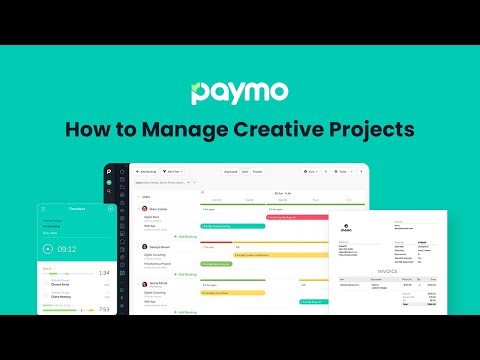
How to Manage a Creative Project in Paymo
Frequently Asked Questions (FAQ)
What buyers ask before choosing Paymo
Integrations What third-party software integrations are available for Paymo?
Paymo offers a variety of third-party software integrations designed to enhance workflow automation and project management. Notably, users can sign up or log in using their Google accounts for added convenience, and they can seamlessly add files from Google Drive to tasks or projects within Paymo. This integration allows for efficient file management and collaboration. Additionally, Paymo supports integrations with various tools that facilitate time tracking, invoicing, and team collaboration, making it a versatile choice for small businesses and service providers. By connecting with these third-party applications, Paymo users can streamline their processes, improve productivity, and maintain better control over their projects and finances.
Integrations How does Paymo connect with Salesforce or HubSpot for project management?
Paymo integrates seamlessly with Salesforce and HubSpot, enhancing project management capabilities by allowing users to synchronize client data and project information between these platforms. With the integration, you can automatically import contacts and leads from Salesforce or HubSpot into Paymo, streamlining the process of creating projects and assigning tasks. This connection enables project managers to track time spent on client projects directly linked to their Salesforce or HubSpot accounts, ensuring accurate billing and reporting. Additionally, updates made in Paymo regarding project status or time tracking can be reflected in Salesforce or HubSpot, providing a unified view of project progress and client interactions. This integration ultimately improves efficiency and collaboration, allowing teams to focus on delivering successful projects while maintaining strong client relationships.
Integrations What are the setup steps for integrating Paymo with Google Drive?
To integrate Paymo with Google Drive, start by logging into your Paymo account. Navigate to the settings or integrations section, where you will find the option to connect with Google Drive. Click on the Google Drive integration and follow the prompts to sign in with your Google account, granting Paymo the necessary permissions to access your files. Once connected, you can easily add files from Google Drive to specific tasks or projects within Paymo, enhancing your project management capabilities. This integration streamlines your workflow by allowing you to keep all relevant documents organized and accessible directly from Paymo, ultimately improving collaboration and efficiency for your team.
Integrations Can I access Paymo's API for custom integrations with other tools?
Yes, you can access Paymo's API for custom integrations with other tools, allowing you to extend its capabilities and tailor it to your specific business needs. The API enables you to automate workflows and connect Paymo with various third-party software, enhancing project management and operational efficiency. By leveraging the API, you can integrate Paymo with platforms like Google Drive for file management or other tools that your business relies on. This flexibility is particularly valuable for service businesses, creatives, and consultants who require seamless collaboration and task management across different applications. For detailed documentation on how to utilize the API, you can refer to Paymo's developer resources or contact their support team for assistance.
Integrations What is the data flow between Paymo and other integrated applications?
The data flow between Paymo and other integrated applications involves seamless synchronization of project management and financial data to enhance workflow efficiency. When you integrate Paymo with third-party applications, such as Google Drive, you can easily upload files directly to tasks or projects, ensuring that all team members have access to the latest documents. Additionally, time tracking data can be exported to accounting software for invoicing, allowing for accurate billing based on tracked hours. Notifications and updates from Paymo can also be sent to integrated platforms, keeping all stakeholders informed in real-time. This interconnectedness not only streamlines project management but also improves collaboration and reduces the risk of data discrepancies across different tools.
Integrations Are there any limitations to the integrations available with Paymo?
Paymo offers a range of integrations to enhance its functionality, but there are some limitations to consider. While it supports popular tools and platforms, the specific integrations available may not cover every software solution a business might use. For instance, Paymo integrates with platforms like Slack for team communication and Zapier for connecting with various apps, but it may not have direct integrations with every project management or accounting tool on the market. Additionally, the depth of integration can vary; some may offer basic functionality while others provide more comprehensive features. Businesses should evaluate their specific needs and check Paymo's integration list to ensure compatibility with their existing tools and workflows.
Features What does the time tracking feature in Paymo do?
The time tracking feature in Paymo allows users to accurately monitor the time spent on various projects and tasks, ensuring that businesses can bill clients fairly and manage resources effectively. With options for both manual and automatic time tracking, users can start a timer directly from their browser, desktop, or mobile device, and even add notes to their time entries for better context. Paymo Track automatically records computer activity, generating detailed timesheets that provide insights into productivity and project costs. This feature not only helps in identifying inefficiencies but also aids in visualizing employee performance and project profitability, ultimately contributing to better decision-making and improved business health.
Features How do I create and assign tasks using Paymo's project management tools?
To create and assign tasks using Paymo's project management tools, first log into your Paymo account and navigate to the project where you want to add tasks. Click on the "Tasks" tab, then select "Add Task" to create a new task. Fill in the task details, including the title, description, due date, and priority level. Once the task is created, you can assign it to one or more team members by selecting their names from the "Assign To" dropdown menu. After assigning, you can monitor the task's progress and make adjustments as needed. Paymo also allows you to group tasks into lists for better organization and visibility, ensuring your team stays aligned and on track with project objectives.
Features What functionalities does the profitability tracking feature offer in Paymo?
The profitability tracking feature in Paymo offers a comprehensive suite of tools designed to help businesses monitor and enhance their financial performance on projects. It allows users to track project costs, income, and profit margins in real time, providing insights into billed versus estimated costs and billable amounts. This functionality enables business owners to identify inefficiencies and areas for improvement, ensuring that projects remain profitable. Additionally, Paymo's financial widgets facilitate the analysis of project profitability, helping users make informed decisions about resource allocation and project management. By leveraging these insights, businesses can optimize their operations, increase their project collection rates, and ultimately drive growth and profitability.
Features How can I generate invoices from timesheet data in Paymo?
To generate invoices from timesheet data in Paymo, start by logging into your Paymo account and navigating to the invoicing section. Here, you can create a new invoice and select the option to convert tracked time into an invoice. Paymo allows you to automatically pull in the hours logged for specific projects and tasks, ensuring accuracy in billing. You can also manually adjust any details as needed, such as adding expenses or modifying line items. Once your invoice is ready, you can send it directly to your clients, who can pay online through integrated payment gateways. This streamlined process not only saves time but also enhances your cash flow by making it easier for clients to settle their invoices promptly.
Features What is the purpose of the Kanban board feature in Paymo?
The Kanban board feature in Paymo serves as a visual project management tool that allows teams to manage their workflow efficiently by visualizing tasks as cards moving through various stages of a project. This feature enables users to create transparent workflows, making it easy to identify and address bottlenecks as tasks progress from start to finish. By providing a bird’s-eye view of all tasks across projects, the Kanban board enhances collaboration among team members, allowing for real-time updates and task assignments. The ability to filter and group cards further streamlines task management, ensuring that everyone stays aligned on project goals. Overall, the Kanban board in Paymo helps teams improve productivity and maintain clarity throughout the project lifecycle.
Features How do I use the real-time discussions feature for team collaboration in Paymo?
To use the real-time discussions feature for team collaboration in Paymo, start by logging into your Paymo account and navigating to the project you want to collaborate on. Within the project, locate the dedicated discussions and comments area, where you can initiate conversations with your team members. Simply type your message or comment, and it will be visible to all participants in real-time, allowing for immediate feedback and updates. You can also tag specific team members to draw their attention to important points or questions. Additionally, ensure that you enable notifications to stay updated on any replies or new discussions, which helps maintain clarity and context throughout your project. This feature effectively reduces the need for unproductive meetings and enhances communication across departments.
ROI & pricing What measurable business value can I expect from using Paymo?
Using Paymo can deliver significant measurable business value by enhancing project management efficiency and financial oversight. With its time tracking and task management features, you can monitor employee performance and project progress in real-time, allowing you to identify bottlenecks and optimize workflows. Paymo's invoicing capabilities streamline the billing process, converting unbilled time into professional invoices, which can improve cash flow and reduce payment delays. Additionally, the platform's profitability tracking tools provide insights into project costs, income, and profit margins, enabling you to make informed decisions that drive profitability. By visualizing your business data, you can weed out inefficiencies and ensure that your projects remain profitable, ultimately contributing to the growth and sustainability of your small business.
ROI & pricing How does Paymo help in tracking ROI and cost savings for my projects?
Paymo helps track ROI and cost savings for your projects by providing comprehensive financial widgets that monitor project costs, income, and profitability in real-time. By utilizing Paymo's profitability feature, you can analyze billed versus estimated costs, billable amounts, and overall profit margins, allowing you to make informed decisions about project pricing and resource allocation. Additionally, Paymo enables you to track work time accurately, ensuring that every hour spent on a project is accounted for, which helps in generating precise invoices and identifying areas where costs can be reduced. This level of visibility into your project finances not only aids in maximizing profitability but also empowers you to weed out inefficiencies, ultimately leading to better ROI and cost savings for your business.
ROI & pricing What are the different pricing plans available for Paymo and what do they include?
Paymo offers several pricing plans tailored to different business needs, including a free plan for simple tools and two paid options: Small Office and Business. The Small Office plan is designed for growing teams and includes features such as time tracking, task management, invoicing, and team collaboration tools. The Business plan provides additional functionalities, making it suitable for larger teams or more complex project management needs. Both paid plans come with a special Spring offer, allowing new customers to enjoy up to 40% off for the first three months. Additionally, users can opt for a yearly subscription to receive further discounts. To explore all features without commitment, potential users can take advantage of a 15-day free trial, which grants access to the plan of their choice without requiring a credit card upfront.
ROI & pricing How quickly can I see a return on investment after implementing Paymo?
The return on investment (ROI) after implementing Paymo can be seen relatively quickly, often within the first few months, depending on how effectively you utilize the platform. Paymo is designed to streamline project management, time tracking, and invoicing, which can lead to immediate improvements in productivity and efficiency. For instance, by using Paymo to track time spent on tasks, businesses can identify areas for cost savings and optimize resource allocation. Additionally, the ability to generate accurate invoices promptly can enhance cash flow. Many users report that the clarity and organization provided by Paymo lead to quicker project completions and better client satisfaction, further contributing to a positive ROI. Ultimately, the speed of seeing returns will depend on your specific use case and how quickly your team adapts to the software.
ROI & pricing What is the total cost of ownership for using Paymo over time?
The total cost of ownership (TCO) for using Paymo over time includes several factors such as subscription fees, potential onboarding costs, and any additional expenses related to integrations or add-ons. Paymo offers various pricing plans, including a free account for simple tools and paid plans like Small Office or Business, which provide more advanced features. The subscription costs can vary based on the number of users and the specific plan chosen. Additionally, businesses may incur costs for training and support during the onboarding process, although Paymo provides free resources and a 30-minute onboarding session to facilitate adoption. It's essential to consider these elements when calculating the TCO, as they can significantly impact the overall investment in Paymo for project management, time tracking, and invoicing needs.
ROI & pricing How can Paymo improve my business's profitability and revenue impact?
Paymo can significantly enhance your business's profitability and revenue impact by providing comprehensive project management and invoicing tools that streamline operations. With features like time tracking, expense monitoring, and real-time collaboration, Paymo allows you to identify inefficiencies and optimize resource allocation. By converting unbilled hours into professional invoices, you ensure that all your work is compensated, thereby maximizing revenue. Additionally, Paymo's profitability tracking feature helps you visualize project costs, income, and profit margins, enabling informed decision-making. This clarity allows you to focus on high-margin projects and improve overall financial health. By leveraging these capabilities, businesses can not only increase their profitability but also foster sustainable growth.
Capabilities Can Paymo help me manage multiple projects simultaneously?
Yes, Paymo is designed to help you manage multiple projects simultaneously with ease. The platform allows you to create and assign tasks to team members, monitor work progress, and identify bottlenecks in real-time, ensuring that all projects stay on track. You can manage projects from start to finish, track work time accurately, and generate invoices, all from a single interface. Paymo also provides financial widgets that help you measure profitability across different projects, enabling you to make informed decisions. Additionally, features like real-time chat and customizable notifications keep your team aligned and informed, further enhancing your ability to juggle multiple projects effectively. This comprehensive approach makes Paymo an ideal solution for small business owners and project managers looking to optimize their workflow.
Capabilities Does Paymo support automatic time tracking for tasks?
Yes, Paymo supports automatic time tracking for tasks through its feature called Paymo Track. This functionality allows users to track time effortlessly as it records activities performed on the computer, generating detailed timesheets based on user activity without manual input. This means that as you work on various tasks, Paymo Track automatically logs the time spent, helping to eliminate the hassle of manual time entry. This feature is particularly beneficial for teams and businesses looking to enhance productivity and accuracy in time management, as it provides a clear overview of how time is allocated across different projects and tasks. By utilizing automatic time tracking, businesses can streamline their workflow, improve project invoicing, and ultimately save time and resources.
Capabilities Can I generate invoices directly from my timesheet data in Paymo?
Yes, you can generate invoices directly from your timesheet data in Paymo, making the invoicing process both efficient and straightforward. Paymo allows you to track your work time using its web timer or mobile tools, and once you have logged your hours, you can easily convert this timesheet data into professional-looking invoices. The platform enables you to make adjustments manually if needed, or you can simply clone previous invoices for similar projects. This feature not only saves you time but also ensures accuracy in billing, allowing you to focus more on your business profitability rather than getting bogged down by paperwork. By streamlining the invoicing process, Paymo helps you get paid faster and enhances your overall project management experience.
Capabilities Does Paymo provide tools for tracking project profitability?
Yes, Paymo provides robust tools for tracking project profitability, making it an ideal choice for businesses looking to enhance their financial oversight. The platform features financial widgets that allow users to monitor project costs, income, and profit in real time. This includes tracking billed versus estimated costs, billable amounts, and overall profit margins, enabling businesses to identify which projects are most lucrative and where inefficiencies may exist. By visualizing this data, users can make informed decisions to optimize their project management processes and ensure profitability. Additionally, Paymo's invoicing capabilities allow for seamless conversion of tracked time into professional invoices, further supporting financial management and project profitability.
Capabilities Can Paymo be customized to fit the specific needs of my team?
Yes, Paymo can be customized to fit the specific needs of your team, making it a versatile project management tool. Users can create fully customizable task views, allowing you to slice and dice work according to your team's workflow preferences. This flexibility enables you to tailor the platform to suit various project types and team structures, whether you are managing a small team or a larger organization. Additionally, Paymo supports features like time tracking, invoicing, and task management, which can be adjusted to align with your operational processes. By adapting Paymo to your unique requirements, you can enhance productivity and ensure that all team members are on the same page, ultimately leading to more efficient project execution.
Capabilities Does Paymo offer mobile solutions for managing projects on the go?
Yes, Paymo offers mobile solutions that allow users to manage projects on the go through its dedicated mobile apps. These apps enable you to track time, manage tasks, and invoice clients directly from your smartphone, ensuring that you stay connected and productive while away from your desk. With features such as real-time discussions, task management, and the ability to create and update time entries, Paymo's mobile solutions facilitate seamless collaboration with your team and clients. You can also receive notifications for important updates, making it easier to stay informed about project progress and changes. This mobile functionality is particularly beneficial for small business owners and teams who need to manage their workload efficiently, regardless of their location.
Use cases How can SDRs use Paymo to track their time and improve productivity?
Sales Development Representatives (SDRs) can leverage Paymo to enhance their productivity by utilizing its automatic time tracking feature, which records the time spent on various tasks without manual input. By starting the web timer or using the mobile app, SDRs can easily log their activities, such as prospecting, follow-ups, and meetings, ensuring accurate tracking of their work hours. This data allows SDRs to analyze how much time they dedicate to each task, helping them identify areas for improvement and optimize their daily schedules. Additionally, Paymo's project management tools enable SDRs to prioritize tasks and manage their workload effectively, leading to increased focus and reduced stress. Overall, by using Paymo, SDRs can gain insights into their time management, ultimately driving better performance and results in their sales efforts.
Use cases What are the best practices for marketers to manage campaigns using Paymo's project management features?
To effectively manage campaigns using Paymo's project management features, marketers should start by clearly defining project objectives and deadlines, ensuring that all team members are aligned on expectations. Utilize the task assignment feature to delegate responsibilities based on individual strengths, and leverage the Team Scheduling module to monitor workloads and availability, preventing bottlenecks. Regularly track progress through Paymo's time tracking tools, which help identify areas for improvement and ensure that tasks are completed on schedule. Additionally, maintain open communication with stakeholders by providing updates through Gantt Charts and visual timelines, which can be exported for easy sharing. Finally, utilize Paymo's invoicing capabilities to streamline billing processes, making it easier to manage budgets and client payments efficiently.
Use cases In what ways can RevOps teams leverage Paymo for resource management and financial tracking?
RevOps teams can leverage Paymo for resource management and financial tracking by utilizing its comprehensive features designed to enhance operational efficiency and profitability. With Paymo, teams can manage workloads, track employee availability, and schedule leave days on a visual calendar, ensuring optimal resource allocation. Additionally, the platform allows for precise time tracking, enabling teams to log work hours manually or automatically, which is crucial for accurate billing and project costing. Paymo's financial management tools provide insights into project costs, income, and profit margins, allowing RevOps teams to monitor financial health and make data-driven decisions. By integrating these functionalities, RevOps teams can streamline processes, reduce inefficiencies, and ultimately drive better business outcomes.
Use cases How do sales leaders utilize Paymo to ensure project deadlines and quality standards are met?
Sales leaders utilize Paymo to effectively manage project deadlines and uphold quality standards by leveraging its comprehensive project management features. They can set clear expectations regarding deadlines and quality benchmarks, ensuring that all team members are aligned with project objectives. By assigning tasks based on employee workload and capabilities, sales leaders can monitor progress in real-time, identify bottlenecks, and make necessary adjustments to keep projects on track. The time tracking module allows them to analyze how long tasks take and assess employee performance, which aids in making informed decisions about resource allocation and project timelines. Additionally, the integration of invoicing and cost management within Paymo provides sales leaders with a holistic view of project health, enabling them to maintain high standards while meeting client expectations.
Use cases What specific workflows can creative agencies implement in Paymo to streamline project execution?
Creative agencies can implement several specific workflows in Paymo to streamline project execution effectively. First, they can create and assign tasks to team members, ensuring clear expectations regarding deadlines and quality standards. By utilizing Paymo's time tracking feature, agencies can monitor work progress and identify bottlenecks in real-time, allowing for quick adjustments. Additionally, agencies can leverage Paymo's invoicing capabilities to generate invoices directly from timesheet data, simplifying the billing process and enabling clients to pay online. This integration of project management, time tracking, and invoicing within a single platform not only enhances collaboration but also improves overall productivity and profitability, making it easier for agencies to focus on delivering high-quality creative work.
Use cases How can architecture firms use Paymo to measure profitability and manage concurrent projects effectively?
Architecture firms can leverage Paymo to effectively measure profitability and manage concurrent projects by utilizing its comprehensive project management features. With Paymo, firms can track work time for each project phase, allowing them to analyze the time spent versus the estimated costs. This insight helps in generating accurate invoices and understanding the financial health of each project. Additionally, Paymo's financial widgets enable firms to monitor billable amounts and profit margins in real-time, ensuring that projects remain profitable. By planning and managing multiple projects simultaneously, firms can increase their project collection rates and streamline workflows, ultimately enhancing productivity and profitability. This holistic approach allows architecture firms to stay competitive in a challenging market while delivering high-quality services to their clients.
Alternatives What are the best alternatives to Paymo for project management?
When considering alternatives to Paymo for project management, several notable tools come to mind. Jira is a robust option, particularly favored by software development teams for its agile project management capabilities. Asana offers a user-friendly interface and is great for task management and team collaboration, making it suitable for various industries. Wekan provides an open-source Kanban board solution, ideal for teams looking for customization and flexibility. Additionally, Toggl Plan is known for its visual planning features, while Trello is popular for its simplicity and ease of use. Each of these tools has its strengths and may cater to different project management needs, so evaluating them based on your specific requirements is essential.
Alternatives How does Paymo compare to Asana in terms of time tracking and invoicing features?
Paymo and Asana both offer project management capabilities, but they differ significantly in their time tracking and invoicing features. Paymo excels in time tracking with tools like a web timer and automatic time tracking, allowing users to log hours directly linked to specific tasks and projects. Additionally, Paymo integrates invoicing seamlessly, enabling users to generate invoices based on tracked time and send them to clients for online payments. In contrast, Asana primarily focuses on task management and collaboration, lacking built-in invoicing features; users often need to rely on third-party integrations for invoicing and time tracking. Therefore, if time tracking and invoicing are critical for your business, Paymo may be the more suitable choice, while Asana is better for teams prioritizing task management and workflow organization.
Alternatives What are the key differentiators between Paymo and Jira for managing creative projects?
Paymo and Jira serve different purposes in project management, particularly for creative projects. Paymo is designed specifically for digital, marketing, and creative agencies, offering features like time tracking, invoicing, and profitability analysis all in one platform, which simplifies the management of creative workflows. It allows users to see costs, invoices, and team schedules in a unified view, making it easier to manage budgets and project timelines. In contrast, Jira is primarily focused on software development and agile project management, providing robust issue tracking and customizable workflows, which may not be as intuitive for creative teams. While Jira excels in handling complex development tasks, Paymo’s user-friendly interface and financial insights make it a better fit for agencies looking to streamline creative processes and enhance profitability.
Alternatives Is Paymo a better choice than Trello for small business project management?
Paymo and Trello serve different project management needs, making the choice dependent on your specific requirements. Paymo is designed for small businesses, offering comprehensive features like time tracking, invoicing, and task management, which are particularly beneficial for service-oriented industries such as creative agencies and law firms. Its user-friendly interface promotes quick adoption among team members, ensuring efficient project tracking and financial management. In contrast, Trello is a more visual tool that excels in task organization through boards and cards, making it ideal for teams that prioritize visual workflows. However, it lacks the integrated invoicing and time tracking capabilities that Paymo provides. Ultimately, if your small business requires robust financial management alongside project tracking, Paymo may be the better choice.
Alternatives What makes Paymo stand out compared to other tools like ClickUp and Monday.com?
Paymo stands out compared to tools like ClickUp and Monday.com primarily due to its focus on time tracking and invoicing, which are essential for small businesses and service-oriented teams. While ClickUp and Monday.com offer robust project management features, Paymo integrates time tracking seamlessly with task management, allowing users to monitor how long tasks take and convert that data into invoices effortlessly. This dual functionality helps businesses not only manage projects but also streamline their billing processes, enhancing overall efficiency. Additionally, Paymo's user-friendly interface and strong customer support contribute to a smoother onboarding experience, making it particularly appealing for small teams looking for simplicity without sacrificing functionality.
Alternatives Why should I switch from Paymo to Harvest for time tracking and invoicing?
Switching from Paymo to Harvest for time tracking and invoicing can offer several advantages depending on your business needs. Harvest is known for its user-friendly interface and robust reporting features, which can provide deeper insights into project profitability and employee performance. Additionally, Harvest integrates seamlessly with a variety of other tools like QuickBooks, Trello, and Slack, which may enhance your workflow if you already use these platforms. While Paymo excels in project management and invoicing capabilities, Harvest's focus on time tracking and expense management might better suit businesses that prioritize these functions. Ultimately, the decision should be based on which features align more closely with your operational requirements and team dynamics.
Paymo Competitors


Paymo Features
- Low
- Medium
- High
| FEATURE | RATINGS AND REVIEWS |
|---|---|
| AI Powered | Read Reviews (2) |
| Analytics | Read Reviews (25) |
| Custom Reports | Read Reviews (868) |
| CAPABILITIES | RATINGS AND REVIEWS |
|---|---|
| AI Powered | Read Reviews (2) |
| Analytics | Read Reviews (25) |
| Custom Reports | Read Reviews (868) |
Paymo Integrations
Paymo integrates with a wide range of software applications through its robust data import and export capabilities.


Few API Integrations for Paymo


Software Failure Risk Guidance
?for Paymo
Overall Risk Meter
Top Failure Risks for Paymo
Paymo Profile
Company Name
Paymo
Company Website
https://www.paymoapp.com/HQ Location
Alexandru Vaida Voievod 18, Oradea, Bihor 410088, RO
Employees
11-50
Social


Financials
SEED

