


LiveWebinar Overview
LiveWebinar offers the most advanced and customizable webinar software. The platform is tailored to meet unique business needs.
Use Cases
Customers recommend Collaboration, Attendee Engagement, Scheduling Post To Social Media, as the business use cases that they have been most satisfied with while using LiveWebinar.
Business Priorities
Customizable Branding and Grow Business are the most popular business priorities that customers and associates have achieved using LiveWebinar.
LiveWebinar Use-Cases and Business Priorities: Customer Satisfaction Data
LiveWebinar works with different mediums / channels such as Video. Mass Media. Social Media etc.
LiveWebinar's features include Recording, Feedback Surveys, Live Streaming, etc. and LiveWebinar support capabilities include Chat Support, 24/7 Support, Email Support, etc. also LiveWebinar analytics capabilities include Analytics, and Custom Reports.
Reviews
"In my life, I have a couple important principles and values I stick to. First of all, I believe in people, and in the power and magic of meetings. The LiveWebinar team are like Good Samaritans – smart, empathetic, helpful and kind. They are professi...onals and experts, down to every detail. Like the tool they create, they are now necessary for educators to function efficiently in the world of remote education. The offer prepared by the LiveWebinar team will help us educators be with students and support them in this particularly difficult time. All of this is provided at the highest level, and is a good and smart choice. What else could you want?" - Przemyslaw Staron
Peer review evidence (same sources as the product rating summary)
"...LiveWebinar.com is a cloud-based webinar solution which helps small to large sized businesses with screen sharing, live video streaming and recording...." Peer review
"...Run branded webinars to captivate your audience, spark engagement and make customers come back to your business. ..." Branding tool at LiveWebinar
"...LiveWebinar is a cloud-based tool that helps users manage online webinars, meetings, training, live streaming, chats, screen sharing, social media broadcasting and high definition (HD) recording via web browsers...." Peer review
LiveWebinar, Demio, BigMarker Webinars, Loom, Livestorm Webinar, etc., all belong to a category of solutions that help Webinar and Conferencing. Each of them excels in different abilities. Therefore, determining the best platform for your business will depend on your specific needs and requirements.
Popular Business Setting
for LiveWebinar
Top Industries
- Information Technology and Services
- Computer Software
- Education
Popular in
- Small Business
- Mid Market
LiveWebinar is popular in Information Technology And Services, Computer Software, and Education and is widely used by Small Business, and Mid Market,
LiveWebinar Customer wins, Customer success stories, Case studies
What solutions does LiveWebinar provide for Collaboration?
How does LiveWebinar address your Attendee Engagement Challenges?
How does LiveWebinar facilitate Content Management?
What benefits does LiveWebinar offer for Event Onboarding?
| CUSTOMERS | TESTIMONIALS |
|---|---|

|
In my life, I have a couple important principles and values I stick to. First of all, I believe in people, and in the power and magic of meetings. The LiveWebinar team are like Good Samaritans – smart, empathetic, helpful and kind. They are professionals and experts, down to every detail. Like the ...tool they create, they are now necessary for educators to function efficiently in the world of remote education. The offer prepared by the LiveWebinar team will help us educators be with students and support them in this particularly difficult time. All of this is provided at the highest level, and is a good and smart choice. What else could you want? |

|
Now go save thousands per year and have one of the FASTEST, most stable webinar products you will EVER experience... Zoom and GTW should be quaking in their boots because the team is listening to us and IMPLEMENTING a ton. If they keep this up, they'll win. Testimonial By Josh O |

|
Super easy to customize and set up your webinar platform. LiveWebinar runs completely in the browser on HTML5 which means there is no additional software to install by the viewers (looking at you Zoom… grrr). I'm also a big fan of the Whiteboard and Youtube Player features! Testimonial By John Whitford |
| CUSTOMERS | TESTIMONIALS |
|---|---|
|
Przemyslaw Staron TEACHER AND LECTURER |
In my life, I have a couple important principles and values I stick to. First of all, I believe in people, and in the power and magic of meetings. The LiveWebinar team are like Good Samaritans – smart, empathetic, helpful and kind. They are professionals and experts, down to every detail. Like the ...tool they create, they are now necessary for educators to function efficiently in the world of remote education. The offer prepared by the LiveWebinar team will help us educators be with students and support them in this particularly difficult time. All of this is provided at the highest level, and is a good and smart choice. What else could you want? |
|
Josh O Copywriting & Charisma Coach Appsumo |
Now go save thousands per year and have one of the FASTEST, most stable webinar products you will EVER experience... Zoom and GTW should be quaking in their boots because the team is listening to us and IMPLEMENTING a ton. If they keep this up, they'll win. Testimonial By Josh O |
|
John Whitford Incomemesh.com |
Super easy to customize and set up your webinar platform. LiveWebinar runs completely in the browser on HTML5 which means there is no additional software to install by the viewers (looking at you Zoom… grrr). I'm also a big fan of the Whiteboard and Youtube Player features! Testimonial By John Whitford |
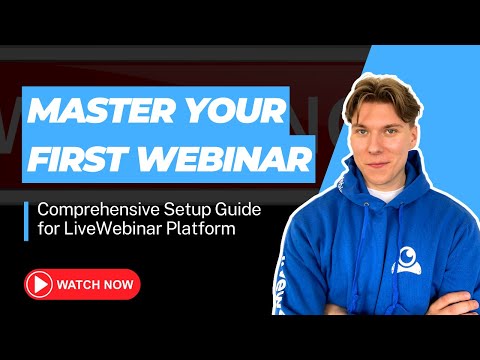
Master Your First Webinar: Comprehensive Setup Guide for LiveWebinar Platform
Frequently Asked Questions (FAQ)
What buyers ask before choosing LiveWebinar
Integrations What CRM integrations are available for LiveWebinar?
LiveWebinar offers a variety of CRM integrations to enhance your webinar experience and streamline your marketing efforts. You can easily connect LiveWebinar with popular CRM platforms such as Salesforce, HubSpot, Microsoft Dynamics 365, Marketo, Pardot, Salesloft, and Outreach. These integrations allow you to manage your leads effectively by automatically syncing webinar registrations and participant data with your CRM, enabling targeted follow-ups and personalized communication. By leveraging these integrations, businesses can improve their lead management processes, boost engagement, and ultimately drive conversions, making LiveWebinar a powerful tool for any organization looking to optimize its webinar strategy.
Integrations How does LiveWebinar connect to Salesforce and HubSpot?
LiveWebinar connects to Salesforce and HubSpot through seamless integrations that enhance your marketing and sales processes. By integrating with Salesforce, LiveWebinar allows you to automatically sync webinar leads and participant data directly into your CRM, enabling better tracking and follow-up on potential customers. Similarly, the HubSpot integration facilitates the transfer of leads generated from webinars into your HubSpot account, allowing for targeted email campaigns and nurturing workflows. To set up these integrations, you can use tools like Zapier, which simplifies the connection process, or utilize LiveWebinar's API for more advanced customizations. This connectivity not only streamlines your operations but also helps in maximizing engagement and conversion rates from your webinars.
Integrations What are the setup steps for integrating LiveWebinar with Marketo?
To integrate LiveWebinar with Marketo, start by logging into your LiveWebinar account and navigating to the integrations section. Look for the Marketo integration option and click on it to initiate the setup process. You will need to provide your Marketo API credentials, which include the Client ID and Client Secret, found in your Marketo account under Admin > Integration > LaunchPoint. Once you enter these credentials, authorize the connection between the two platforms. After successful authentication, you can configure your webinar settings, such as syncing leads and tracking attendance directly in Marketo. Finally, test the integration to ensure that data flows smoothly between LiveWebinar and Marketo, allowing you to effectively manage your webinar campaigns and follow up with attendees.
Integrations How does data flow between LiveWebinar and my marketing automation platform?
Data flows seamlessly between LiveWebinar and your marketing automation platform through various integrations and tools. When you connect LiveWebinar with your chosen marketing automation platform, such as Ecomail, Zapier, or others, registrant data is automatically sent to your contact lists. This integration allows you to capture leads in real-time, ensuring that every new registrant is added to your marketing lists without manual input. You can also set up automated email notifications to inform your team about new leads. Additionally, using Webhooks and APIs, you can synchronize data across platforms, enhancing your marketing efforts and improving customer engagement. This streamlined process not only saves time but also helps maintain accurate and up-to-date records for effective marketing campaigns.
Integrations Are there any limitations when integrating LiveWebinar with Dynamics 365?
Integrating LiveWebinar with Dynamics 365 offers a seamless experience for managing webinars alongside your customer relationship management efforts, but there are some limitations to consider. While the integration allows for synchronization of attendee data and engagement metrics, users may encounter challenges with real-time data updates, which can lead to discrepancies in reporting. Additionally, certain advanced features of LiveWebinar, such as specific add-ons or customizations, may not be fully supported within the Dynamics 365 environment. It's essential to evaluate your specific needs and test the integration to ensure it meets your business requirements. For optimal results, consider leveraging other integration tools like Zapier or Make to enhance connectivity and functionality between LiveWebinar and Dynamics 365.
Integrations What API access options does LiveWebinar provide for third-party integrations?
LiveWebinar offers robust API access options for third-party integrations, allowing businesses to seamlessly connect their existing applications with the webinar platform. The efficient REST API enables developers to build custom integrations effortlessly, facilitating the embedding of LiveWebinar's features into their own systems without the need for extensive back-end infrastructure. Additionally, LiveWebinar supports webhooks, which help automate data synchronization and reduce server load, making it easier to manage interactions between different applications. This flexibility ensures that organizations can tailor their webinar experience to fit their specific needs while integrating with popular marketing automation and CRM platforms, enhancing overall operational efficiency.
Features What does the screen sharing feature do in LiveWebinar?
The screen sharing feature in LiveWebinar allows presenters to display their computer screens to attendees during webinars or online meetings, facilitating real-time collaboration and engagement. This functionality is particularly valuable for showcasing presentations, demonstrating software, or guiding participants through complex processes, as it enables viewers to see exactly what the presenter is seeing. Additionally, screen sharing can enhance interactive learning experiences by allowing participants to share their own screens, fostering a collaborative environment. With LiveWebinar's intuitive interface, users can easily manage their screen sharing settings, switch between different audio and video modes, and utilize the built-in whiteboard for brainstorming sessions. This feature not only improves communication but also helps in effectively conveying information, making it an essential tool for successful virtual events.
Features How do I use the whiteboard feature during a webinar?
To use the Virtual Whiteboard feature during a webinar with LiveWebinar, first ensure you have signed up for a free account and are logged into your session. Once in the webinar, locate the Virtual Whiteboard option in the toolbar. Click on it to open the whiteboard interface, where you can draw, annotate, and share visual elements in real-time. You can use various tools to create diagrams or highlight key points, enhancing audience engagement and understanding. Encourage participants to interact by inviting them to share their screens or contribute to the whiteboard. Remember to toggle the pointer option to emphasize specific areas of your presentation, ensuring clarity and focus. This interactive feature is ideal for making complex topics more accessible and keeping your audience actively involved.
Features What are the audience engagement tools available in LiveWebinar?
LiveWebinar offers a variety of audience engagement tools designed to enhance interaction and participation during webinars. Key features include the Engagement Functionality, which allows organizers to assign points based on attendee actions, introducing gamification elements that captivate the audience. Additionally, the platform supports real-time interactions through live chat, enabling participants to share thoughts and ask questions, fostering a collaborative environment. Custom call-to-action prompts can be integrated during sessions to maintain engagement and encourage participation. Furthermore, LiveWebinar provides analytics tools to track audience presence and engagement levels, helping organizers refine their strategies for future events. These tools collectively ensure that webinars are not only informative but also interactive and engaging for all attendees.
Features How can I create custom tests and surveys in LiveWebinar?
To create custom tests and surveys in LiveWebinar, start by accessing the platform's dashboard after logging into your account. Navigate to the "Tests & Surveys" section, where you can design your questions and format them according to your needs. You can choose from various question types, such as multiple-choice, true/false, or open-ended questions, allowing you to tailor the assessment to your audience. Once your test or survey is created, you can easily integrate it into your webinars, enabling real-time feedback collection from participants. After the session, you can analyze the results through the platform's analytics tools, which provide insights into participant performance and engagement. This feature not only enhances the interactivity of your webinars but also helps you make informed business decisions based on participant feedback.
Features What does the event analytics feature provide for my webinars?
The event analytics feature in LiveWebinar provides comprehensive insights into the performance of your webinars by collecting and presenting data in an easily digestible format, such as charts, graphs, or tables. This functionality allows organizers to track key metrics, including attendance numbers, participation levels, engagement rates, and attendee feedback. By analyzing this data, you can identify trends and patterns that inform your decision-making, enabling you to tailor future content to better meet your audience's preferences and improve overall event effectiveness. With these actionable insights, you can enhance your webinars, optimize engagement strategies, and ultimately drive better results for your business.
Features How do I configure the source tracking feature in LiveWebinar?
To configure the Source Tracking feature in LiveWebinar, start by logging into your LiveWebinar account and navigating to the settings menu. From there, locate the Source Tracking option and enable it to begin tracking the origins of your webinar traffic. You can customize the tracking parameters to capture specific data points, such as the countries and cities your attendees are coming from. Once configured, you will be able to view clear charts and analytics that provide insights into your audience's behavior and preferences. This data-driven approach allows you to optimize your marketing efforts, ensuring that you focus on the channels that yield the best results. For further assistance, refer to the LiveWebinar manuals and tutorials available in your account.
ROI & pricing What measurable business outcomes can I expect from using LiveWebinar?
Using LiveWebinar can lead to several measurable business outcomes that enhance your online engagement and overall performance. By leveraging features such as detailed statistics and reports, you can analyze key metrics like attendance rates, participant engagement, and feedback, allowing you to refine your approach for future webinars. The platform's engagement functionality, which incorporates gamification elements, can increase audience interaction, leading to higher retention and conversion rates. Additionally, the customizable webinar landing pages help in generating leads and boosting attendance, directly impacting your sales funnel. Customers have reported significant cost savings compared to other platforms, which can improve your bottom line. Overall, LiveWebinar empowers organizations to drive business growth through effective online events and data-driven insights.
ROI & pricing How does LiveWebinar contribute to cost savings for businesses?
LiveWebinar contributes to cost savings for businesses by providing a fully customizable webinar platform that eliminates the need for companies to invest in building their own back-end infrastructure. By utilizing LiveWebinar's robust features, such as built-in event management and email marketing tools, businesses can streamline their operations and reduce overhead costs associated with hosting webinars. The platform's wide range of integrations with popular CRM and social media platforms like Facebook, YouTube, and Instagram allows for efficient marketing and audience engagement without additional expenses. Furthermore, LiveWebinar's ability to host large-scale events with up to 1,000 participants ensures that companies can reach a broader audience without incurring high costs typically associated with in-person events. Overall, these features enable businesses to maximize their return on investment while minimizing operational costs.
ROI & pricing What are the different pricing plans available for LiveWebinar, and what do they include?
LiveWebinar offers a variety of pricing plans tailored to meet different user needs, including a free plan, BASIC, PLUS, and PREMIUM options, as well as a customizable ENTERPRISE plan. The free plan allows up to 5 attendees and provides basic features, making it ideal for users testing the platform. The BASIC plan is designed for small teams focusing on lead generation, while the PLUS plan includes additional features for creators looking to monetize webinars. The PREMIUM plan offers advanced capabilities for larger audiences. The ENTERPRISE plan is a fully personalized white-label solution, suitable for businesses requiring extensive customization. Each paid plan increases attendee limits and includes features like unlimited session duration, personalized training, and options for add-ons such as live streaming and language interpretation.
ROI & pricing What is the total cost of ownership for using LiveWebinar over time?
The total cost of ownership (TCO) for using LiveWebinar over time includes several factors such as subscription fees, add-ons, and potential integration costs. LiveWebinar offers flexible pricing plans that start as low as $25.58 monthly, which can increase based on the number of attendees and additional features like Break-out rooms or HQ Live Streaming. Businesses should also consider the costs associated with any necessary integrations with CRM and social media platforms, which can enhance functionality but may incur additional expenses. Furthermore, the ability to customize the platform to fit specific needs can lead to increased efficiency and reduced operational costs in the long run. Overall, evaluating the TCO involves assessing both the direct costs of subscriptions and add-ons, as well as the indirect benefits gained from improved webinar performance and audience engagement.
ROI & pricing How quickly can I see a return on investment after implementing LiveWebinar?
The return on investment (ROI) after implementing LiveWebinar can be seen relatively quickly, often within a few weeks, depending on your specific use case and marketing strategies. Many users report immediate benefits from the platform's customizable event pages and built-in event management tools, which streamline the process of hosting webinars and collecting leads. By leveraging LiveWebinar's robust analytics and insights, you can effectively target your audience and optimize your webinars for maximum engagement and conversion. Additionally, the ability to conduct paid webinars allows you to monetize your expertise right away, further accelerating your ROI. Overall, with its user-friendly interface and strong support, businesses can expect to see tangible results shortly after adoption, making LiveWebinar a valuable investment for driving growth.
ROI & pricing What are the benefits of choosing LiveWebinar compared to other webinar platforms in terms of ROI?
Choosing LiveWebinar offers several benefits that can enhance your return on investment (ROI) compared to other webinar platforms. LiveWebinar provides a fully customizable solution, allowing businesses to tailor the platform to their specific needs without the costs associated with building a backend infrastructure. Its robust integration capabilities with CRM and social media platforms like Facebook, YouTube, and Instagram streamline event management and marketing efforts, making it easier to reach and engage your target audience. Additionally, the platform's analytics and insights help you track performance and optimize future webinars for better results. With features like customizable event pages and a user-friendly interface that requires no downloads, LiveWebinar enhances attendee experience, leading to higher conversion rates and ultimately a better ROI than competitors like Zoom or GoTo Webinar.
Capabilities What features does LiveWebinar offer for hosting large-scale virtual events?
LiveWebinar offers a robust set of features specifically designed for hosting large-scale virtual events, making it an ideal choice for organizations looking to engage a significant audience. The platform supports over 1,000 participants, ensuring that you can accommodate large groups without compromising on quality. It provides crystal-clear audio and video broadcasting, which is essential for maintaining audience engagement. Additionally, LiveWebinar includes customizable event pages that enhance online sign-ups and streamline the checkout process for attendees. The platform also integrates seamlessly with various CRM and social media tools, such as Facebook, YouTube, and Instagram, allowing for effective event promotion and management. With built-in analytics and insights, you can track audience engagement and optimize future events, ensuring a successful virtual experience.
Capabilities Can LiveWebinar ensure compliance with security standards for regulated industries?
Yes, LiveWebinar can ensure compliance with security standards for regulated industries, particularly in the medical and pharmaceutical sectors. The platform is designed with the highest level of security and adheres to strict safety regulations, including SOC 2 compliance, which is crucial for protecting sensitive data. LiveWebinar offers features such as room passwords, waiting rooms, and access tokens to enhance security during online sessions. This commitment to security not only safeguards your data but also builds trust with clients and stakeholders in highly regulated environments. By utilizing LiveWebinar, organizations can confidently conduct webinars and online meetings while meeting legal requirements and maintaining data integrity.
Capabilities Does LiveWebinar support end-to-end encryption for data protection?
LiveWebinar prioritizes data security and employs advanced measures to protect user information, including double encryption and the Advanced Encryption Standard (AES) 256-bit algorithm. While LiveWebinar does not explicitly state that it offers end-to-end encryption, it ensures a high level of data protection through these robust encryption standards and GDPR compliance. This commitment to security is particularly crucial for industries that handle sensitive information, such as healthcare and finance. Additionally, LiveWebinar provides features like waiting rooms, room passwords, and access tokens to further enhance the security of online sessions. By utilizing these security protocols, LiveWebinar aims to create a safe environment for hosting webinars and online meetings, ensuring that user data remains secure throughout the process.
Capabilities Can I customize the branding and appearance of my LiveWebinar events?
Yes, you can fully customize the branding and appearance of your LiveWebinar events to align with your company's identity. The platform allows you to create and store multiple branding templates, enabling you to personalize your webinar room with your colors, logos, and fonts. You can easily switch between these templates as needed, ensuring that your events always reflect your brand's image. Additionally, you can customize event pages to enhance online sign-ups and create a professional look that resonates with your audience. This level of customization not only supports brand consistency but also enhances the overall attendee experience, making your webinars more engaging and aligned with your marketing strategy.
Capabilities What types of interactive features are available in LiveWebinar for audience engagement?
LiveWebinar offers a variety of interactive features designed to enhance audience engagement during webinars. Key functionalities include gamification through the Engagement Functionality, which allows organizers to assign points based on attendee participation, making sessions more captivating. Additionally, the platform supports real-time interaction via live chat, enabling participants to share thoughts and ask questions, fostering a collaborative environment. Other features include customizable call-to-action prompts during evergreen webinars, breakout rooms for smaller group discussions, and comprehensive event analytics to track engagement levels. These tools not only make webinars more interactive but also help in maintaining audience interest and improving overall event effectiveness.
Capabilities Does LiveWebinar provide analytics and reporting tools for measuring webinar performance?
Yes, LiveWebinar provides comprehensive analytics and reporting tools designed to measure webinar performance effectively. The Statistics & Reports function allows organizers to collect and analyze data from their virtual events, presenting it in user-friendly formats such as charts, graphs, and tables. This feature tracks essential metrics, including attendance numbers, participation levels, engagement rates, and feedback from attendees. By leveraging these insights, users can make informed decisions to enhance future webinars, tailor content to audience preferences, and ultimately drive better business outcomes. With these analytics, LiveWebinar empowers hosts to optimize their online events and ensure they meet their objectives.
Use cases How can SDRs use LiveWebinar to enhance their lead generation efforts?
Sales Development Representatives (SDRs) can leverage LiveWebinar to significantly enhance their lead generation efforts by utilizing its robust features designed for engagement and interaction. By hosting webinars tailored to their target audience, SDRs can present valuable content that addresses specific pain points, thereby attracting qualified leads. The platform allows for the integration of registration forms that can filter attendees, ensuring that only work emails are collected, which helps focus on genuine prospects. Additionally, SDRs can utilize custom call-to-actions during the webinar to encourage immediate responses from participants, fostering deeper engagement. The real-time chat feature enables SDRs to interact directly with attendees, answering questions and building relationships. By analyzing attendee data and feedback through LiveWebinar's analytics, SDRs can refine their approach and improve future campaigns, ultimately driving higher conversion rates.
Use cases What are the best practices for marketers to organize engaging webinars using LiveWebinar?
To organize engaging webinars using LiveWebinar, marketers should focus on several best practices. First, create a compelling webinar landing page that clearly outlines the topic, speakers, and schedule to attract attendees. Utilize the platform's engagement functionality to gamify the experience by assigning points for participation, which can enhance audience interaction. Incorporate real-time features like live chat to facilitate discussions and keep participants engaged. Additionally, customize your webinars with tailored call-to-action prompts during key moments to encourage audience involvement. Promote your event through various channels, leveraging LiveWebinar's source tracking feature to identify the most effective marketing efforts. Finally, analyze attendee data post-webinar to refine future presentations and improve overall engagement strategies. By following these practices, marketers can maximize the impact of their webinars and foster a more interactive experience.
Use cases In what scenarios should RevOps teams utilize LiveWebinar for training and collaboration?
RevOps teams should utilize LiveWebinar for training and collaboration in various scenarios, including onboarding new team members, conducting regular training sessions, and facilitating cross-departmental collaboration. The platform's interactive features allow for engaging training experiences, enabling teams to run tests and surveys to evaluate progress effectively. Additionally, LiveWebinar supports virtual meetings and product demos, making it ideal for sharing insights and strategies across sales, marketing, and customer success teams. With its customizable solutions, RevOps teams can tailor the platform to meet specific training needs, ensuring that all participants are aligned with the company's objectives. Furthermore, the ability to integrate with existing business applications enhances collaboration, making LiveWebinar a valuable tool for optimizing operational efficiency and team performance.
Use cases How can sales leaders leverage LiveWebinar for effective product demonstrations?
Sales leaders can leverage LiveWebinar for effective product demonstrations by utilizing its advanced features designed for interactive engagement. They can create visually appealing and informative webinars that showcase product functionalities in real-time, allowing potential customers to see the product in action. By integrating LiveWebinar with their existing CRM tools, such as Salesforce or HubSpot, sales teams can streamline their outreach and follow-up processes. Additionally, the platform supports customizable landing pages to capture leads and schedule demonstrations, enhancing the overall customer experience. With features like screen sharing, live Q&A, and the ability to record sessions for later viewing, sales leaders can ensure that their product demonstrations are not only informative but also engaging, ultimately driving higher conversion rates.
Use cases What features of LiveWebinar are most beneficial for conducting remote training sessions?
LiveWebinar offers a range of features that significantly enhance the effectiveness of remote training sessions. Its interactive tools, such as polls, tests, and surveys, allow trainers to engage participants actively and assess their understanding in real-time. The platform supports HD and FHD webinar recording, enabling trainers to provide on-demand access to sessions for later review. Additionally, features like breakout rooms facilitate small group discussions, fostering collaboration among participants. LiveWebinar's cloud-based infrastructure ensures 24/7 availability and can accommodate over 1,000 participants, making it suitable for large training sessions. The platform's customization options allow organizations to tailor the experience to their specific needs, ensuring a seamless integration into existing workflows. Overall, these features make LiveWebinar an ideal choice for conducting effective and engaging remote training sessions.
Use cases How can teams implement LiveWebinar to facilitate interactive workshops and brainstorming sessions?
To implement LiveWebinar for interactive workshops and brainstorming sessions, teams can start by creating a free account on the platform. Once registered, utilize the Virtual Whiteboard feature to share ideas visually through drawings and diagrams, fostering collaboration among participants. Schedule your session and invite team members using the platform's seamless integration capabilities, allowing for easy access to tools and resources. During the workshop, leverage engagement functionalities such as real-time polls and gamification to keep participants actively involved. Additionally, use breakout rooms for smaller group discussions, enabling focused brainstorming. Finally, ensure to record the session for future reference and follow-up, maximizing the value of your collaborative efforts. By utilizing these features, teams can create dynamic and productive workshops that enhance creativity and teamwork.
Alternatives What are the key differences between LiveWebinar and Zoom?
The key differences between LiveWebinar and Zoom primarily revolve around functionality and user experience. LiveWebinar is designed with marketing webinars in mind, offering features like advanced registration tracking, customizable CTAs, and a comprehensive Summary Dashboard that aids in lead conversion and social media promotion. In contrast, Zoom's Webinar plan requires a Zoom One subscription and is limited to hosting events for 500+ attendees, making it less flexible for smaller or marketing-focused webinars. Additionally, LiveWebinar allows for a free plan with essential features, while Zoom does not provide a similar option. Overall, LiveWebinar is better suited for businesses looking to monetize webinars and engage audiences interactively, whereas Zoom is more geared towards general video conferencing and larger-scale webinars.
Alternatives How does LiveWebinar compare to WebinarJam in terms of features?
LiveWebinar and WebinarJam both offer robust features for hosting webinars, but they cater to different needs. LiveWebinar is a browser-based platform that supports a wide range of functionalities, including customizable communication tools, the ability to host over 1,000 participants, and seamless integration with various business applications through APIs. It also provides features for monetizing webinars and tracking registration conversions effectively. In contrast, WebinarJam is primarily focused on live webinars and may have limitations in terms of customization and participant capacity. While WebinarJam is known for its user-friendly interface, LiveWebinar's flexibility and extensive feature set make it a strong alternative, especially for businesses looking for a more tailored solution. Ultimately, the choice between the two will depend on specific business requirements and preferences.
Alternatives Is LiveWebinar a better alternative to GoTo Webinar?
LiveWebinar is often considered a better alternative to GoTo Webinar due to its broader range of features tailored for selling and marketing webinars. While GoTo Webinar is primarily focused on hosting webinars, it lacks specific functionalities for customization, such as limited options for registration pages and email templates. In contrast, LiveWebinar offers extensive customization capabilities, allowing users to create tailored registration pages and effective call-to-action offers. Additionally, LiveWebinar provides tools for tracking registration conversions and promoting content on social media, enhancing the overall marketing potential of webinars. This makes LiveWebinar a more versatile choice for businesses looking to not only host webinars but also drive sales and engage with their audience effectively.
Alternatives What makes LiveWebinar stand out against ClickMeeting?
LiveWebinar stands out against ClickMeeting primarily due to its fully customizable solution and unlimited free usage, which allows businesses to tailor the platform to their specific needs without the constraints of a trial period. While ClickMeeting offers a 30-day free trial with limited features, LiveWebinar provides a robust platform that can be used indefinitely at no cost, making it an attractive option for organizations looking to integrate webinar capabilities without upfront investment. Additionally, LiveWebinar's API allows seamless embedding of communication features into existing business applications, enhancing operational efficiency. Users have praised LiveWebinar for its stability, ease of use, and exceptional customer support, which further differentiates it from ClickMeeting, ensuring that businesses receive timely assistance when needed.
Alternatives How does LiveWebinar stack up against Livestorm?
When comparing LiveWebinar to Livestorm, both platforms offer unique features tailored for hosting webinars, but they differ significantly in user experience and functionality. LiveWebinar is a browser-based platform that allows for easy customization and integration with existing business applications through APIs, making it a flexible choice for organizations. It also provides essential features like email invitations, registration forms, and interactive tools such as polls and surveys, even in its free plan. In contrast, Livestorm requires more complex integrations for organizing paid events, which can be time-consuming. Customer reviews often highlight LiveWebinar's stability and responsive support, suggesting it may be a more user-friendly option for those looking to streamline their webinar processes. Ultimately, the choice between the two will depend on specific business needs and preferences.
Alternatives Why should I choose LiveWebinar over Zoho Meeting?
Choosing LiveWebinar over Zoho Meeting can be advantageous for several reasons. LiveWebinar offers a fully customizable solution that allows businesses to tailor the platform to their specific needs without the need for extensive back-end infrastructure, thanks to its robust API capabilities. Additionally, LiveWebinar provides a broader range of pricing plans, including a Free plan and options like Basic, Plus, Premium, and Enterprise, which cater to various organizational requirements. In contrast, Zoho Meeting has limited subscription options, which may not include essential features available in LiveWebinar's basic plan. Furthermore, LiveWebinar excels in user experience with its easy access to live events without downloads, and it includes advanced features for marketing webinars, such as tracking registration conversions and creating CTAs, making it a more comprehensive choice for businesses looking to engage their audience effectively.
LiveWebinar Competitors



LiveWebinar Features
- Low
- Medium
- High
| FEATURE | RATINGS AND REVIEWS |
|---|---|
| Analytics | Read Reviews (18) |
| Custom Reports | Read Reviews (41) |
| CAPABILITIES | RATINGS AND REVIEWS |
|---|---|
| Analytics | Read Reviews (18) |
| Custom Reports | Read Reviews (41) |
LiveWebinar Integrations
LiveWebinar integrates with a wide range of software applications through its robust data import and export capabilities.


Few API Integrations for LiveWebinar


Software Failure Risk Guidance
?for LiveWebinar
Overall Risk Meter
Top Failure Risks for LiveWebinar
LiveWebinar Profile
Company Name
LiveWebinar
Company Website
https://www.livewebinar.com/HQ Location
1150 First Avenue, Suite 501 King of Prussia, PA 19406
Employees
11-50
Social


Financials
PRIVATE

