


OneUp Overview
OneUp simplifies social media management by offering an intuitive platform for scheduling and managing posts across various accounts. With over 100,000 users publishing more than 30 million posts, OneUp proves its reliability and effectiveness in the social media marketing landscape. Users benefit from streamlined processes that allow for easy scheduling of Google Business Profile posts, enhancing visibility in search results. The platform's straightforward setup and user-friendly interface make it accessible for businesses looking to maintain a consistent online presence. OneUp's capabilities cater to businesses aiming to optimize their social media strategies with minimal effort, ensuring they stay relevant and visible in a competitive digital environment.
Use Cases
Customers recommend Social Media Management, Sending & Publishing Communications, Content Publishing, as the business use cases that they have been most satisfied with while using OneUp.
Business Priorities
Acquire Customers and Improve Digital And Social Presence are the most popular business priorities that customers and associates have achieved using OneUp.
OneUp Use-Cases and Business Priorities: Customer Satisfaction Data
OneUp works with different mediums / channels such as Social Media. and Website.
OneUp's features include Auto Scheduler & Reminder, Personalization, Alerts: Popups & Notifications, etc. and OneUp support capabilities include 24/7 Support, Email Support, Chat Support, etc. also OneUp analytics capabilities include Analytics, and Custom Reports.
Reviews
"...Yes, it's a social sharing app and one can invite team members...." Peer review by Rick P., Director, Design
Peer review evidence (same sources as the product rating summary)
"...If you want a simple way to schedule social media posts, OneUp is for you...." What is the best alternative to Buffer for scheduling social media posts?
"...Lingke Wang of Ethos was originally published in HackerNoon.com on Medium, where people are continuing the conversation by highlighting and responding to this story...." Founder Interviews: Lingke Wang of Ethos
"...If there are any blogs, publications, podcasts, or YouTube channels that put out good content consistently, you can add the RSS feed links in OneUp, then whenever new content is posted from those places, it is automatically shared to the pages you select. ..." OneUp Cheap Marketing Tool For Social Media
OneUp, Renderforest Video, Walls.io, Missinglettr, Statusbrew, etc., all belong to a category of solutions that help Social Media Marketing. Each of them excels in different abilities. Therefore, determining the best platform for your business will depend on your specific needs and requirements.
OneUp is a social media scheduling tool for Facebook, Instagram, X, LinkedIn, Pinterest, and Google Business Profile. Posts can be scheduled efficiently.
Popular Business Setting
for OneUp
Top Industries
- Real Estate
- Marketing and Advertising
- Media Production
Popular in
- Small Business
- Mid Market
- Enterprise
OneUp is popular in Real Estate, Marketing And Advertising, and Media Production and is widely used by Small Business, Mid Market, and Enterprise.
OneUp Customer wins, Customer success stories, Case studies
How efficiently Does OneUp manage your Sending & Publishing Communications?
What solutions does OneUp provide for Content Publishing?
What benefits does OneUp offer for Engagement Management?
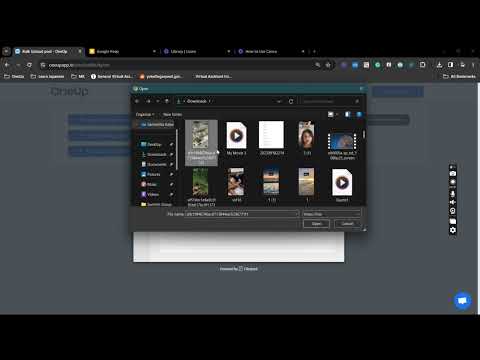
Schedule and Upload 20 Facebook Reels at a Time!
Frequently Asked Questions (FAQ)
What buyers ask before choosing OneUp
Integrations What CRM integrations are available with OneUp?
OneUp primarily focuses on social media scheduling and management rather than direct CRM integrations. However, it does offer robust features that can complement CRM systems by enhancing social media engagement and analytics. While specific CRM integrations are not mentioned, OneUp's capabilities, such as social listening, post approvals, and analytics, can be valuable for businesses using CRMs like Salesforce or HubSpot. These features allow users to monitor brand mentions, manage customer interactions through social media, and analyze engagement metrics, which can be integrated into broader customer relationship strategies. For businesses looking for direct CRM functionalities, it may be beneficial to explore how OneUp can work alongside existing CRM tools to enhance overall marketing and customer engagement efforts.
Integrations How does OneUp connect to Salesforce for data synchronization?
OneUp connects to Salesforce for data synchronization through its integration capabilities, allowing users to streamline their social media management alongside their customer relationship management (CRM) efforts. By linking OneUp with Salesforce, businesses can automatically sync data such as customer interactions and engagement metrics, ensuring that marketing and sales teams have access to up-to-date information. This integration facilitates better collaboration between teams, enhances reporting accuracy, and helps in tracking the effectiveness of social media campaigns in relation to sales performance. To set up this integration, users typically need to authenticate their Salesforce account within the OneUp platform and configure the desired data synchronization settings, enabling a seamless flow of information between the two systems.
Integrations Can OneUp integrate with HubSpot for managing social media campaigns?
OneUp does not currently list HubSpot as a direct integration for managing social media campaigns. However, OneUp supports a wide range of social media platforms, including Facebook, Instagram, LinkedIn, X, Pinterest, YouTube, and Google Business Profiles, allowing users to manage their social media presence effectively. For businesses looking to integrate their social media management with HubSpot, they may consider using third-party tools or automation platforms like Zapier, which can connect OneUp with HubSpot to streamline workflows. This way, users can still leverage OneUp's robust features, such as post scheduling and analytics, while maintaining their marketing efforts within HubSpot.
Integrations What are the setup steps for integrating OneUp with Marketo?
To integrate OneUp with Marketo, start by logging into your OneUp account and navigating to the integrations section. Look for Marketo in the list of available integrations and select it. You will need to provide your Marketo API credentials, which include your Client ID and Client Secret, found in your Marketo admin settings. Once entered, authorize the connection to allow OneUp to access your Marketo account. After successful authentication, you can configure the specific settings for how you want OneUp to interact with your Marketo campaigns, such as syncing leads or tracking engagement metrics. Finally, test the integration to ensure everything is functioning correctly, and you’re ready to leverage OneUp’s scheduling capabilities alongside your Marketo marketing efforts.
Integrations How does the API access work for connecting OneUp to other platforms?
OneUp utilizes official APIs from various social networks to ensure secure and reliable connections when integrating with other platforms. This means that when you connect OneUp to your social media accounts, such as Facebook, Instagram, LinkedIn, or Google Business Profiles, the data exchange is conducted through these authorized channels, maintaining the integrity and safety of your information. The API access allows OneUp to automate posting, manage content, and facilitate features like social listening and post approvals seamlessly across multiple platforms. Additionally, OneUp is designed to comply with the security protocols of each social network, ensuring that your accounts remain safe while you leverage the full capabilities of the software for efficient social media management.
Integrations What are the limitations of data flow between OneUp and external systems?
OneUp maintains strict limitations on data flow between its platform and external systems to ensure user privacy and security. Data sharing is confined to trusted third-party services necessary for operating the platform, such as cloud storage and analytics tools. These providers are contractually obligated to handle user information with the highest level of security and confidentiality, and they are prohibited from using the data for any purpose beyond supporting OneUp's services. Additionally, OneUp only utilizes official APIs from social networks, ensuring that user accounts remain secure and compliant with each platform's policies. This approach minimizes the risk of unauthorized access or misuse of data while allowing users to effectively manage their social media presence.
Features What does OneUp's Social Listening feature do?
OneUp's Social Listening feature allows businesses to monitor mentions of specific keywords across various platforms, including Reddit, YouTube, X, and Bluesky. Users can track mentions of their brand, competitors, or any relevant keywords, receiving timely email notifications about these mentions on a daily or weekly basis. This feature also includes the ability to filter out irrelevant mentions by assigning a relevancy score to each keyword using custom AI prompts. By leveraging OneUp's Social Listening, businesses can gain valuable insights into public perception, track competitor activity, and engage with their audience more effectively, ultimately enhancing their social media strategy and brand reputation.
Features How do I set up keyword monitoring in OneUp's Social Listening?
To set up keyword monitoring in OneUp's Social Listening, first log into your OneUp account and navigate to the Social Listening feature. Here, you can add the specific keywords you want to monitor, which can include your brand name, competitors, or any relevant terms. Once you've entered your keywords, OneUp will begin tracking mentions across platforms like Reddit, YouTube, X, and Bluesky. You can customize your monitoring by using AI prompts to filter out irrelevant mentions and assign relevancy scores to each keyword. Additionally, you can opt to receive email notifications on a daily or weekly basis, keeping you informed about new mentions and trends related to your selected keywords. This setup allows you to stay on top of your brand's online presence effectively.
Features What is the Instagram grid planner in OneUp and how does it work?
The Instagram Grid Planner in OneUp is a free tool designed to help users create visually appealing Instagram feeds by generating image grids. It allows you to upload an image and, with just one click, transform it into a grid format suitable for Instagram. Users can easily map out their Instagram aesthetic by dragging and dropping images to rearrange their scheduled posts, ensuring a cohesive look for their profile. This feature not only enhances the visual appeal of your feed but also helps in planning and previewing content before it goes live, ultimately captivating your audience and improving engagement. Importantly, OneUp ensures that your images remain securely on your device, providing a seamless and user-friendly experience without the need for signup.
Features How can I automate direct messages on Instagram using OneUp?
To automate direct messages on Instagram using OneUp, you can set up DM automations based on specific keywords. First, log into your OneUp account and navigate to the DM automation settings. Here, you can create rules that trigger automatic responses when someone comments with a designated keyword on your Instagram posts. For example, if a user comments "info" on your post, you can configure OneUp to automatically send them a pre-defined message with relevant information. This feature not only saves time but also enhances engagement by ensuring timely responses to your audience. By utilizing OneUp's DM automation, you can streamline your communication on Instagram, allowing you to focus on other aspects of your social media strategy.
Features What are Hashtag Groups in OneUp and how do I create them?
Hashtag Groups in OneUp are collections of hashtags that you can create and save for easy access when scheduling social media posts. This feature allows you to organize hashtags by themes or campaigns, making it more efficient to apply relevant hashtags to your content across various platforms like Facebook, Instagram, and LinkedIn. To create a Hashtag Group, log into your OneUp account, navigate to the Hashtag Groups section, and click on "Create New Group." From there, you can enter a name for your group and add the desired hashtags. Once saved, you can quickly select this group when composing posts, ensuring consistency and enhancing your visibility on social media. This functionality streamlines your posting process and helps you maintain a cohesive branding strategy.
Features How do I generate automatic reports for my social media accounts in OneUp?
To generate automatic reports for your social media accounts in OneUp, start by logging into your OneUp account and navigating to the analytics section. Here, you can select the specific social media accounts you want to include in your report. OneUp allows you to customize your reports by choosing the metrics that matter most to your business, such as engagement rates, post performance, and audience growth. Once you've configured your report settings, you can set up automatic reporting emails to receive these insights on a weekly or monthly basis. This feature not only saves you time but also ensures you stay informed about your social media performance without having to manually compile data.
ROI & pricing What measurable business outcomes can I expect from using OneUp?
Using OneUp can lead to several measurable business outcomes that enhance your social media strategy. By scheduling and managing posts across multiple platforms like Facebook, Instagram, LinkedIn, and Google Business Profiles, you can increase your brand visibility and engagement, leading to higher follower counts and interaction rates. OneUp's analytics and reporting features allow you to track performance metrics such as post reach, engagement rates, and audience growth, enabling data-driven decisions. Additionally, the ability to auto-generate posts with AI and monitor social mentions can save time and improve content relevance, ultimately driving more traffic to your website and increasing conversions. With these tools, businesses can expect improved efficiency in social media management and a stronger online presence, contributing to overall growth and profitability.
ROI & pricing How does OneUp help in achieving a positive return on investment for my social media efforts?
OneUp helps achieve a positive return on investment (ROI) for your social media efforts by streamlining the scheduling and management of posts across multiple platforms, including Google Business Profiles, Facebook, Instagram, LinkedIn, and more. By allowing unlimited social accounts and posts for a fixed price, OneUp maximizes your outreach without incurring additional costs. Its robust analytics and reporting features provide insights into post performance, enabling you to refine your strategy based on data-driven decisions. Additionally, OneUp's social listening capabilities allow you to monitor brand mentions and competitor activity, helping you engage effectively with your audience. The auto-generation of posts using AI and the ability to recycle content further enhance efficiency, ensuring that your social media efforts translate into increased engagement, brand awareness, and ultimately, higher revenue.
ROI & pricing What are the different pricing plans available for OneUp, and what do they include?
OneUp offers several pricing plans designed to cater to different user needs, all of which include a 7-day free trial for new users. The plans vary based on the number of social accounts and features available, such as unlimited posts, advanced analytics, and post approval workflows. Each plan allows users to schedule posts across multiple platforms, including Google Business Profiles, Facebook, Instagram, LinkedIn, TikTok, and more. Additionally, OneUp provides features like AI-generated captions, email notifications for post approvals, and the ability to manage team members within the account. If you decide to cancel within a week after the trial, OneUp offers a 100% refund, ensuring a risk-free experience. For detailed pricing information, you can visit the OneUp website.
ROI & pricing How can OneUp contribute to cost savings in my social media management?
OneUp can significantly contribute to cost savings in your social media management by offering unlimited social accounts, posts, and analytics for a fixed price, eliminating the need for multiple subscriptions to different tools. This all-in-one platform allows you to manage various social media channels, including Facebook, Instagram, LinkedIn, and TikTok, without incurring additional costs for each account. Additionally, OneUp's features like auto-generating captions with AI, scheduling posts to automatically repeat, and robust analytics reporting streamline your workflow, reducing the time and resources spent on manual tasks. By centralizing your social media management in OneUp, you can enhance efficiency and focus on strategic initiatives, ultimately leading to lower operational costs and improved ROI.
ROI & pricing What is the estimated time-to-value when implementing OneUp for my business?
The estimated time-to-value when implementing OneUp for your business can be quite rapid, often within a few days to a couple of weeks, depending on your specific needs and existing workflows. OneUp is designed for ease of use, allowing you to quickly set up your social media accounts, schedule posts, and utilize features like auto-generating captions with AI. Many users report that they can start seeing engagement and improved social media management almost immediately after their initial setup. Additionally, with a 7-day free trial, you can explore OneUp's capabilities without any financial commitment, enabling you to assess its impact on your business right away. Overall, the streamlined interface and robust features contribute to a swift realization of value, enhancing your social media presence efficiently.
ROI & pricing What is the total cost of ownership for using OneUp over a year?
The total cost of ownership for using OneUp over a year depends on the specific pricing plan you choose, as OneUp offers various subscription tiers to accommodate different needs. Each plan includes a 7-day free trial, allowing you to evaluate the service before committing. After the trial, you will pay the monthly or annual fee associated with your selected plan, which covers unlimited social accounts and posts, analytics, and features like post approvals and AI-generated captions. Additionally, OneUp is a self-funded and profitable company, ensuring its longevity and continued support. To get a precise estimate, consider your anticipated usage and select the plan that best fits your business requirements.
Capabilities What social media platforms does OneUp support for scheduling posts?
OneUp supports a wide range of social media platforms for scheduling posts, making it a versatile tool for businesses looking to manage their online presence effectively. Specifically, OneUp allows users to schedule posts for Google Business Profiles, Facebook, Instagram, YouTube, X (formerly Twitter), TikTok, LinkedIn, Threads, Bluesky, Reddit, Snapchat, and Pinterest. This extensive support enables businesses to reach their audience across multiple channels simultaneously, enhancing their marketing efforts. Additionally, OneUp offers features like auto-generating posts with AI, direct posting to Instagram, and the ability to schedule various post types, including Stories and Reels, which further streamlines the social media management process.
Capabilities Can OneUp generate custom reports for social media analytics?
Yes, OneUp can generate custom reports for social media analytics, making it a valuable tool for businesses looking to track their performance across various platforms. Users can create summary and post-level analytics reports that can be tailored to their specific needs. OneUp allows you to combine analytics from multiple social accounts into a single report, which is particularly useful for businesses managing diverse social media presences. Additionally, you can set up automatic reporting emails to receive these insights regularly, ensuring you stay informed about your social media performance without manual effort. This feature enhances decision-making by providing clear visibility into engagement metrics, audience growth, and overall effectiveness of your social media strategies.
Capabilities Does OneUp allow for unlimited social accounts and posts?
Yes, OneUp allows for unlimited social accounts and posts for a fixed price, making it an attractive option for businesses looking to manage multiple social media profiles without incurring additional costs. This feature enables users to streamline their social media management by scheduling and publishing content across various platforms, including Facebook, Instagram, LinkedIn, X, Pinterest, YouTube, and TikTok. With OneUp, you can easily auto-generate captions using AI, schedule posts to automatically repeat, and even manage Google Business Profiles. This flexibility not only saves time but also enhances your ability to engage with your audience effectively across different channels, ultimately driving better results for your social media strategy.
Capabilities Can I monitor specific keywords using OneUp's Social Listening feature?
Yes, you can monitor specific keywords using OneUp's Social Listening feature. This tool allows you to add keywords related to your brand, competitors, or any other terms you wish to track. Once you set up your keywords, OneUp will notify you via email about any mentions across platforms like Reddit, YouTube, X, and Bluesky, with more social networks expected to be added soon. Additionally, you can filter out irrelevant mentions by using custom AI prompts to assign relevancy scores to each keyword, ensuring you only receive the most pertinent information. This capability not only helps you stay informed about your brand's online presence but also allows you to keep an eye on competitors and industry trends, providing valuable insights for your marketing strategy.
Capabilities Does OneUp provide email notifications for mentions of my brand?
Yes, OneUp provides email notifications for mentions of your brand through its Social Listening feature. Users can monitor specific keywords, including their brand name, competitors, or any relevant terms, and receive timely notifications about new mentions. OneUp allows you to customize the frequency of these notifications, offering daily or weekly summaries to keep you informed without overwhelming your inbox. Additionally, the platform uses AI to filter out irrelevant mentions, ensuring that you only receive the most pertinent information. This feature is particularly valuable for businesses looking to manage their online reputation, track brand sentiment, and stay competitive in their industry by being alerted to conversations that matter.
Capabilities Can team members collaborate on posts within OneUp?
Yes, team members can collaborate on posts within OneUp through a feature that allows the addition of internal notes on posts. This functionality enables users to communicate and share insights directly on the post itself, enhancing teamwork and ensuring everyone is aligned. Team members can @mention each other in these internal notes, which triggers an email notification from OneUp to the mentioned individual, ensuring prompt attention to the collaboration. This streamlined communication process helps teams work more efficiently, as they can discuss ideas, provide feedback, and make necessary adjustments before a post goes live, ultimately improving the quality and effectiveness of social media content.
Use cases How can SDRs use OneUp to manage their social media outreach effectively?
Sales Development Representatives (SDRs) can effectively manage their social media outreach using OneUp by leveraging its comprehensive scheduling and analytics features. To start, SDRs can connect multiple social media accounts, including LinkedIn, Twitter (X), and Facebook, allowing them to post outreach content simultaneously across platforms. They can create engaging posts tailored to their target audience and schedule them for optimal times, ensuring consistent visibility. OneUp's social listening capabilities enable SDRs to monitor mentions of their brand or relevant keywords, helping them identify potential leads and engage in timely conversations. Additionally, the analytics feature provides insights into post performance, allowing SDRs to refine their strategies based on what resonates with their audience. By utilizing OneUp, SDRs can streamline their outreach efforts, maintain an active online presence, and ultimately drive more qualified leads.
Use cases What are the best practices for marketers to schedule and analyze social media posts using OneUp?
To effectively schedule and analyze social media posts using OneUp, marketers should follow several best practices. First, select all relevant social media accounts within OneUp to streamline management. Create engaging content tailored to each platform, utilizing OneUp's ability to schedule posts, Reels, and Stories across Facebook, Instagram, YouTube, and more. Leverage the automatic recycling feature to keep your content fresh and visible. Utilize OneUp's analytics tools to monitor post performance, generating custom reports that combine data from multiple accounts for comprehensive insights. Additionally, employ the Social Listening feature to track brand mentions and relevant keywords, allowing for timely engagement with your audience. Regularly review analytics and adjust your strategy based on performance metrics to optimize future posts and enhance overall social media effectiveness.
Use cases In what scenarios should RevOps teams utilize OneUp's social listening features for brand monitoring?
RevOps teams should utilize OneUp's social listening features for brand monitoring in several key scenarios. Firstly, when launching a new product or campaign, monitoring mentions across platforms like Reddit, YouTube, X, and Bluesky can provide immediate feedback and insights into public perception. Additionally, tracking competitor mentions allows teams to gauge market sentiment and identify potential opportunities or threats. OneUp's ability to filter out irrelevant mentions using custom AI prompts ensures that teams focus on the most pertinent discussions. Furthermore, the daily or weekly email notifications keep teams informed without overwhelming them with data, enabling timely responses to customer inquiries or concerns. Overall, leveraging OneUp's social listening capabilities enhances brand awareness, reputation management, and strategic decision-making for RevOps teams.
Use cases How can sales leaders implement OneUp to streamline their team's social media engagement and reporting?
Sales leaders can implement OneUp to enhance their team's social media engagement and reporting by following a few straightforward steps. First, they should create an account and add all relevant social media profiles, including Facebook, Instagram, LinkedIn, and Google Business Profiles, allowing for unlimited accounts under a fixed price. Next, they can utilize OneUp's scheduling feature to plan and automate posts, ensuring consistent engagement across platforms. The analytics and reporting tools enable sales leaders to monitor performance metrics and generate custom reports, providing insights into engagement levels and audience interactions. Additionally, the social listening feature allows teams to track brand mentions and competitor activity, facilitating timely responses and strategic adjustments. By leveraging OneUp's collaborative tools, sales leaders can assign tasks to team members, streamline approvals, and enhance overall social media strategy.
Use cases What workflows can teams adopt to maximize the benefits of OneUp's analytics and reporting capabilities?
To maximize the benefits of OneUp's analytics and reporting capabilities, teams can adopt several effective workflows. First, establish a routine for reviewing summary and post-level analytics to identify high-performing content and engagement trends. Schedule automatic reporting emails to ensure team members receive timely insights without manual effort. Utilize the custom report feature to combine analytics from multiple social accounts, allowing for a comprehensive view of overall performance. Encourage collaboration by sharing findings in internal notes, fostering discussions on strategies to enhance content based on data insights. Additionally, leverage OneUp’s social listening tools to monitor brand mentions and competitor activity, integrating these insights into your content strategy. By implementing these workflows, teams can make data-driven decisions that enhance their social media presence and engagement.
Use cases When is it most beneficial for a marketing team to use OneUp's automated post recycling feature?
OneUp's automated post recycling feature is most beneficial for marketing teams during periods of high content demand or when managing multiple social media accounts. This feature allows teams to set specific intervals for posts to automatically repeat, ensuring consistent engagement without the need for constant manual input. It is particularly useful during promotional campaigns, seasonal events, or when launching new products, as it helps maintain visibility across platforms like Facebook, Instagram, and Google Business Profiles. Additionally, teams can leverage this feature to maximize the lifespan of high-performing content, ensuring that valuable posts reach new audiences over time. By automating the recycling process, marketing teams can focus on strategy and creative development while maintaining an active online presence.
Alternatives What are the best alternatives to OneUp for social media scheduling?
When considering alternatives to OneUp for social media scheduling, several notable options stand out. Hootsuite is a popular choice, offering extensive integrations and analytics features, but it may come with higher pricing tiers. Buffer is another strong contender, known for its user-friendly interface and effective scheduling capabilities, though it may limit the number of social accounts on lower plans. Sprout Social provides robust analytics and social listening tools, making it ideal for businesses focused on engagement, but it tends to be pricier. Later specializes in visual content planning, particularly for Instagram, which can be beneficial for brands with a strong visual presence. Each of these tools has unique strengths, so the best choice will depend on your specific needs and budget.
Alternatives How does OneUp compare to Hootsuite in terms of features and usability?
OneUp and Hootsuite are both popular social media management tools, but they differ significantly in features and usability. OneUp offers unlimited social accounts and posts for a fixed price, along with unique features like auto-generating captions using AI, Instagram grid planning, and robust post approval workflows. Its user-friendly interface is designed for simplicity, making it easy for users to schedule and manage posts across various platforms, including Google Business Profiles, Instagram, and TikTok. In contrast, Hootsuite provides a more extensive suite of analytics and reporting tools, which may appeal to larger teams needing in-depth insights. However, Hootsuite's pricing can become steep with additional features and accounts. Ultimately, OneUp is ideal for users seeking straightforward scheduling and management, while Hootsuite may be better suited for those requiring advanced analytics and team collaboration features.
Alternatives What are the key differentiators between OneUp and Buffer?
OneUp and Buffer are both popular social media scheduling tools, but they have key differentiators that cater to different user needs. OneUp excels in its integration with Google Business Profiles, allowing users to schedule posts, manage reviews, and reply to comments directly within the platform. It also offers unique features like AI-generated posts, social listening for brand mentions, and a robust post approval system, making it ideal for teams and agencies. In contrast, Buffer is known for its user-friendly interface and strong analytics capabilities, focusing on performance metrics across various social platforms. While Buffer supports a wide range of networks, including Facebook and Instagram, it lacks some of the specialized features that OneUp provides for Google Business Profiles and post automation. Ultimately, the choice between OneUp and Buffer depends on whether you prioritize specialized features or a broader analytics focus.
Alternatives Is OneUp a better choice than Sprout Social for managing multiple social accounts?
OneUp and Sprout Social both offer robust features for managing multiple social accounts, but they cater to different needs and budgets. OneUp is known for its simplicity and affordability, allowing unlimited social accounts and posts for a fixed price, making it an attractive option for small businesses or individuals looking for cost-effective solutions. It also includes features like auto-generating captions with AI and social listening capabilities. On the other hand, Sprout Social provides more advanced analytics, reporting, and team collaboration tools, which may be beneficial for larger organizations or those requiring in-depth insights. Ultimately, the choice between OneUp and Sprout Social depends on your specific requirements, budget, and the level of analytics you need for your social media management.
Alternatives What makes OneUp stand out compared to Later for Instagram scheduling?
OneUp stands out compared to Later for Instagram scheduling due to its comprehensive features and flexibility. While both platforms allow users to schedule posts, OneUp offers direct posting for various content types, including single-image posts, carousels, Reels, and Stories, without the need for mobile notifications. Additionally, OneUp supports unlimited social accounts and posts for a fixed price, making it a cost-effective solution for businesses managing multiple profiles. Its robust post approval feature with email notifications enhances team collaboration, and the integrated social listening tool allows users to monitor brand mentions effectively. Furthermore, OneUp's Canva integration simplifies the design process by enabling users to create images directly within the platform, streamlining the workflow for social media managers.
Alternatives Why should I switch from OneUp to SocialBee for my social media management needs?
Switching from OneUp to SocialBee for your social media management needs may be beneficial if you are looking for specific features that SocialBee offers. SocialBee provides advanced content categorization, allowing you to organize your posts into different categories for better scheduling and management. Additionally, SocialBee includes features like evergreen posting, which automatically recycles your best-performing content, and a more extensive set of analytics tools for deeper insights into your social media performance. While OneUp excels in its ease of use and supports unlimited social accounts for a fixed price, SocialBee may offer more robust options for businesses that require detailed content planning and analytics. Ultimately, the choice depends on your specific needs, such as content organization and analytics depth, which SocialBee may fulfill more effectively than OneUp.
OneUp Competitors


OneUp Features
- Low
- Medium
- High
| FEATURE | RATINGS AND REVIEWS |
|---|---|
| Analytics | Read Reviews (19) |
| Custom Reports | Read Reviews (57) |
| CAPABILITIES | RATINGS AND REVIEWS |
|---|---|
| Analytics | Read Reviews (19) |
| Custom Reports | Read Reviews (57) |
OneUp Integrations
OneUp integrates with a wide range of software applications through its robust data import and export capabilities.


Software Failure Risk Guidance
?for OneUp
Overall Risk Meter
Top Failure Risks for OneUp
OneUp. Profile
Company Name
OneUp.
Company Website
https://www.oneupapp.ioHQ Location
United States
Employees
1-10
Social


Financials
PRIVATE


How efficiently Does OneUp manage your Social Media Management?