


Prism PPM (formerly WorkOtter) Overview
Prism PPM transforms traditional project management offices (PMOs) by focusing on executing the most impactful projects effectively. This software shifts the paradigm from mere project collaboration to strategic asset management. With a detailed view of every facet of your project portfolio, Prism PPM empowers organizations to prioritize and execute high-value projects. It is trusted by top public and private organizations, offering practical help to project portfolio leaders. Prism PPM stands out with its ability to convert PMOs into strategic powerhouses, ensuring that resources are allocated to projects that drive organizational success.
Use Cases
Customers recommend Collaboration, Forecasting, Workflow Management, as the business use cases that they have been most satisfied with while using Prism PPM (formerly WorkOtter).
Business Priorities
Manage Risk and Scale Best Practices are the most popular business priorities that customers and associates have achieved using Prism PPM (formerly WorkOtter).
Prism PPM (formerly WorkOtter) Use-Cases and Business Priorities: Customer Satisfaction Data
Prism PPM (formerly WorkOtter) works with different mediums / channels such as E-Mail.
Prism PPM (formerly WorkOtter)'s features include Dashboard, Personalization, Templates, etc. and Prism PPM (formerly WorkOtter) support capabilities include Phone Support, Chat Support, Email Support, etc. also Prism PPM (formerly WorkOtter) analytics capabilities include Analytics, and Custom Reports.
Reviews
"Very easy to use PM system from the get go. Customer support team is superb. Great performance and great integration with other programs like JIRA and Excel. Simple and customisable layout according to the user role.This system was just what we were... looking for when we decided to make the switch from our previous PM system. I am happy that we did!" - Roni Johnson
Peer review evidence (same sources as the product rating summary)
"...Very easy to collaborate on projects and have reports automatically emailed to users...." Peer review by Matthew Oliver, Producer, Estée Lauder Companies
"...The visibility between forecasted and actual time spent on projects is invaluable. ...." Peer review by Patrick W., Residential Field Services
"...Templating is very important to PM and PO as the similarities and workflow are the same between many different programs and needing to create workflows for every program can be cumbersome,..." Peer review by Lori S.
Prism PPM (formerly WorkOtter), TeamGantt, ClickUp, MeisterTask, Airtable, etc., all belong to a category of solutions that help Project Management. Each of them excels in different abilities. Therefore, determining the best platform for your business will depend on your specific needs and requirements.
WorkOtter simplifies project management and optimizes resource allocation. Portfolio management is improved with leading PPM software; request a demo now.
Popular Business Setting
for Prism PPM (formerly WorkOtter)
Top Industries
- Information Technology and Services
- Management Consulting
- Computer Software
Popular in
- Small Business
- Enterprise
- Mid Market
Prism PPM (formerly WorkOtter) is popular in Information Technology And Services, Management Consulting, and Computer Software and is widely used by Small Business, Enterprise, and Mid Market.
Prism PPM (formerly WorkOtter) Customer wins, Customer success stories, Case studies
What Are the key features of Prism PPM (formerly WorkOtter) for Collaboration?
How efficiently Does Prism PPM (formerly WorkOtter) manage your Forecasting?
What Are the key features of Prism PPM (formerly WorkOtter) for Workflow Management?
Why is Prism PPM (formerly WorkOtter) the best choice for Helpdesk Management?
How does Prism PPM (formerly WorkOtter) facilitate Communication Management?
11 buyers and buying teams have used Cuspera to assess how well Prism PPM (formerly WorkOtter) solved their Project Management needs. Cuspera uses 1729 insights from these buyers along with peer reviews, customer case studies, testimonials, expert blogs and vendor provided installation data to help you assess the fit for your specific Project Management needs.
| CUSTOMERS | TESTIMONIALS |
|---|---|

|
Very easy to use PM system from the get go. Customer support team is superb. Great performance and great integration with other programs like JIRA and Excel. Simple and customisable layout according to the user role.This system was just what we were looking for when we decided to make the switch fr...om our previous PM system. I am happy that we did! |

|
I belong to a company wherein using JIRA as our ticketing system is a must. So with the help of this software – WorkOtter we are easily to integrate with JIRA. My company is also timely and deadlines are always a big deal so using WorkOtter makes it easy to plot our work using its feature – Gantt C...hart. |

|
Scalable, flexible, easy to use compared to other project management systems. This is a great tool for team collaboration. WorkOtter makes it very easy to set up and manage specific tasks, giving all team members the ability to contribute and attach documents with unlimited data usage or and storag...e. This is a great SaaS system making it easy to use across any platform.It has great integrations with JIRA, MS Projects and Excel but I am hoping to see a few more integrations being offered. |
| CUSTOMERS | TESTIMONIALS |
|---|---|
|
Roni Johnson Producer Edward Jones |
Very easy to use PM system from the get go. Customer support team is superb. Great performance and great integration with other programs like JIRA and Excel. Simple and customisable layout according to the user role.This system was just what we were looking for when we decided to make the switch fr...om our previous PM system. I am happy that we did! |
|
Melvin Viloria Data AnalysT Microsourcing |
I belong to a company wherein using JIRA as our ticketing system is a must. So with the help of this software – WorkOtter we are easily to integrate with JIRA. My company is also timely and deadlines are always a big deal so using WorkOtter makes it easy to plot our work using its feature – Gantt C...hart. |
|
Gary Eshleman IT Project Manager Honeywell International Inc |
Scalable, flexible, easy to use compared to other project management systems. This is a great tool for team collaboration. WorkOtter makes it very easy to set up and manage specific tasks, giving all team members the ability to contribute and attach documents with unlimited data usage or and storag...e. This is a great SaaS system making it easy to use across any platform.It has great integrations with JIRA, MS Projects and Excel but I am hoping to see a few more integrations being offered. |
Intek Plastics - Manufacturing - Medium
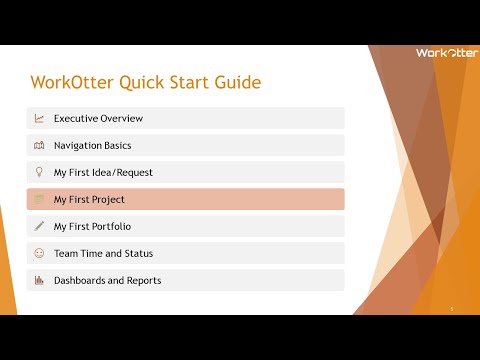
Quick Start: Project Management Overview
Frequently Asked Questions (FAQ)
What buyers ask before choosing Prism PPM (formerly WorkOtter)
What is Prism PPM (formerly WorkOtter)?
WorkOtter is a cloud-based resource, project, and portfolio (PPM) solution for organizations looking to reach their full potential and make their PMOs look brilliant through the power of integrated resource management, workflow, project planning, and dashboards. WorkOtter is ideal for IT, new product development, and Engineering PMOs organizations ready to reach their full potential by eliminating project management chaos and gridlock.
WorkOtter assists with setup, data import, training, and reporting. It manages multiple projects in a consolidated roadmap with personalized dashboards and reports. Capacity planning providing clear supply vs. demand reporting to hire, start, and finish projects. Makes project details visible to every stakeholder to identify and fix issues before impacting the portfolio and also, sends notifications to responsible parties for resolution and to keep everyone in the loop.
Key WorkOtter features include Project Management (Gantt, Kanban, Financials, RAID Logs, Microsoft Project integration, JIRA Sync), Document Management, resource management, Portfolio Management, Timesheets, Program Management, and amazing Dashboards.
What is Prism PPM (formerly WorkOtter) used for?
What are the top features of Prism PPM (formerly WorkOtter)?
Who uses Prism PPM (formerly WorkOtter)?
What are Prism PPM (formerly WorkOtter) alternatives?
Where is Prism PPM (formerly WorkOtter) located?

Peers used Prism PPM (formerly WorkOtter) for collaboration and forecasting
Prism PPM (formerly WorkOtter) Competitors


Prism PPM (formerly WorkOtter) Features
- Low
- Medium
- High
| FEATURE | RATINGS AND REVIEWS |
|---|---|
| Analytics | Read Reviews (31) |
| Custom Reports | Read Reviews (414) |
| CAPABILITIES | RATINGS AND REVIEWS |
|---|---|
| Analytics | Read Reviews (31) |
| Custom Reports | Read Reviews (414) |
Software Failure Risk Guidance
?for Prism PPM (formerly WorkOtter)
Overall Risk Meter
Top Failure Risks for Prism PPM (formerly WorkOtter)
Prism PPM News
Prism PPM Recognized in the 2026 Gartner® Magic Quadrant™ for Adaptive Project Management and Reporting
Prism PPM has been recognized as a Niche Player in the 2026 Gartner Magic Quadrant for Adaptive Project Management and Reporting. This recognition highlights Prism PPM's commitment to continuous innovation in project portfolio management, emphasizing AI-powered automation and advanced analytics to enhance governance, resource planning, and executive decision-making.
ROI of Foresight: Agentic AI & Predictive PPM- Prism PPM
Prism PPM introduces Agentic AI, a proactive AI system integrated into its project portfolio management platform. This technology autonomously monitors projects, anticipates risks, and optimizes resource allocation, enhancing efficiency and strategic alignment. Features include predictive project management, resource forecasting, and portfolio scenario simulation, enabling organizations to achieve better ROI and strategic goals.
Prism PPM and Carahsoft Partner to Deliver Strategic Portfolio Management Solutions to the Public Sector
Prism PPM and Carahsoft have formed a partnership to offer Prism PPM's cloud-based project and portfolio management solutions to government agencies. Carahsoft will act as the Master Government Aggregator, distributing these solutions through various procurement contracts. This collaboration aims to enhance transparency, governance, and agility in government project portfolios, enabling data-driven decision-making and resource optimization.
Prism PPM Launches New Reporting & Analytics: Smarter Business Insights for Strategic Project and Portfolio Management
Prism PPM, formerly WorkOtter, has launched a new Reporting & Analytics solution to enhance project portfolio management. This offering includes embedded dashboards, a BI Gateway for Power BI, and a Databricks connector, aimed at improving visibility and decision-making for PMOs. The solution is designed to address challenges like poor visibility and resource misalignment, supporting strategic data-driven oversight.
Prism PPM Profile
Company Name
Prism PPM
Company Website
https://prismppm.com/HQ Location
Missouri, United States
Employees
11-50
Social


Financials
PRIVATE

