


MessageDesk Overview
MessageDesk transforms your business phone into an SMS powerhouse without the hassle of changing numbers or carriers. It integrates seamlessly with your existing landline or VoIP setup, enabling efficient communication through text messaging. This service is ideal for businesses looking to enhance customer engagement and streamline communication processes. By adding SMS capabilities to your current phone lines, MessageDesk allows you to reach customers more effectively, addressing common communication challenges with ease.
Use Cases
Customers recommend Engaging And Following Up, Contact List Management, Communication Management, as the business use cases that they have been most satisfied with while using MessageDesk.
Business Priorities
Acquire Customers and Enhance Customer Relationships are the most popular business priorities that customers and associates have achieved using MessageDesk.
MessageDesk Use-Cases and Business Priorities: Customer Satisfaction Data
MessageDesk works with different mediums / channels such as Text SMS. and Phone Calls.
MessageDesk's features include Templates, Personalization, Auto Scheduler & Reminder, etc. and MessageDesk support capabilities include AI Powered, 24/7 Support, Phone Support, etc. also MessageDesk analytics capabilities include Custom Reports, and Analytics.
Peer review evidence (same sources as the product rating summary)
"...Appointment Follow-Up SMS Template Scheduling, Appointments ..." Text Message Templates
"...Build contact lists and collect info with custom website contact forms. ..." Grow Contact Lists and Collect Info
"...Send text messages from your desktop, tablet, or mobile phone using our native iOS and Android Apps. ..." Freedom Merchants Integration
MessageDesk, Slicktext, TextUs, Attentive, DialMyCalls, etc., all belong to a category of solutions that help SMS Marketing. Each of them excels in different abilities. Therefore, determining the best platform for your business will depend on your specific needs and requirements.
MessageDesk adds SMS capabilities to existing landline or VoIP numbers. No number porting or carrier switching needed.
MessageDesk Customer wins, Customer success stories, Case studies
How does MessageDesk address your Engaging And Following Up Challenges?
What benefits does MessageDesk offer for Contact List Management?
How efficiently Does MessageDesk manage your Communication Management?
What benefits does MessageDesk offer for Lead Management?
Why is MessageDesk the best choice for Conversion Management?
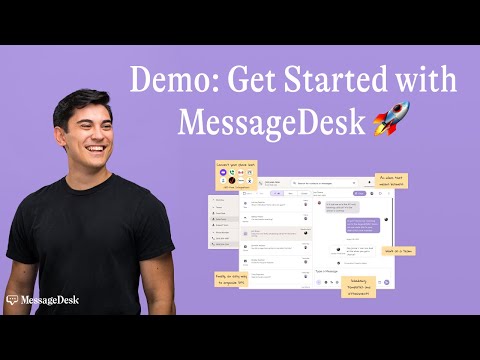
Add SMS Superpowers to your business phone system | MessageDesk Product Demo
Frequently Asked Questions (FAQ)
What buyers ask before choosing MessageDesk
Integrations What CRM integrations are available for MessageDesk?
MessageDesk offers seamless integration with various CRM platforms to enhance your messaging workflows. Notably, it connects with popular tools like HubSpot and QuickBooks through Zapier, allowing you to automate tasks such as sending welcome texts to new leads or notifying your team about new messages. This integration enables you to centralize your communication and streamline processes without needing extensive coding or developer support. By leveraging these CRM integrations, businesses can improve their customer engagement, maintain organized communication, and ensure compliance with messaging standards. Additionally, MessageDesk supports integration with any major VoIP provider and Twilio accounts, further expanding its capabilities to fit your existing systems.
Integrations How does MessageDesk connect to Salesforce and HubSpot?
MessageDesk connects to Salesforce and HubSpot through its integration with Zapier, allowing users to automate workflows and streamline communication. By utilizing Zapier, businesses can trigger actions such as sending text messages or updating contacts based on events in Salesforce or HubSpot. For example, when a new lead is created in Salesforce, MessageDesk can automatically send a welcome text, or when an invoice is generated in HubSpot, a payment confirmation can be dispatched via SMS. This integration enhances efficiency by centralizing communication and ensuring that important messages are not missed, ultimately improving customer engagement and team collaboration. To set up these integrations, users will need a separate Zapier subscription in addition to their MessageDesk account.
Integrations What are the setup steps for integrating MessageDesk with Zapier?
To integrate MessageDesk with Zapier, start by ensuring you have active subscriptions for both MessageDesk and Zapier. First, log into your Zapier account and click on "Make a Zap." Choose MessageDesk as your trigger app and select the specific trigger event you want, such as "New Message Received." Next, connect your MessageDesk account by following the prompts to authenticate it. After that, select the action app you want to connect with, like QuickBooks or HubSpot, and choose the corresponding action event, such as "Send SMS" or "Add Contact." Finally, map the necessary fields between MessageDesk and your chosen app, test the integration to ensure it works correctly, and then activate your Zap. This setup allows you to automate workflows and enhance communication efficiency across your business.
Integrations How does data flow between MessageDesk and other applications like QuickBooks?
Data flows between MessageDesk and other applications like QuickBooks through the integration capabilities provided by Zapier. By using Zapier, users can automate workflows that connect MessageDesk with over 8,000 apps, allowing for seamless data synchronization. For instance, when an invoice is created in QuickBooks, Zapier can trigger MessageDesk to send a payment confirmation text to the client, ensuring timely communication. Additionally, users can set up triggers for various actions, such as adding new CRM leads to MessageDesk or notifying team members in Microsoft Teams when a new message is received. This integration not only streamlines communication but also enhances operational efficiency by reducing manual data entry and ensuring that all relevant information is shared across platforms automatically.
Integrations Are there any limitations to the integrations available with MessageDesk?
MessageDesk offers robust integration capabilities, allowing users to connect with major VoIP providers and Twilio accounts, as well as set up new phone lines directly through the platform. However, while it supports a wide range of integrations, there are some limitations to consider. For instance, users must have a separate subscription for third-party applications like Zapier, which enables connections to over 8,000 apps, including popular tools like HubSpot and QuickBooks. Additionally, all messages sent through Zapier must comply with MessageDesk’s standards, including opt-out requirements. It's important to evaluate your specific needs and the compatibility of your existing systems with MessageDesk to ensure seamless integration and functionality.
Integrations What is the sync behavior when using MessageDesk with third-party tools?
When using MessageDesk with third-party tools, the sync behavior primarily depends on how messages are sent. Messages sent from external systems will appear in MessageDesk with a “Sent” status; however, delivery status updates from these external sends are not currently synced back to MessageDesk. For complete delivery tracking, it is recommended to send messages directly from the MessageDesk platform. Additionally, MessageDesk is working on enhancing its integration capabilities by adding support for forwarding inbound and outbound webhooks to custom endpoints, which will allow users to parse messages, run AI workflows, and update CRMs or dashboards. For now, users can proxy traffic themselves if needed, but the webhook is owned by MessageDesk. This setup ensures that teams can maintain effective communication while leveraging third-party tools.
Features What does the shared team SMS inbox feature do?
The shared team SMS inbox feature in MessageDesk allows multiple team members to view, manage, and respond to client texts from a centralized platform, ensuring that no messages are missed and communication remains seamless. This feature enhances collaboration by enabling team members to assign conversations, leave internal notes, and maintain a shared conversation history in real time, which eliminates confusion and prevents overlapping replies. Additionally, the inbox can be organized using labels and filters, allowing teams to categorize messages by case, client type, or urgency. With the ability to automate responses and use templates for common messages, the shared inbox streamlines communication processes, making interactions faster and more efficient for businesses. Overall, this feature fosters a more organized and responsive team environment, enhancing client engagement and satisfaction.
Features How do I set up automated replies and inbox workflows in MessageDesk?
To set up automated replies and inbox workflows in MessageDesk, start by accessing your MessageDesk account and navigating to the settings menu. From there, look for the "Automation" section where you can create automated replies based on specific keywords or phrases. For instance, you can set up an auto-reply for inquiries about "benefits" or "open roles." Additionally, you can establish workflows that trigger certain actions when a message is received, such as assigning the conversation to a specific team member or categorizing it under a designated label. This helps streamline communication and ensures that your team can respond efficiently. Remember to test your automated replies to ensure they function as intended before going live.
Features What are templates and personalization tags, and how do I use them?
Templates are pre-designed messages that can be used for various communication purposes, such as marketing, customer service, or appointment reminders. They streamline the messaging process by allowing businesses to quickly send consistent and professional communications. Personalization tags are placeholders within these templates that automatically insert specific information, such as a customer's name or order details, making each message feel tailored to the recipient. To use templates and personalization tags effectively, first, create a library of templates relevant to your business needs, then incorporate personalization tags where appropriate. For example, in a discount offer template, you might use a tag like {{FirstName}} to greet the customer personally. This approach not only saves time but also enhances customer engagement by making communications feel more personal and relevant.
Features How can I schedule texts for appointment reminders in MessageDesk?
To schedule texts for appointment reminders in MessageDesk, start by logging into your MessageDesk account and navigating to the messaging dashboard. From there, select the "Scheduled Texts" feature, which allows you to create and queue messages for future delivery. Compose your appointment reminder message, ensuring to include any relevant details such as date, time, and location. You can personalize the message using templates and tags to auto-fill names or specific information. Once your message is ready, set the desired date and time for it to be sent automatically to your clients. This feature helps ensure that no appointments are forgotten, streamlining communication and enhancing client satisfaction.
Features What is the process for labeling and routing conversations in MessageDesk?
In MessageDesk, labeling and routing conversations is designed to streamline communication and enhance team collaboration. To label conversations, users can categorize messages by job type, location, or other relevant criteria, which helps in organizing and prioritizing tasks. Once labeled, conversations can be routed to specific team members based on their expertise or availability, ensuring that inquiries are handled efficiently. This process involves assigning conversations instantly, allowing team members to focus on their designated tasks without confusion. Additionally, the shared team inbox feature centralizes all text messages, making it easier to track and manage ongoing conversations. By implementing these labeling and routing features, businesses can improve response times and maintain clarity across their communication channels.
Features How do I manage notifications for assigned conversations and mentions?
To manage notifications for assigned conversations and mentions in MessageDesk, each team member can customize their notification preferences according to their needs. Users can choose to receive alerts for new unassigned messages, conversations specifically assigned to them, and mentions or internal comments made within threads. Notifications can be delivered through various channels, including desktop alerts, email, and push notifications on mobile devices. This flexibility ensures that team members stay informed about important updates without being overwhelmed by unnecessary alerts, allowing for efficient communication and prompt responses to client inquiries. By tailoring notification settings, teams can maintain clarity and focus on the conversations that matter most.
ROI & pricing What measurable business outcomes can I expect from using MessageDesk?
Using MessageDesk can lead to significant measurable business outcomes, including improved communication efficiency and enhanced customer engagement. For instance, Wayne Insurance reported a 50% reduction in call volume by text-enabling their claims representatives, allowing them to handle inquiries more efficiently. Similarly, Mathnasium achieved a customer engagement rate increase from 50% to over 75% by leveraging MessageDesk's text messaging capabilities. Additionally, AMS Healthcare Staffing was able to fill open shifts three times faster, showcasing the platform's effectiveness in streamlining operations. By centralizing text communications into a shared team inbox and integrating with existing phone systems, businesses can expect not only time savings but also a more personal and engaging interaction with clients, ultimately leading to happier employees and improved service delivery.
ROI & pricing How does MessageDesk improve ROI for businesses through cost savings?
MessageDesk improves ROI for businesses by significantly reducing communication costs and enhancing operational efficiency. By centralizing all text messages into a shared team inbox and integrating with existing phone systems, businesses can streamline their communication processes, which minimizes the time spent on lengthy phone calls and emails. For instance, companies like Wayne Insurance have reported a 50% reduction in call volume, allowing staff to focus on more productive tasks. Additionally, the ability to automate messages and utilize two-way text messaging leads to faster client responses, further saving time and resources. These efficiencies not only lower operational costs but also boost employee satisfaction and customer engagement, ultimately driving higher returns on investment for businesses using MessageDesk.
ROI & pricing What is the pricing structure for MessageDesk and are there any hidden fees?
MessageDesk offers a straightforward pricing structure with no hidden fees or contracts. The pricing is based on a per-user, per-month model, with two main plans: Team at $29 and Pro at $79, both billed annually. The Team plan includes features like unlimited 1-on-1 SMS, a shared team inbox, and group texting, while the Pro plan adds unlimited 100-person text broadcasts and priority support. Additionally, there are no extra charges for additional phone numbers with the Inbox by MessageDesk, although MessageDesk Reach does charge for extra numbers. It's important to note that while there are no overage charges, exceeding your credit allotment will result in metered messaging at $0.05 per message credit. Overall, MessageDesk aims to provide transparency in its pricing to ensure users can budget effectively.
ROI & pricing How quickly can I see value from implementing MessageDesk in my organization?
You can see value from implementing MessageDesk almost immediately, as many users report significant improvements in communication efficiency and engagement shortly after adoption. For instance, organizations like Home Systems by Design and Wayne Insurance have streamlined their client interactions and reduced call volumes by up to 50% using MessageDesk's centralized shared inbox and two-way text messaging features. Users often experience time savings and enhanced employee morale, as the platform allows for quick, personal communication without the hassle of juggling multiple channels. Additionally, MessageDesk integrates seamlessly with existing tools like QuickBooks Online and Twilio, ensuring a smooth transition that minimizes disruption to your workflows. Overall, the immediate benefits can lead to happier employees and more responsive client interactions, making MessageDesk a valuable addition to your organization right from the start.
ROI & pricing What are the total costs associated with using MessageDesk over time?
The total costs associated with using MessageDesk over time primarily depend on the chosen pricing plan and usage levels. MessageDesk offers a straightforward pricing structure with plans starting at $29 per user, per month for the Team plan, and $79 per user, per month for the Pro plan, billed annually. Additional costs may arise from metered messaging if you exceed your credit allotment, charged at $0.05 per message credit. While Inbox by MessageDesk does not incur extra fees for additional phone numbers, MessageDesk Reach does charge for them. It's essential to consider these factors, including potential integrations with VoIP providers or Twilio, to estimate your overall expenses accurately. By evaluating your messaging needs and expected usage, you can better understand the long-term financial commitment of using MessageDesk.
ROI & pricing How can MessageDesk help reduce operational costs and increase revenue?
MessageDesk can significantly reduce operational costs and increase revenue by streamlining communication and enhancing customer engagement. By centralizing all text messages into a shared team inbox, businesses can minimize the time spent on phone calls and emails, leading to faster response times and improved efficiency. For example, companies like Wayne Insurance have successfully cut their call volume by 50%, allowing staff to focus on more productive tasks. Additionally, MessageDesk's integration with existing phone systems and tools like Twilio enables seamless communication, which can lead to higher customer satisfaction and retention rates. As businesses engage customers more effectively, they can expect increased sales opportunities and revenue growth, making MessageDesk a valuable investment for operational efficiency.
Capabilities Can MessageDesk support group texting for unlimited staff members?
MessageDesk supports group texting, allowing teams to communicate effectively with multiple staff members simultaneously. While you can text in groups of up to seven contacts at a time, this feature is designed to facilitate collaboration and streamline communication among team members. However, if your organization requires messaging capabilities for larger groups, you may need to consider alternative solutions or workarounds, such as creating multiple smaller groups. The ability to manage group texts within MessageDesk enhances team coordination and ensures that important information is shared quickly and efficiently, making it a valuable tool for businesses looking to improve their internal communication processes.
Capabilities Does MessageDesk provide automated replies and inbox workflows?
Yes, MessageDesk provides automated replies and inbox workflows to enhance team communication and efficiency. Users can set up auto-replies for common inquiries, ensuring that customers receive timely responses even when team members are unavailable. Additionally, MessageDesk allows for the creation of workflows triggered by specific keywords, such as "benefits" or "onboarding," which can streamline responses and improve the overall customer experience. This automation capability not only saves time for your team but also helps maintain consistent communication with clients. By utilizing these features, businesses can manage conversations more effectively, reduce response times, and ensure that important messages are addressed promptly, ultimately leading to improved customer satisfaction and operational efficiency.
Capabilities Can MessageDesk help with compliance for A2P 10DLC messaging?
Yes, MessageDesk can significantly assist with compliance for A2P 10DLC messaging. We streamline the entire A2P 10DLC carrier registration process, ensuring that your business adheres to the necessary guidelines set by wireless carriers. Our team helps you register your 10DLC numbers, which is essential for maintaining compliance and avoiding issues such as message delivery failures or account suspensions. By submitting a single carrier registration form, we gather the required information about your organization and messaging habits, facilitating a smooth registration process. Additionally, we provide features to manage opt-in requirements, ensuring that your messaging practices align with compliance standards. This not only protects your business from potential penalties but also enhances customer trust and engagement.
Capabilities Does MessageDesk allow for scheduled text messages for reminders?
Yes, MessageDesk does allow for scheduled text messages, making it an effective tool for sending reminders. With MessageDesk's scheduling feature, users can queue appointment confirmations, payment reminders, or follow-ups to be sent automatically at designated times. This functionality not only helps streamline communication but also ensures that important messages reach clients without the need for manual intervention. By utilizing templates and personalization tags, businesses can create professional reminders that are tailored to individual clients, enhancing engagement and reducing the likelihood of missed appointments or payments. Overall, the ability to schedule texts adds significant value to client interactions, improving efficiency and organization within teams.
Capabilities Can MessageDesk organize text conversations by labels and assignments?
Yes, MessageDesk can effectively organize text conversations using labels and assignments. Users can apply labels to categorize messages by various criteria such as job type, location, or urgency, which helps streamline communication and ensures that conversations are easily retrievable. Additionally, conversations can be assigned to specific team members, allowing for clear ownership and accountability. This feature minimizes confusion and ensures that every message is addressed by the appropriate person, enhancing team collaboration. By utilizing these organizational tools, teams can manage their text communications more efficiently, leading to faster response times and improved client interactions.
Capabilities Does MessageDesk enable a shared inbox for team communication?
Yes, MessageDesk enables a shared inbox specifically designed for team communication. This feature allows all team members to view the same conversation history in real time, ensuring that no messages are missed and that context is maintained. Any teammate can jump in to reply, leave notes, or reassign conversations, which enhances collaboration and reduces confusion. Additionally, MessageDesk provides tools for organizing messages by labels, assigning conversations to specific team members, and filtering views based on urgency or status. This centralized approach to messaging helps teams stay aligned and connected, making communication more efficient and effective. With MessageDesk, your team can manage all text conversations seamlessly from one shared inbox, improving overall productivity.
Use cases How can SDRs use MessageDesk to improve their client follow-up processes?
Sales Development Representatives (SDRs) can significantly enhance their client follow-up processes using MessageDesk by leveraging its shared team inbox and automated messaging features. By centralizing all communications, SDRs can easily track interactions with clients, ensuring no follow-up is missed. They can create and utilize message templates for quick responses, which helps maintain consistency and saves time. Additionally, automated scheduling allows SDRs to set reminders for follow-ups, ensuring timely outreach. The integration capabilities with existing phone systems and VoIP providers further streamline communication, enabling SDRs to engage clients through their preferred channels. Overall, MessageDesk empowers SDRs to manage client relationships more effectively, leading to improved engagement and higher conversion rates.
Use cases What are the best practices for marketers to streamline campaign communications with MessageDesk?
To streamline campaign communications with MessageDesk, marketers should implement several best practices. First, utilize the shared team inbox feature to centralize all client interactions, ensuring that no messages are missed and team members can collaborate effectively. Next, take advantage of automated replies and message templates to save time on routine communications, such as welcome messages or reminders. Scheduling texts in advance can help maintain consistent outreach without overwhelming the team. Additionally, integrating MessageDesk with tools like Zapier can automate workflows and trigger messages based on specific keywords or actions, enhancing efficiency. Finally, regularly review communication analytics provided by MessageDesk to refine strategies and improve engagement rates, ensuring that campaigns are both effective and responsive to client needs.
Use cases In what scenarios should RevOps teams implement MessageDesk for better operational efficiency?
RevOps teams should consider implementing MessageDesk in scenarios where streamlined communication is essential for operational efficiency. For instance, when managing multiple client interactions, MessageDesk's shared team inbox allows team members to view and respond to messages without relying on a single point of contact, reducing delays and improving response times. Additionally, if the team faces challenges with delayed client responses or inefficient phone communication, MessageDesk's automated replies and scheduling features can help maintain timely engagement. Furthermore, for teams needing to coordinate across various departments or locations, MessageDesk facilitates seamless internal communication, ensuring that all members are informed and aligned. By leveraging these capabilities, RevOps teams can enhance collaboration, reduce communication overload, and ultimately drive better business outcomes.
Use cases How can sales leaders leverage MessageDesk to enhance team collaboration during client engagements?
Sales leaders can leverage MessageDesk to enhance team collaboration during client engagements by utilizing its shared team inbox feature, which allows all team members to view, assign, and respond to client texts in real-time. This eliminates confusion about who communicated with a client and ensures that no messages are missed. By organizing conversations with labels and routing assignments, sales teams can streamline their workflows and ensure that the right team member addresses specific client needs. Additionally, MessageDesk's automated messaging capabilities enable timely follow-ups and reminders, improving response times and client satisfaction. Overall, these features foster a more cohesive team environment, allowing sales leaders to focus on building relationships and closing deals rather than managing communication logistics.
Use cases What workflows can home service teams adopt with MessageDesk to manage customer communications effectively?
Home service teams can adopt several effective workflows with MessageDesk to streamline customer communications. By utilizing a shared team inbox, all staff members can view, assign, and respond to client messages, ensuring no communication is missed. Teams can label and route messages based on job type or service status, allowing for organized follow-ups. Automated features such as scheduled texts for appointment confirmations and payment reminders help maintain timely communication without manual effort. Additionally, MessageDesk allows for the creation of templates and personalization tags, enabling teams to send professional and consistent messages quickly. With these workflows, home service teams can enhance collaboration, improve response times, and ultimately provide a better customer experience.
Use cases How does MessageDesk support rapid emergency notifications for organizations with dispersed teams?
MessageDesk supports rapid emergency notifications for organizations with dispersed teams by enabling users to send critical updates simultaneously to an unlimited number of staff members, overcoming cellular restrictions on group sizes. This capability is particularly valuable during emergencies, such as environmental hazards like wildfires or severe weather conditions, where timely communication is essential. By centralizing all text messages into a shared team inbox, MessageDesk ensures that urgent information is disseminated quickly and efficiently, allowing teams to stay informed and respond appropriately. The integration with existing phone systems and major VoIP providers further enhances its utility, making it a reliable tool for organizations that need to manage communications across various locations effectively.
Alternatives What are the best alternatives to MessageDesk for team messaging?
When considering alternatives to MessageDesk for team messaging, several options stand out. Slack is a popular choice, offering robust team collaboration features, including channels for organized discussions and integrations with various tools. Microsoft Teams is another strong contender, providing seamless integration with Office 365 and video conferencing capabilities. For businesses focused on SMS communication, Twilio offers a powerful API for sending and receiving messages, though it may require more technical setup. Additionally, Front combines email and messaging in a shared inbox, enhancing team collaboration. Each of these alternatives has unique strengths, so the best choice will depend on your team's specific communication needs and existing workflows.
Alternatives How does MessageDesk compare to Twilio for business SMS solutions?
MessageDesk and Twilio both offer robust solutions for business SMS, but they cater to different needs. Twilio is a powerful API platform that allows developers to build custom messaging solutions, providing extensive flexibility and scalability for businesses with technical resources. However, it requires coding knowledge and can be complex to implement. In contrast, MessageDesk is designed for non-technical users, offering a user-friendly interface that centralizes SMS communication into a shared team inbox without the need for new phone numbers. It integrates seamlessly with existing phone systems, including Twilio accounts, making it easier for teams to manage conversations collectively. Ultimately, businesses looking for a straightforward, collaborative SMS solution may prefer MessageDesk, while those needing a highly customizable API might lean towards Twilio.
Alternatives What are the key differentiators between MessageDesk and TextMagic?
MessageDesk and TextMagic both offer SMS communication solutions, but they have distinct features that cater to different business needs. MessageDesk focuses on integrating with existing phone systems, allowing businesses to centralize text messages into a shared team inbox, which is ideal for team collaboration. It supports major VoIP providers and Twilio accounts, making it flexible for users with established systems. In contrast, TextMagic emphasizes simplicity and ease of use, providing a straightforward platform for sending bulk SMS and managing contacts without the need for complex integrations. While MessageDesk is designed for teams needing organized communication, TextMagic is better suited for businesses looking for a quick and efficient way to send messages. Ultimately, the choice depends on whether a business prioritizes team collaboration or bulk messaging capabilities.
Alternatives Is there a better option than MessageDesk for managing group communications?
While MessageDesk offers robust features for managing group communications, including a shared team inbox and automated messaging, there are alternative options that may suit different business needs. For instance, platforms like Slack provide extensive collaboration tools, allowing for real-time messaging, file sharing, and integration with various applications, making it ideal for teams that prioritize instant communication. On the other hand, Microsoft Teams combines chat, video conferencing, and file collaboration, which can be beneficial for organizations already using Microsoft 365. Additionally, platforms like GroupMe focus on group messaging with a user-friendly interface, suitable for less formal communication. Ultimately, the best choice depends on your specific requirements, such as integration capabilities, team size, and preferred communication style.
Alternatives MessageDesk vs. SimpleTexting: Which is the better choice for team collaboration?
When comparing MessageDesk and SimpleTexting for team collaboration, both platforms offer unique features tailored to enhance communication. MessageDesk provides a shared inbox that consolidates text conversations across teams and phone lines, allowing for seamless message routing, assignment, and visibility, which is ideal for teams needing to manage multiple conversations efficiently. In contrast, SimpleTexting focuses on SMS marketing and offers robust features for mass texting and campaign management, making it suitable for businesses prioritizing outreach and marketing automation. Ultimately, the better choice depends on your team's specific needs: if you require a collaborative environment for managing ongoing conversations, MessageDesk may be the superior option, while SimpleTexting excels in marketing-focused communication strategies.
Alternatives What makes MessageDesk stand out compared to other SMS inbox solutions?
MessageDesk stands out among SMS inbox solutions by offering a centralized, shared team inbox that integrates seamlessly with existing phone systems, including major VoIP providers and Twilio accounts. This unique feature allows teams to maintain their current phone numbers without the need for system changes, ensuring continuity and ease of use. Unlike many competitors, MessageDesk emphasizes collaboration by enabling team members to assign conversations, organize messages with labels, and maintain visibility across all interactions, which enhances communication efficiency. Additionally, its support for both 1:1 and group texting, along with the upcoming mobile app for iOS and Android, provides flexibility and accessibility that many other solutions lack. This combination of features makes MessageDesk an ideal choice for businesses looking to streamline their communication processes while fostering teamwork.
MessageDesk Competitors


MessageDesk Features
- Low
- Medium
- High
| FEATURE | RATINGS AND REVIEWS |
|---|---|
| AI Powered | Read Reviews (33) |
| Custom Reports | Read Reviews (128) |
| Analytics | Read Reviews (7) |
| CAPABILITIES | RATINGS AND REVIEWS |
|---|---|
| AI Powered | Read Reviews (33) |
| Custom Reports | Read Reviews (128) |
| Analytics | Read Reviews (7) |
Software Failure Risk Guidance
?for MessageDesk
Overall Risk Meter
Top Failure Risks for MessageDesk
Alderwood Labs Inc Profile
Company Name
Alderwood Labs Inc
Company Website
//messagedesk.comHQ Location
Reno, Nevada, United States
Employees
11-50
Social


Financials
SEED

