


Strapi Overview
Strapi addresses the challenge of creating and managing content-rich digital experiences across diverse platforms. As an open-source headless CMS built on Node.js, it allows developers to customize and deploy APIs effortlessly. The system supports both JavaScript and TypeScript, facilitating integration with popular frameworks. Strapi's flexibility enables developers to host projects either in the cloud or on private servers, ensuring adaptability to various infrastructure needs. By simplifying API creation, Strapi empowers teams to build modern websites quickly, enhancing productivity without compromising on customization.
Use Cases
Customers recommend Content Management, Sending & Publishing Communications, Generation Of New Leads, as the business use cases that they have been most satisfied with while using Strapi.
Business Priorities
Acquire Customers and Enhance Customer Relationships are the most popular business priorities that customers and associates have achieved using Strapi.
Strapi Use-Cases and Business Priorities: Customer Satisfaction Data
Strapi works with different mediums / channels such as Website. User Generated Content. and Blogs.
Strapi's features include Widgets, SEO, Templates, etc. and Strapi support capabilities include 24/7 Support, Email Support, AI Powered, etc. also Strapi analytics capabilities include Analytics, and Custom Reports.
Reviews
"Strapi gives us a data-centric approach so that we can automize 100% of processes on the platform. It's a great tool to develop centralized datahubs which serve content to different channels." - Dominic Land
Peer review evidence (same sources as the product rating summary)
"...I'll show you how to handle content management in Node.js with a React single-page application. ..." Using Strapi for Node.js Content Management with a React SPA
"...Power preview articles so that our editors can see how an article looks before it is published...." Case Study Paradigma Digital
"...Strapi is a new generation API-first CMS, made by developers for developers...." The best open-source headless CMS for Flutter
Strapi, DialogsCMS, Butter CMS, AgilityCMS, MemberSpace, etc., all belong to a category of solutions that help Content Management Systems. Each of them excels in different abilities. Therefore, determining the best platform for your business will depend on your specific needs and requirements.
Strapi is an open-source, Node.js headless CMS enabling content-rich experiences. It allows content to be created, managed, and exposed to any digital device.
Popular Business Setting
for Strapi
Top Industries
- Information Technology and Services
- Banking
- Computer Software
Popular in
- Small Business
- Mid Market
- Enterprise
Strapi is popular in Information Technology And Services, Banking, and Computer Software and is widely used by Small Business, Mid Market, and Enterprise.
Strapi Customer wins, Customer success stories, Case studies
How efficiently Does Strapi manage your Content Management?
What benefits does Strapi offer for Sending & Publishing Communications?
What Are the key features of Strapi for Generation Of New Leads?
How does Strapi address your Onboarding Challenges?
How does Strapi address your Engagement Management Challenges?
| CUSTOMERS | TESTIMONIALS |
|---|---|

|
Strapi gives us a data-centric approach so that we can automize 100% of processes on the platform. It's a great tool to develop centralized datahubs which serve content to different channels. Testimonial By Dominic Land |

|
Strapi is more than a CMS, it gives a strong base for an API with a beautiful admin UI. A match in heaven combined with NuxtJS. Testimonial By Sebastien Chopin |

|
Anybody can download Strapi and run it on their own server. You can then develop your front end, fetch content in your mobile app using the Strapi API and more. Testimonial By Romain Dillet |
| CUSTOMERS | TESTIMONIALS |
|---|---|
|
Dominic Land CEO Erlkoenig |
Strapi gives us a data-centric approach so that we can automize 100% of processes on the platform. It's a great tool to develop centralized datahubs which serve content to different channels. Testimonial By Dominic Land |
|
Sebastien Chopin Founder NuxtJS |
Strapi is more than a CMS, it gives a strong base for an API with a beautiful admin UI. A match in heaven combined with NuxtJS. Testimonial By Sebastien Chopin |
|
Romain Dillet Senior Writer TechCrunch |
Anybody can download Strapi and run it on their own server. You can then develop your front end, fetch content in your mobile app using the Strapi API and more. Testimonial By Romain Dillet |
Contentful - Content Management - Large
Migrate from Contentful to Strapi Using a Claude Code Skill
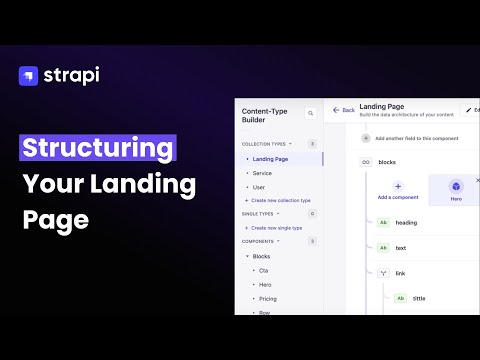
How To Structure Your Landing Page Data in Strapi | Step-by-Step Tutorial
Frequently Asked Questions (FAQ)
What buyers ask before choosing Strapi
Integrations What CRM integrations are available for Strapi?
Strapi offers several CRM integrations that enhance its functionality as a headless CMS, allowing businesses to streamline their content management and marketing efforts. Notable integrations include HubSpot, which combines content flexibility with marketing automation, enabling scalable solutions for growing businesses. Additionally, Strapi can be integrated with GetResponse, merging the headless CMS's capabilities with a robust email marketing platform to improve user engagement. Klaviyo is another option, providing advanced email marketing features alongside Strapi's content management strengths. Furthermore, Drip integration allows for sophisticated, data-driven marketing experiences. These integrations empower users to leverage Strapi's customizable features while enhancing their CRM capabilities, ultimately driving better customer relationships and marketing effectiveness.
Integrations How does Strapi connect with Salesforce for data synchronization?
Strapi connects with Salesforce for data synchronization by utilizing Salesforce's REST or SOAP APIs to facilitate data exchange between the two platforms. To establish this connection, first, ensure that Strapi is equipped with the necessary plugins from its marketplace and configure secure authentication methods, such as JSON Web Tokens (JWT). Next, develop integration logic by writing scripts or using middleware solutions to manage data synchronization effectively. It's essential to map data fields to ensure that Salesforce objects correspond accurately to Strapi content types, preventing conflicts. Additionally, implementing webhooks in Strapi allows for real-time updates, enhancing the dynamic interaction between the systems. Thorough testing and monitoring of the integration are crucial to maintain reliability and ensure accurate data transfer, ultimately improving workflow efficiency and personalizing customer experiences.
Integrations What are the setup steps for integrating Strapi with Marketo?
To integrate Strapi with Marketo, start by ensuring you have both platforms set up and accessible. First, configure your Strapi application to support OAuth 2.0 authentication, which allows secure connections with Marketo. Next, create a new application in Marketo to obtain your client ID and secret, which you will use in Strapi for authentication. After that, set up Strapi CRON jobs to automate data synchronization between the two platforms, allowing you to push content from Strapi to Marketo and pull lead data from Marketo into Strapi at specified intervals. Additionally, implement webhooks in Strapi to trigger actions based on events in Marketo, such as updating content when a lead's status changes. This setup will ensure a seamless integration that enhances your marketing efforts.
Integrations How can I use webhooks to connect Strapi with HubSpot?
To connect Strapi with HubSpot using webhooks, start by ensuring you have Strapi v4+ with admin access and a HubSpot account with API access permissions. First, navigate to the Strapi admin panel and configure webhooks under Settings > Webhooks, specifying the events you want to trigger updates in HubSpot, such as content creation or updates. Next, set up the necessary API endpoints in HubSpot to receive these webhook notifications. Implement data mapping to ensure that the information sent from Strapi aligns with the fields in HubSpot. Finally, test the integration by creating or updating content in Strapi and verifying that the corresponding changes reflect in HubSpot, ensuring a seamless flow of data between the two platforms for enhanced marketing automation.
Integrations What is the data flow between Strapi and external APIs like Salesforce?
The data flow between Strapi and external APIs like Salesforce involves a systematic exchange of information that enhances content management and customer interactions. Initially, Strapi can pull customer data from Salesforce using its REST or SOAP APIs, allowing for personalized content delivery based on customer profiles and interactions. This integration enables Strapi to display tailored content across various channels, improving user experience. Conversely, data can flow from Strapi to Salesforce, where form submissions and other content can be synchronized to enhance lead generation and sales activities. To establish this connection, developers need to implement authentication using credentials from both platforms, map data fields to ensure consistency, and potentially utilize middleware solutions for seamless data synchronization. This efficient data flow ultimately streamlines workflows and enhances the overall functionality of both systems.
Integrations Are there any limitations when integrating Strapi with marketing automation platforms?
When integrating Strapi with marketing automation platforms like Marketo, Mailchimp, or HubSpot, there are some limitations to consider. One potential challenge is the complexity of data mapping and synchronization, which may require careful planning to ensure that user data and content are accurately transferred between systems. Additionally, while Strapi offers flexibility, certain marketing automation features may not be fully supported or may require custom development to achieve desired functionality. For instance, advanced automation triggers or analytics reporting might not seamlessly integrate without additional configuration. Furthermore, depending on the specific platform, there may be API rate limits or restrictions that could impact the frequency and volume of data exchanges. Overall, while Strapi provides robust integration capabilities, understanding these limitations is crucial for optimizing your marketing workflows.
Features What does the Media Library feature do in Strapi?
The Media Library feature in Strapi allows users to manage all their media assets—such as images, audio, videos, and documents—in one centralized location. This feature simplifies the process of uploading, finding, editing, and reusing media files, enhancing efficiency for content teams. With Strapi's Media Library, users can easily organize their assets, and if they are on the Growth plan, they can leverage AI-powered capabilities to automatically generate metadata like alt-text and captions for images, improving accessibility and SEO. Additionally, editors retain full control over their media, with the ability to crop, duplicate, and update metadata as needed. Overall, the Media Library streamlines media management, reducing reliance on external tools and manual processes.
Features How do I configure custom roles and permissions in Strapi?
To configure custom roles and permissions in Strapi, first, ensure you are using Strapi v5 or later, as this version supports the Custom Roles and Permissions feature. Access the Strapi Admin Interface and navigate to the "Roles & Permissions" section under the "Settings" menu. Here, you can create new roles by clicking on "Add New Role" and defining specific permissions for each role, such as reading, editing, or publishing content. You can also customize permissions down to individual fields within your content types. Once you’ve set up the roles, assign them to users as needed to ensure that each team member has the appropriate access level. This setup enhances security and compliance by preventing unauthorized actions within your content management system.
Features What is the purpose of the Content Types Builder in Strapi?
The Content Types Builder in Strapi is a core plugin designed to help users create and manage their content architecture efficiently. It allows developers to define various content structures using single types or collection types, which can be tailored to meet specific project requirements. This flexibility is crucial for businesses that need to manage diverse content types across different platforms. By utilizing the Content Types Builder, teams can streamline the process of content creation and organization, enabling editors to easily modify and publish content without requiring developer intervention. This not only enhances productivity but also empowers content teams to maintain control over their digital assets, ultimately improving the overall content management workflow within the organization.
Features How can I use the Blocks Editor to create content in Strapi?
To use the Blocks Editor in Strapi for creating content, first ensure you have the latest version of Strapi installed and set up your project. Navigate to the Content-Type Builder in the Strapi admin panel and create a new content type or edit an existing one. Within the content type, you can add a "Blocks" field, which allows you to define flexible content structures. Once your blocks are set up, you can easily add, rearrange, and customize individual blocks directly in the editor. This feature enables you to create complex layouts without needing extensive coding knowledge, providing a user-friendly interface for content editors to manage and modify content efficiently. After saving your changes, the content will be accessible via the generated REST or GraphQL APIs, ready for use in your applications.
Features What are Dynamic Zones in Strapi and how do they work?
Dynamic Zones in Strapi are a powerful feature that allows users to create flexible page layouts using reusable components, enabling content managers to assemble pages independently without needing developer intervention. This functionality empowers editors to mix and match various component types within a single Dynamic Zone, facilitating rich and diverse content structures tailored to specific needs. Additionally, Dynamic Zones are fully compatible with Strapi's internationalization (i18n) feature, allowing different locales to have unique component arrangements, enhancing localization efforts. For instance, a homepage can feature a testimonial slider in one language and a video component in another, providing maximum flexibility. This capability not only streamlines content updates but also significantly reduces the time developers spend on creating new templates, ultimately improving the overall efficiency of content management and enhancing user experience.
Features How do I set up editorial workflows in Strapi?
To set up editorial workflows in Strapi, begin by defining the stages of your content approval process, such as "Draft," "In Review," and "Ready to Publish." You can create these stages within Strapi's customizable review workflows feature. Next, assign specific roles to manage each stage, ensuring that writers can submit drafts, editors can review them, and senior editors can publish the final content. Utilize Strapi's Draft and Publish feature to allow your team to work on entries without making them live immediately. Additionally, consider implementing workflow automation through webhooks to trigger actions when content moves between stages. This structured approach not only streamlines the editorial process but also enhances collaboration among team members, ensuring that content meets quality standards before publication.
ROI & pricing What are the measurable business benefits of using Strapi for development teams?
Using Strapi offers several measurable business benefits for development teams, primarily through its flexibility and efficiency. Strapi's headless CMS architecture allows teams to quickly build and manage APIs, which accelerates the development process and reduces time-to-market for new features. Its user-friendly interface enables content teams to autonomously create and modify content without needing developer assistance, leading to increased productivity and reduced operational costs. Additionally, Strapi's compatibility with various tech stacks, such as Vue.js and Node.js, ensures seamless integration into existing systems, enhancing overall workflow. The platform's stability supports high traffic volumes, making it suitable for businesses with significant online presence, while its open-source nature fosters community support and continuous improvement. Overall, Strapi empowers development teams to deliver high-quality projects efficiently, driving better business outcomes.
ROI & pricing How does Strapi contribute to cost savings and improved ROI for businesses?
Strapi contributes to cost savings and improved ROI for businesses by providing a highly customizable and flexible headless CMS that reduces reliance on developers for content management. With Strapi, content teams can autonomously create and modify content without needing technical assistance, which streamlines workflows and minimizes operational costs. Its open-source nature allows businesses to own the code and avoid vendor lock-in, enabling them to tailor the platform to their specific needs without incurring additional licensing fees. Furthermore, Strapi's ability to integrate seamlessly with existing tech stacks and its efficient handling of high traffic volumes ensure that businesses can scale effectively without significant infrastructure investments. This combination of flexibility, autonomy, and cost efficiency ultimately leads to a higher return on investment as companies can adapt quickly to market demands while controlling expenses.
ROI & pricing What pricing plans does Strapi offer, and how do they impact total cost of ownership?
Strapi offers a flexible pricing structure that includes a free self-hosted option and a paid essential plan starting at $45 per month. The total cost of ownership for Strapi extends beyond initial implementation, as it encompasses ongoing operational expenses such as hosting and scaling costs. While the self-hosted version allows for significant savings, it requires users to manage their own hosting, which can vary widely in cost depending on the infrastructure chosen. In contrast, the essential plan includes managed hosting, which simplifies the process but adds to the monthly expenses. Understanding these cost structures is crucial for businesses to predict their long-term investment requirements and ensure they align with their budget and operational needs.
ROI & pricing How quickly can businesses expect to see value from implementing Strapi?
Businesses can expect to see value from implementing Strapi quite rapidly, often within days of setup. Users have reported being able to draft and launch a site in just a few days, leveraging Strapi's straightforward functionalities. The platform's flexibility allows teams to quickly build APIs and integrate them with existing systems, which can significantly enhance operational efficiency. For instance, one team noted that they could create and modify content types in just a couple of hours, enabling them to deliver projects three times faster than before. Additionally, Strapi's simple interface and quick training time—often around 30 minutes for local teams—further contribute to its ability to provide immediate value, allowing businesses to focus on their core objectives without extensive delays.
ROI & pricing What factors should be considered when evaluating the ROI of Strapi for my organization?
When evaluating the ROI of Strapi for your organization, consider several key factors. First, assess the customization capabilities Strapi offers, as its flexibility allows for tailored landing page designs and seamless integration with existing tech stacks, which can enhance user experience and engagement. Next, evaluate the agility of data management and extraction, as this can lead to improved operational efficiency and faster time-to-market for new content. Additionally, consider the autonomy it provides to your content team, enabling them to publish updates without developer assistance, which can reduce costs and speed up workflows. Finally, analyze the performance under load, especially if your site anticipates high traffic, as Strapi's stability can support significant visitor volumes, ultimately contributing to a positive ROI through increased user satisfaction and retention.
ROI & pricing Are there any hidden costs associated with Strapi's pricing models that businesses should be aware of?
Strapi's pricing models are designed to be transparent, but businesses should be aware of potential hidden costs that can arise from operational expenses beyond the initial implementation. While Strapi itself is free for self-hosting, costs can accumulate through managed hosting services, which can range from $30 to over $1,500 per month depending on the hosting tier chosen. Additionally, if your team requires enterprise features or needs to scale infrastructure, these costs can increase significantly. It's essential to consider the total cost of ownership, including ongoing maintenance, support, and any additional integrations or customizations that may be necessary for your specific use case. By understanding these factors, businesses can better predict their long-term investment requirements when using Strapi.
Capabilities What security features does Strapi offer for enterprise-level applications?
Strapi offers a robust suite of security features tailored for enterprise-level applications, ensuring that sensitive data is protected and access is tightly controlled. The Enterprise Edition includes Single Sign-On (SSO) capabilities backed by PassportJS, allowing users to authenticate once across multiple applications, which simplifies user management and enhances security. Additionally, Strapi provides custom roles and permissions, enabling organizations to define specific access levels for different users, ensuring that individuals can only interact with the content they are responsible for. This granular control minimizes the risk of unauthorized actions, such as accidental deletions or publications. Furthermore, Strapi can be integrated into security information and event management (SIEM) systems, although specific documentation for this integration is currently limited. Overall, these features collectively enhance the security posture of enterprise applications built on Strapi.
Capabilities Can Strapi support multi-factor authentication for enhanced security?
Strapi does not natively support multi-factor authentication (MFA) out of the box; however, it can be integrated with third-party authentication providers that offer MFA capabilities. For instance, by using Auth0, which is compatible with Strapi's Users & Permissions plugin, you can implement MFA as part of your authentication flow. This integration allows you to enhance security by requiring users to provide additional verification, such as a code sent to their mobile device, alongside their standard login credentials. Additionally, Strapi's Enterprise Edition features Single Sign-On (SSO) backed by PassportJS, which can also be configured to work with MFA solutions, further bolstering your application's security. Thus, while Strapi itself does not provide MFA directly, it offers the flexibility to integrate with services that do.
Capabilities Does Strapi provide role-based access control for managing user permissions?
Yes, Strapi provides robust role-based access control (RBAC) for managing user permissions, allowing you to create custom roles tailored to your team's needs. With Strapi's RBAC system, administrators can define specific access rights for different content types and even down to individual field types, ensuring that users only have the permissions necessary for their roles. This feature enhances security and compliance by preventing unauthorized actions, such as accidental deletions or publications. Strapi also includes three default roles—Super Admin, Editor, and Author—each with varying levels of access, which can be customized further. This flexibility is particularly beneficial for teams with diverse responsibilities, as it streamlines content management while maintaining control over who can create, edit, or publish content.
Capabilities Can Strapi be deployed in multiple regions to comply with data residency requirements?
Yes, Strapi can be deployed in multiple regions to comply with data residency requirements. You have the flexibility to host your project, data, and assets in various locations, including the US (East), Europe (West), and Asia (Southeast). This allows you to choose the region that best suits your business needs and ensures better performance by keeping your data closer to your customers. Additionally, Strapi supports deployment on platforms like AWS, Azure, and private Kubernetes clusters, which can further enhance compliance with data residency mandates. If your organization has specific requirements, such as air-gapped environments or strict encryption needs, Strapi's architecture allows for these technical implementations without complicating procurement processes.
Capabilities What compliance certifications does Strapi support for regulated industries?
Strapi supports compliance for regulated industries through its built-in enterprise compliance features and configurable compliance options during deployment. While Strapi provides a solid baseline for security and compliance, it is essential for organizations to understand their responsibilities in maintaining compliance, as Strapi operates on a self-managed security model. This means that while Strapi offers tools and frameworks to help meet industry-specific regulatory requirements, such as data ownership and control, organizations must ensure that their implementation aligns with best practices and regulatory standards. Therefore, it is crucial to assess your specific compliance needs and how Strapi can be configured to support them effectively, particularly in industries with stringent regulations.
Capabilities Does Strapi allow for customizable audit trails to track data access and changes?
Strapi does not offer built-in customizable audit trails for tracking data access and changes in its Community Edition. However, the Audit Logs feature is available in the Strapi Enterprise Edition, which is designed for larger teams and organizations that require more advanced functionalities. This feature allows users to monitor and log changes made within the application, providing a clear record of who accessed or modified data. For businesses needing detailed tracking and accountability, upgrading to the Enterprise Edition would be necessary to leverage this capability. If audit trails are a critical requirement for your organization, consider evaluating the Enterprise Edition for its enhanced features and compliance support.
Use cases How can SDRs use Strapi to streamline their content management for lead generation?
Sales Development Representatives (SDRs) can leverage Strapi to streamline their content management for lead generation by utilizing its headless CMS capabilities to create, manage, and publish content efficiently. With Strapi, SDRs can easily customize landing pages and marketing materials without needing developer assistance, allowing for rapid updates and adaptations to campaigns. The platform's real-time data integration features enable SDRs to display up-to-date market information, enhancing the user experience and engagement on their websites. Additionally, Strapi's media library helps organize and manage various content assets, making it easier for SDRs to access and utilize the right materials for their outreach efforts. By integrating Strapi with tools like Salesforce, SDRs can ensure consistent messaging and data management across platforms, ultimately improving lead generation efforts.
Use cases What are the best practices for marketers to implement Strapi in their digital marketing workflows?
To effectively implement Strapi in digital marketing workflows, marketers should start by leveraging its API-driven content management capabilities to ensure seamless integration with existing tools like Marketo and BigCommerce. Establish a clear content strategy that defines how content will be created, managed, and distributed across various channels. Utilize Strapi's flexibility to customize landing pages and optimize user experience by displaying real-time data, which can enhance engagement. Regularly train team members on Strapi's admin interface to maintain autonomy in content updates without developer assistance. Additionally, monitor performance metrics to refine content strategies and ensure that the system scales effectively with increasing traffic. By following these best practices, marketers can maximize Strapi's potential to streamline their digital marketing efforts and improve overall campaign effectiveness.
Use cases In what scenarios should RevOps teams consider using Strapi for data centralization and content delivery?
RevOps teams should consider using Strapi for data centralization and content delivery in scenarios where they require complete control over their content infrastructure, especially in environments with strict compliance requirements. Strapi's headless CMS architecture allows for seamless integration with various tech stacks, enabling teams to customize their content management processes extensively. If your organization needs to manage diverse content types across multiple digital channels without redeploying or altering the codebase, Strapi's API-driven approach is ideal. Additionally, Strapi's self-hosted options provide enhanced security and autonomy, allowing teams to push updates live without developer assistance. This flexibility, combined with the ability to optimize for long-term cost efficiency, makes Strapi a compelling choice for RevOps teams aiming to streamline their content delivery and improve operational efficiency.
Use cases How can sales leaders leverage Strapi to enhance customer engagement through personalized content?
Sales leaders can leverage Strapi to enhance customer engagement by utilizing its headless CMS capabilities to create and manage personalized content tailored to specific customer segments. By integrating Strapi with customer relationship management (CRM) tools like Salesforce, sales teams can access real-time customer data and insights, allowing them to craft targeted marketing messages and content that resonate with individual preferences and behaviors. Strapi's flexibility enables the rapid deployment of personalized landing pages, email campaigns, and other marketing assets, ensuring that content remains relevant and engaging. Additionally, the ability to collaborate across teams within Strapi fosters a unified approach to content strategy, enhancing the overall customer experience and driving higher engagement rates. This strategic use of Strapi not only improves customer interactions but also supports sales leaders in achieving their engagement and conversion goals.
Use cases What are the key use cases for Strapi in the financial services industry to improve client communication?
Strapi serves several key use cases in the financial services industry that significantly enhance client communication. Firstly, it enables the creation of dynamic, customizable landing pages that can be tailored to specific client needs, improving user experience and engagement. Secondly, Strapi's agility in data extraction and management allows financial institutions to display real-time pricing and market data, providing clients with timely and relevant information. Additionally, Strapi empowers content teams with complete autonomy to publish updates without developer assistance, ensuring that critical information is communicated promptly. Lastly, its compatibility with existing tech stacks, such as Vue.js and PHP/Symfony, allows for seamless integration and efficient content management across multiple digital channels, fostering better communication and trust with clients.
Use cases How can a development team adopt Strapi to accelerate the creation of mobile apps and websites?
To adopt Strapi and accelerate the creation of mobile apps and websites, a development team should start by integrating Strapi into their existing tech stack, which can include frameworks like React, React Native, or Flutter. First, they should set up Strapi by following the installation guide, which allows for quick scaffolding of APIs using the CLI wizard. Next, teams can model their content architecture within Strapi, leveraging its customizable features to fit specific project needs. Training team members on the Strapi admin interface can be done in as little as 30 minutes, ensuring a smooth transition. Additionally, utilizing Strapi's open-source nature allows for flexibility and rapid iteration, enabling teams to ship projects up to three times faster, as demonstrated by agencies like Zero Molecule and OpenForge. This approach not only enhances productivity but also empowers clients to manage their content independently.
Alternatives What are the key differences between Strapi and ButterCMS?
The key differences between Strapi and ButterCMS lie in their deployment models, customization capabilities, and target user experience. ButterCMS is a managed, API-first content management system that prioritizes ease of use and rapid deployment, making it ideal for teams that require minimal technical training and quick content migration. It operates solely as a SaaS solution, offering a user-friendly interface with a focus on content editor experience. In contrast, Strapi is an open-source platform that provides greater flexibility, allowing for self-hosted, cloud, or on-premises deployments, which gives users complete control over their hosting environment and data ownership. While ButterCMS has a straightforward pricing model, Strapi's open-source nature can lead to cost savings for self-hosted applications, albeit with a steeper learning curve for developers. Ultimately, the choice depends on your team's technical capabilities and specific business needs.
Alternatives How does Strapi compare to DatoCMS in terms of customization and control?
Strapi and DatoCMS both offer headless CMS capabilities, but they differ significantly in customization and control. Strapi provides complete ownership of the codebase under the MIT license, allowing developers to inspect, modify, and extend the platform without vendor lock-in. This flexibility enables extensive customization across all layers, including the ability to tailor REST or GraphQL endpoints and integrate custom authentication or payment gateways. In contrast, DatoCMS focuses on rapid deployment and ease of use, making it ideal for large-scale content operations with many editors, but it may not offer the same level of customization as Strapi. Therefore, if your organization prioritizes control and the ability to adapt the CMS to specific needs, Strapi is likely the better choice, while DatoCMS excels in user-friendliness and operational efficiency.
Alternatives What are the best alternatives to Strapi for headless CMS solutions?
When considering alternatives to Strapi for headless CMS solutions, several noteworthy options stand out. Headless WordPress offers a familiar interface for those accustomed to traditional WordPress, providing robust content management capabilities while allowing for extensive customization through plugins and themes. CraftCMS is another strong contender, known for its user-friendly interface and powerful content modeling features, making it ideal for complex projects. Prismic focuses on a streamlined content workflow and offers a unique content versioning system, which can be beneficial for teams managing multiple content updates. Additionally, AgilityCMS provides managed cloud solutions tailored for enterprise needs, emphasizing scalability and performance. Each of these alternatives has its strengths, so the best choice will depend on your specific technical requirements and business goals.
Alternatives Strapi vs Contentsack: Which CMS is better for development teams?
When comparing Strapi and Contentsack for development teams, the choice largely hinges on the specific needs and capabilities of your team. Strapi is an open-source headless CMS that offers extensive customization options, allowing developers to have complete control over the infrastructure and deployment, whether self-hosted or cloud-based. This flexibility is ideal for teams that require deep integration and tailored solutions. In contrast, Contentsack focuses on providing a user-friendly experience with a simpler setup, making it suitable for teams that prioritize rapid deployment and ease of use over extensive customization. Ultimately, if your development team values flexibility and control, Strapi may be the better choice, while Contentsack could be more appealing for teams looking for a straightforward, quick-to-adopt solution.
Alternatives Why should I choose Strapi over other headless CMS options like DatoCMS?
Choosing Strapi over other headless CMS options like DatoCMS can be advantageous depending on your specific needs. Strapi offers complete infrastructure control with flexible deployment options, including self-hosted, cloud, or on-premises configurations, which is ideal for businesses requiring strict compliance and security. Additionally, Strapi allows for unlimited customization capabilities, enabling developers to tailor the CMS to their unique requirements without vendor lock-in. In contrast, DatoCMS is better suited for organizations managing large-scale content operations with numerous editors, focusing on rapid deployment and efficiency. If your team prioritizes flexibility, control, and a robust plugin marketplace, Strapi may be the better choice, especially if you work within a JavaScript or Node.js ecosystem. Ultimately, the decision should align with your technical requirements and business priorities.
Alternatives What unique strengths does Strapi offer compared to its competitors?
Strapi offers several unique strengths that set it apart from its competitors in the headless CMS market. Firstly, it operates under the MIT license, granting users complete ownership of the code, which allows for extensive customization and eliminates vendor lock-in concerns. This level of control enables development teams to audit security measures and tailor core functionalities to their specific needs. Additionally, Strapi's database flexibility allows users to switch between various databases like PostgreSQL, MySQL, SQLite, or MongoDB as project requirements evolve, a feature that competitors like Sanity do not provide. Furthermore, Strapi's self-hosting capability enhances security and control, making it an ideal choice for organizations prioritizing these aspects. Overall, Strapi's combination of customization, ownership, and flexibility makes it a compelling option for development teams.
Strapi Competitors


Strapi Features
- Low
- Medium
- High
| FEATURE | RATINGS AND REVIEWS |
|---|---|
| AI Powered | Read Reviews (3) |
| Analytics | Read Reviews (58) |
| Custom Reports | Read Reviews (160) |
| CAPABILITIES | RATINGS AND REVIEWS |
|---|---|
| AI Powered | Read Reviews (3) |
| Analytics | Read Reviews (58) |
| Custom Reports | Read Reviews (160) |
Strapi Integrations
Strapi integrates with a wide range of software applications through its robust data import and export capabilities.


Software Failure Risk Guidance
?for Strapi
Overall Risk Meter
Top Failure Risks for Strapi
Strapi, Inc News
Strapi MCP server is out: connect agents to your CMS
Strapi has released the MCP server in Beta, allowing AI agent frameworks to connect with Strapi content management systems. The server supports CRUD operations and integrates with MCP-compatible frameworks like OpenAI agents and Claude Desktop. This integration enhances content management by enabling AI tools to interact with Strapi-managed content seamlessly.
Strapi MCP server is now GA: connect agents to your CMS
Strapi has launched its MCP server, now generally available in version 5.49.0, enabling AI agents to interact with Strapi projects. The MCP server uses admin API tokens for secure access, allowing AI coding agents like Cursor and Copilot to perform CRUD operations on content types. This update enhances Strapi's AI-native capabilities and improves integration with AI tools.
Strapi Security Disclosure: Five Vulnerabilities Patched in v5 (and v4 LTS)
Strapi has patched five security vulnerabilities in versions v5 and v4 LTS, including critical issues like SQL injection and sensitive data leaks. Users are advised to update to the latest versions to mitigate risks. The updates improve security by enforcing stricter controls on API endpoints and query sanitization.
ImageKit Introduces a Strapi Plugin for Media Management and Delivery ...
ImageKit has launched a new plugin for Strapi CMS, enhancing media management and delivery. This integration allows seamless access to ImageKit's AI-powered Digital Asset Management (DAM) within Strapi, optimizing media operations and streamlining workflows. The plugin supports features like automatic media optimization, URL-based transformations, and controlled access, improving efficiency for teams using Strapi CMS.
Strapi, Inc Profile
Company Name
Strapi, Inc
Company Website
https://strapi.io/HQ Location
128 rue la Boétie, Paris, France 75008, FR
Employees
2-10
Social


Financials
SERIES B

