


SPDocKit Overview
Syskit Point addresses the complexity of administering Microsoft 365 environments by providing clear governance and security solutions. It offers full visibility into cloud collaboration, ensuring that businesses can manage Microsoft 365 at scale without guesswork. Syskit Point enhances control by delivering straightforward governance and automation features, which help streamline administrative tasks and maintain enterprise-level security. This product is particularly beneficial for organizations needing clarity in their Microsoft 365 deployments, allowing for efficient management and improved security posture. The focus on ease of use and comprehensive oversight positions Syskit Point as a strategic tool for organizations seeking to optimize their content management processes within Microsoft 365.
Use Cases
Customers recommend Social Media Analytics, Content Sharing, Workflow Management, as the business use cases that they have been most satisfied with while using SPDocKit.
Business Priorities
Scale Best Practices and Enhance Customer Relationships are the most popular business priorities that customers and associates have achieved using SPDocKit.
SPDocKit Use-Cases and Business Priorities: Customer Satisfaction Data
SPDocKit's features include Dashboard, Alerts: Popups & Notifications, and Personalization. and SPDocKit support capabilities include 24/7 Support, AI Powered, Email Support, etc. also SPDocKit analytics capabilities include Analytics, and Custom Reports.
Peer review evidence (same sources as the product rating summary)
"...Drillable Analytics dashboard will give you an overview of activities, visits, hits, and searches...." SharePoint Analytics and Usage Reports
"...Control external sharing find and manage Office 365 guest users, externally shared content, and sharing links...." Office 365 Governance and Reporting Solution
"...Schedule a meeting and we will show you how our products can simplify your workflow and save you time and operational costs. ..." SharePoint On-Premise Administration and Monitoring Solution
SPDocKit, Strapi, DialogsCMS, MemberSpace, Wordable, etc., all belong to a category of solutions that help Content Management Systems. Each of them excels in different abilities. Therefore, determining the best platform for your business will depend on your specific needs and requirements.
SPDockit by Syskit simplifies SharePoint farm documentation, analytics, and auditing. Farm resources usage is tracked, changes monitored, and configurations validated efficiently.
Popular Business Setting
for SPDocKit
Top Industries
- Information Technology and Services
Popular in
- Large Enterprise
SPDocKit is popular in Information Technology And Services, and is widely used by Large Enterprise,
SPDocKit Customer wins, Customer success stories, Case studies
How efficiently Does SPDocKit manage your Content Sharing?
How can SPDocKit optimize your Workflow Management Workflow?
What benefits does SPDocKit offer for Collaboration?
IATA (International Air Transport Association) - Aviation - Very Large
Central Texas Regional Mobility Authority - Government Administration - Small
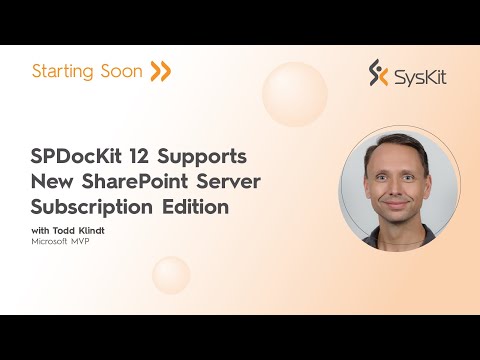
What’s new in SharePoint Server Subscription Edition with Todd Klindt
Frequently Asked Questions (FAQ)
What buyers ask before choosing SPDocKit
Integrations What CRM integrations are available for SPDocKit?
SPDocKit primarily focuses on SharePoint administration and does not directly integrate with CRM systems. However, it can complement CRM platforms by providing detailed documentation and analytics for SharePoint environments that may be used in conjunction with CRM solutions. For businesses looking to integrate SharePoint with popular CRM systems like Salesforce or HubSpot, they would typically use middleware or integration platforms such as Microsoft Power Automate or Zapier to facilitate data flow between these systems. While SPDocKit enhances SharePoint management, users seeking CRM integration should explore these external tools to connect their SharePoint data with their CRM workflows effectively.
Integrations How does SPDocKit connect to Salesforce and HubSpot?
SPDocKit does not directly connect to Salesforce and HubSpot, as it primarily focuses on managing and documenting SharePoint environments. However, businesses can leverage SPDocKit's capabilities to enhance their SharePoint infrastructure, which can indirectly support integrations with Salesforce and HubSpot. For instance, by maintaining a well-documented SharePoint environment, organizations can ensure that data flows smoothly between SharePoint and these CRM platforms, facilitating better collaboration and data management. If you are looking for direct integration solutions, consider using middleware tools like Zapier or Microsoft Power Automate, which can connect SharePoint with Salesforce and HubSpot, allowing for automated workflows and data synchronization.
Integrations What are the setup steps for integrating SPDocKit with Marketo?
To integrate SPDocKit with Marketo, first ensure you have both SPDocKit and Marketo accounts set up and accessible. Begin by logging into your SPDocKit dashboard and navigating to the integration settings. Here, you will find options to connect with various platforms, including Marketo. You will need to enter your Marketo API credentials, which can be obtained from your Marketo account under the Admin section. Once the credentials are entered, test the connection to ensure it is successful. After confirming the integration, you can configure specific settings to sync data between SPDocKit and Marketo, such as user permissions and analytics reports. Finally, monitor the integration to ensure data flows smoothly and make adjustments as necessary to optimize performance.
Integrations Is there API access for SPDocKit integrations, and how does it work?
SPDocKit does not explicitly mention API access for integrations in the provided context. However, it is designed to streamline the management of SharePoint environments, which may imply that it can work with existing SharePoint APIs for data retrieval and reporting purposes. Users typically leverage SPDocKit to generate documentation, manage permissions, and analyze usage trends without needing extensive manual input. If you are looking for specific integration capabilities, it would be beneficial to reach out to Syskit directly or consult their documentation for detailed information on any available APIs or integration options with platforms like Microsoft SharePoint. This will help you understand how SPDocKit can fit into your existing workflows and systems.
Integrations What is the data flow between SPDocKit and other systems like ServiceNow or Jira?
SPDocKit facilitates seamless data flow between SharePoint and third-party systems like ServiceNow and Jira by integrating with these platforms to streamline IT requests, approvals, and workflows. This integration allows users to manage provisioning directly within their existing service desk tools, ensuring that all requests and approvals are tracked efficiently without duplicating processes. When a user initiates a request in ServiceNow or Jira, SPDocKit captures the necessary data from SharePoint, automating the provisioning process and updating both systems in real-time. This not only enhances operational efficiency but also improves collaboration across teams by providing a unified view of tasks and statuses, ultimately leading to better resource management and compliance with organizational policies.
Integrations Are there any limitations to the integrations available with SPDocKit?
SPDocKit is designed to integrate seamlessly with various SharePoint environments, but there are some limitations to consider. While it effectively supports SharePoint on-premises versions, including SharePoint 2010, 2013, and 2019, its integration capabilities may not extend to all third-party applications or cloud-based services outside the Microsoft ecosystem. Additionally, users may encounter challenges when trying to integrate SPDocKit with custom-built solutions or less common SharePoint add-ons. It's essential to evaluate your specific SharePoint architecture and any existing tools you use to ensure compatibility. For optimal results, leveraging SPDocKit's built-in features for documentation, permissions management, and migration planning can help mitigate these limitations and enhance your SharePoint management experience.
Features What does the SharePoint farm documentation feature in SPDocKit do?
The SharePoint farm documentation feature in SPDocKit allows users to generate comprehensive and professional documentation for their entire SharePoint environment, including web applications, site collections, and permissions. This feature automates the documentation process by scanning the SharePoint farm and compiling detailed reports that encompass critical information such as server configurations, application management details, and security settings. By utilizing SPDocKit, organizations can save significant time and effort that would otherwise be spent manually gathering and formatting data from various sources. This not only enhances operational efficiency but also ensures that documentation is accurate and up-to-date, which is essential for effective management and compliance within SharePoint environments.
Features How do I generate professional SharePoint documentation using SPDocKit?
To generate professional SharePoint documentation using SPDocKit, start by installing the software, which takes just three minutes. Once installed, SPDocKit will automatically scan your SharePoint environment, including web applications and site collections, to gather relevant data. After the scan, you can easily generate comprehensive documentation reports that detail permissions, configurations, and best practices across your SharePoint farm. This process saves you significant time compared to manually compiling information from various sources. Additionally, you can customize the reports to focus on specific areas of interest, ensuring that the documentation meets your organization's needs. By leveraging SPDocKit, you streamline the documentation process, making it efficient and effective for SharePoint administrators.
Features What is the purpose of the usage and analytics reports in SPDocKit?
The purpose of the usage and analytics reports in SPDocKit is to provide SharePoint administrators with critical insights into how users interact with their SharePoint environment. These reports track key metrics such as site hits, visitor counts, and modifications, allowing admins to understand usage trends across farms, site collections, and subsites. By analyzing this data, organizations can identify active workflows, assess content usage, and determine which elements are underperforming or inactive. This information is invaluable for optimizing site structure, enhancing performance, and making informed decisions about content management and migration strategies. Ultimately, SPDocKit's usage and analytics reports help maintain a clean, efficient SharePoint environment that aligns with business needs and user engagement.
Features How can I audit my SharePoint farm for best practices with SPDocKit?
To audit your SharePoint farm for best practices using SPDocKit, start by installing the tool, which is designed specifically for SharePoint on-premises administration. Once installed, launch SPDocKit and navigate to the auditing section, where you can access a central dashboard that provides an overview of your farm's configuration. The tool will automatically scan your SharePoint environment, identifying any configuration issues and comparing your settings against the latest best practices. You can generate detailed reports that highlight areas needing attention, ensuring your farm is optimized for performance and security. Additionally, SPDocKit allows you to track changes over time, helping you maintain compliance and improve your SharePoint governance. This streamlined process saves you time and enhances the overall health of your SharePoint farm.
Features What features does the workflow inventory and usage report provide in SPDocKit?
The workflow inventory and usage report in SPDocKit provides comprehensive insights into all workflows present in your SharePoint environment, specifically for SharePoint 2010 and 2013. It allows administrators to easily identify and catalog workflows across the farm, including their activity levels and usage statistics. This feature helps determine which workflows are actively used, enabling informed decisions about which ones to migrate to newer SharePoint versions and which can be safely retired. Additionally, the report highlights workflow associations with sites and content types, giving a clear picture of where workflows exist within site collections. By utilizing this report, organizations can streamline their migration processes and optimize their SharePoint environment, ensuring that only relevant and functional workflows are carried forward.
Features How do I compare two different SharePoint farms using SPDocKit?
To compare two different SharePoint farms using SPDocKit, start by launching the application and loading the farms you wish to analyze. You can easily load multiple farms, whether they are for development, production, QA, or staging purposes. Once the farms are loaded, navigate to the comparison feature, where you can check for differences in configurations, web applications, and site collections. SPDocKit will provide a detailed report highlighting the discrepancies, allowing you to assess performance and make necessary adjustments. This process not only helps in identifying configuration differences but also ensures that your SharePoint environments are optimized according to best practices, ultimately enhancing overall performance and management efficiency.
ROI & pricing What measurable business value can SPDocKit provide for SharePoint administrators?
SPDocKit provides significant measurable business value for SharePoint administrators by streamlining the management and maintenance of SharePoint environments. It offers comprehensive usage and analytics reports that help track adoption metrics and identify trends across farms, site collections, and subsites, enabling informed decision-making. The tool also facilitates workflow inventory and usage statistics, allowing administrators to pinpoint actively used workflows before migration, thus optimizing resource allocation. Additionally, SPDocKit generates detailed documentation and reports on permissions, storage, and content analytics, which enhances compliance and governance. By automating these processes, SPDocKit not only saves time and reduces manual errors but also empowers administrators to maintain a more efficient and secure SharePoint environment, ultimately leading to improved productivity and cost savings for the organization.
ROI & pricing How does SPDocKit help in identifying cost-saving opportunities within Microsoft 365?
SPDocKit helps identify cost-saving opportunities within Microsoft 365 by providing centralized visibility into your Microsoft 365 inventory, allowing you to manage resources effectively. It offers detailed analytics on usage trends, license allocations, and storage consumption, enabling you to pinpoint underutilized licenses and unnecessary expenditures. By utilizing SPDocKit's bulk management options, you can streamline permissions and memberships, reducing administrative overhead and freeing up time for more strategic tasks. Additionally, the tool helps you anticipate storage issues and proactively manage your environment, ensuring that you stay ahead of potential costs before they impact your budget. This comprehensive approach not only optimizes your current resources but also supports informed decision-making for future investments.
ROI & pricing What is the expected ROI when implementing SPDocKit for SharePoint management?
The expected ROI when implementing SPDocKit for SharePoint management can be significant, as it streamlines administrative tasks and enhances overall efficiency. SPDocKit provides comprehensive tools for permissions management, usage analytics, and workflow inventory, allowing organizations to maintain their SharePoint environments effectively. By automating documentation and reporting processes, businesses can save time and reduce the risk of errors, leading to improved productivity. Additionally, SPDocKit aids in planning migrations to newer SharePoint versions, which can minimize downtime and associated costs. Many organizations report increased user adoption and satisfaction due to better-managed environments, further contributing to the ROI. Overall, the investment in SPDocKit can lead to substantial cost savings and enhanced operational performance in SharePoint management.
ROI & pricing What are the different pricing plans available for SPDocKit, and what do they include?
SPDocKit offers various pricing plans tailored for different user needs, primarily designed for SharePoint administrators and consultants. The pricing structure includes a Farm Subscription that covers up to five servers, with additional servers available for a separate charge. This plan provides access to features such as the Farm and Site Explorer, Best Practices Reports, and the Compare Wizard, which are essential for effective SharePoint management. Additionally, volume discounts are available for larger purchases, making it cost-effective for organizations with multiple licenses. SPDocKit also offers a 30-day money-back guarantee, ensuring that customers can try the product risk-free. For specific pricing details, it's recommended to contact the sales team directly.
ROI & pricing How can SPDocKit contribute to maximizing revenue impact for my organization?
SPDocKit can significantly contribute to maximizing revenue impact for your organization by streamlining the management and maintenance of your SharePoint environment, which enhances productivity and reduces operational costs. By providing comprehensive usage and analytics reports, SPDocKit enables you to identify adoption trends and optimize workflows, ensuring that your team utilizes SharePoint effectively. Additionally, its capabilities in permissions management and content analytics help mitigate risks associated with data breaches and compliance issues, which can be costly. Furthermore, SPDocKit facilitates smoother migrations to newer SharePoint versions, minimizing downtime and disruption, thus allowing your organization to focus on core business activities and revenue-generating initiatives. Overall, by improving efficiency and reducing risks, SPDocKit helps create a more agile and responsive organization, ultimately driving revenue growth.
ROI & pricing What is the typical time-to-value for implementing SPDocKit in a business environment?
The typical time-to-value for implementing SPDocKit in a business environment is notably quick, often taking as little as three minutes to install. Once installed, users can immediately begin leveraging its features for SharePoint administration, such as permissions management, usage analytics, and best practice reports. Many organizations report that they start seeing tangible benefits within days of deployment, as SPDocKit helps streamline the management of SharePoint environments and enhances operational efficiency. The tool's ability to provide insights into usage trends and workflow statistics further accelerates the realization of value, allowing businesses to make informed decisions about their SharePoint infrastructure almost immediately. Overall, SPDocKit is designed to deliver rapid results, making it an attractive option for organizations looking to optimize their SharePoint management processes.
Capabilities What can SPDocKit do for SharePoint permissions management?
SPDocKit is a powerful tool designed to streamline SharePoint permissions management, offering a range of features that enhance efficiency and control. It allows users to explore and manage permissions across their SharePoint farms, enabling the creation of detailed reports on user permissions, changes, and unique permissions settings. With SPDocKit, administrators can easily edit, clone, transfer, or remove permissions, significantly reducing the time spent on repetitive tasks and minimizing the need for complex PowerShell coding. Additionally, it provides insights into permissions inheritance and group management, ensuring that your SharePoint environment remains secure and compliant. By automating these processes, SPDocKit empowers SharePoint administrators to focus on more strategic tasks while maintaining a well-governed permissions structure.
Capabilities Does SPDocKit support automated access reviews for SharePoint environments?
SPDocKit does not specifically mention automated access reviews as a feature; however, it does provide robust permissions management tools that can aid in the governance of SharePoint environments. With SPDocKit, users can audit permissions, generate detailed reports on user access, and identify potential security risks, which are essential components of an effective access review process. While it streamlines the documentation and management of permissions, organizations may need to complement SPDocKit with additional tools or processes to fully automate access reviews. For businesses looking for dedicated automated access review solutions, alternatives like ShareGate or AvePoint may be worth considering, as they offer specific functionalities tailored for access governance in SharePoint.
Capabilities Can SPDocKit help ensure compliance with financial regulations like SOX and PCI DSS?
Yes, SPDocKit can significantly aid in ensuring compliance with financial regulations such as SOX and PCI DSS. By automating compliance reporting, SPDocKit helps organizations quickly identify and address security breaches or policy violations, which is crucial for meeting the stringent requirements of these regulations. The tool provides detailed usage and analytics reports, allowing businesses to monitor access and data security effectively. Additionally, SPDocKit facilitates smoother audits by offering easily accessible logs and documentation, which can help demonstrate compliance to regulators. With features designed to enhance transparency and accountability, SPDocKit empowers financial institutions to manage user access and maintain data security, ultimately reducing the risk of non-compliance and the associated penalties.
Capabilities What types of reports can SPDocKit generate for SharePoint usage and analytics?
SPDocKit can generate a variety of reports focused on SharePoint usage and analytics, providing valuable insights for administrators. These reports include detailed analytics on site hits, visitor statistics, and modifications, allowing you to track user interactions across farms, site collections, and subsites. Additionally, SPDocKit offers workflow inventory reports that highlight all workflows within your SharePoint environment, along with their usage statistics, helping you identify which workflows are actively used and which may need to be rewritten or left behind during migration. You can also create reports on storage usage, permissions, and overall content management, enabling fact-based decisions to optimize your SharePoint environment. This comprehensive reporting capability helps maintain a clean, efficient, and well-documented SharePoint setup.
Capabilities Does SPDocKit provide real-time alerts for policy breaches in SharePoint?
SPDocKit does not provide real-time alerts for policy breaches in SharePoint; however, it offers robust governance features that help automate routine checks and enforce compliance with your organization's policies. By utilizing built-in queries and rules, SPDocKit allows users to identify and rectify misconfigurations that may violate governance standards. While it does not send immediate alerts, it enables users to regularly apply governance rules and generate reports that summarize compliance status, which can be reviewed periodically to ensure adherence to policies. This proactive approach helps maintain a healthy SharePoint environment and mitigates risks associated with policy breaches, ultimately enhancing overall governance and compliance management.
Capabilities Can SPDocKit document and validate SharePoint farm configurations against best practices?
Yes, SPDocKit can document and validate SharePoint farm configurations against best practices. It provides a comprehensive solution that scans your entire SharePoint environment, generating detailed documentation that includes web applications, site collections, and permissions. Additionally, SPDocKit audits your SharePoint farm to ensure it is configured according to the latest best practices derived from sources like TechNet and community insights for various SharePoint versions, including 2010, 2013, 2016, 2019, and the Subscription Edition. This functionality allows organizations to quickly identify configuration issues through a central dashboard, enabling them to maintain a healthy SharePoint environment while saving time and effort in manual documentation processes.
Use cases How can SDRs use SPDocKit to track SharePoint usage trends and improve their outreach strategies?
Sales Development Representatives (SDRs) can leverage SPDocKit to track SharePoint usage trends by utilizing its comprehensive analytics and reporting features. By accessing detailed usage reports, SDRs can identify active users, site collections, and subsites, allowing them to understand which content is most engaging and frequently accessed. This data enables SDRs to tailor their outreach strategies based on user behavior and preferences, ensuring that their communications resonate with potential clients. Additionally, by monitoring workflow usage statistics, SDRs can pinpoint which workflows are actively utilized, helping them to engage with users who may benefit from specific solutions or services. Overall, SPDocKit empowers SDRs to make data-driven decisions that enhance their outreach effectiveness and improve engagement with prospects.
Use cases What are the best practices for marketers to maintain a clean SharePoint environment using SPDocKit?
To maintain a clean SharePoint environment using SPDocKit, marketers should follow several best practices. First, regularly utilize the Permissions Management feature to audit and manage user access, ensuring that only authorized personnel can modify content. Second, leverage the Usage and Analytics Reports to identify underutilized sites and workflows, allowing for informed decisions on content retention or removal. Additionally, conduct periodic Best Practice Reports to assess compliance with organizational standards and identify areas for improvement. Marketers should also document workflows and content structures to streamline future updates and migrations. Finally, staying informed through SPDocKit webinars and resources can provide ongoing insights into effective SharePoint management strategies, ultimately enhancing collaboration and productivity within the organization.
Use cases In what scenarios should RevOps teams utilize SPDocKit for managing SharePoint permissions and analytics?
RevOps teams should utilize SPDocKit for managing SharePoint permissions and analytics in scenarios where they need to streamline operations, enhance collaboration, and ensure compliance across their SharePoint environments. SPDocKit provides comprehensive tools for permissions management, allowing teams to audit and document permissions effectively, which is crucial for maintaining security and governance. Additionally, its analytics capabilities enable RevOps teams to track usage trends, assess workflow efficiency, and identify areas for improvement, ensuring that resources are allocated effectively. By leveraging SPDocKit, RevOps can reduce the complexity of managing SharePoint, automate repetitive tasks, and focus on strategic initiatives that drive business growth, making it an invaluable tool for organizations looking to optimize their SharePoint management processes.
Use cases How can sales leaders leverage SPDocKit to analyze content performance and optimize their sales materials?
Sales leaders can leverage SPDocKit to analyze content performance by utilizing its comprehensive usage and analytics reports, which provide insights into the adoption metrics of various SharePoint site collections and subsites. By examining these reports, sales leaders can identify which sales materials are actively used and which are underperforming, allowing them to make informed decisions about content optimization. Additionally, SPDocKit's workflow inventory feature enables leaders to assess the effectiveness of workflows associated with sales materials, ensuring that the most impactful content is prioritized. This data-driven approach not only enhances the relevance of sales materials but also improves overall sales strategies, leading to better engagement and conversion rates. By maintaining a clear overview of content performance, sales leaders can continuously refine their resources to align with market demands and customer needs.
Use cases What workflows can benefit from SPDocKit's documentation capabilities during a SharePoint migration?
SPDocKit's documentation capabilities can significantly benefit various workflows during a SharePoint migration by providing comprehensive insights into existing workflows within your SharePoint environment. Specifically, it allows you to create an inventory of all workflows associated with SharePoint 2010 and 2013, enabling you to identify which workflows are actively used and which may need to be rewritten or can be safely left behind. By analyzing workflow usage statistics, SPDocKit helps you prioritize the migration of essential workflows, ensuring that critical business processes remain intact post-migration. Additionally, it facilitates the exploration of workflow lists, site associations, and content type connections, giving you a clear understanding of where workflows exist across your site collections, ultimately streamlining the migration process and reducing potential disruptions.
Use cases How can teams implement SPDocKit to enhance collaboration and streamline their SharePoint administration tasks?
Teams can implement SPDocKit to enhance collaboration and streamline their SharePoint administration tasks by following a few actionable steps. First, they should conduct a comprehensive inventory of their SharePoint environment using SPDocKit’s automated scanning feature, which identifies all farms, site collections, and workflows. This allows teams to gain insights into usage trends and permissions management, ensuring that everyone has the appropriate access. Next, they can utilize the tool's reporting capabilities to generate professional documentation and best practice reports, which can be shared among team members for better alignment. Additionally, leveraging SPDocKit’s workflow inventory helps teams identify and optimize actively used workflows, further improving collaboration. By integrating SPDocKit into their SharePoint management processes, teams can reduce administrative overhead and foster a more efficient working environment.
Alternatives What are the best alternatives to SPDocKit for SharePoint administration?
When considering alternatives to SPDocKit for SharePoint administration, two notable options are ShareGate and AvePoint. ShareGate is well-regarded for its user-friendly interface and robust migration capabilities, making it a strong choice for organizations looking to streamline their SharePoint management and migration processes. AvePoint, on the other hand, offers comprehensive governance and compliance solutions, which can be particularly beneficial for larger enterprises needing to manage complex SharePoint environments. Both tools provide features such as permissions management, reporting, and analytics, similar to SPDocKit, but may cater to different organizational needs based on their specific functionalities and pricing structures. Evaluating these alternatives can help businesses find the best fit for their SharePoint administration requirements.
Alternatives How does SPDocKit compare to ShareGate for SharePoint migration?
SPDocKit and ShareGate are both powerful tools for SharePoint migration, but they serve slightly different purposes. SPDocKit focuses on documentation, governance, and maintaining SharePoint environments, providing features like usage analytics, permissions management, and best practice reports, which are essential for planning migrations and ensuring compliance. In contrast, ShareGate is primarily designed for the actual migration process, offering a user-friendly interface for transferring content, managing permissions, and automating tasks during migration. While SPDocKit excels in preparing and managing the SharePoint environment pre- and post-migration, ShareGate is more about executing the migration itself. Depending on your needs, you might choose SPDocKit for comprehensive governance and documentation or ShareGate for a streamlined migration experience.
Alternatives What are the key differentiators between SPDocKit and AvePoint for SharePoint management?
SPDocKit and AvePoint are both robust tools for SharePoint management, but they have distinct features that cater to different needs. SPDocKit excels in providing comprehensive documentation, permissions management, and usage analytics, making it ideal for administrators who need to maintain and optimize their SharePoint environments effectively. It offers detailed reports on workflows, site collections, and adoption metrics, which are crucial for governance and compliance. In contrast, AvePoint focuses more on data protection, migration, and backup solutions, providing a broader suite of tools for organizations looking to secure their SharePoint data and facilitate seamless migrations. While SPDocKit is tailored for ongoing management and optimization, AvePoint is better suited for organizations prioritizing data security and migration strategies.
Alternatives Is there a better option than SPDocKit for documenting SharePoint farms?
While SPDocKit is a robust tool for documenting SharePoint farms, there are alternatives that may better suit specific needs. For instance, ShareGate offers migration and management features alongside documentation capabilities, making it a strong contender for organizations focused on transitioning to newer SharePoint environments. Another option is AvePoint, which provides comprehensive governance and compliance solutions, including documentation features. However, SPDocKit stands out for its ease of use in generating detailed reports and its focus on best practices for SharePoint administration. Ultimately, the best choice depends on your organization's specific requirements, such as the complexity of your SharePoint environment, budget constraints, and desired features. Evaluating these alternatives alongside SPDocKit can help you make an informed decision.
Alternatives SPDocKit vs. Metalogix: Which tool is more effective for SharePoint auditing?
When comparing SPDocKit and Metalogix for SharePoint auditing, both tools offer unique strengths tailored to different needs. SPDocKit excels in generating comprehensive SharePoint farm documentation, providing detailed analytics, and facilitating permissions management, making it particularly effective for organizations focused on maintaining compliance and optimizing their SharePoint environment. It also includes features like usage reports and workflow inventory, which are beneficial for tracking user engagement and workflow efficiency. On the other hand, Metalogix is known for its robust migration capabilities and advanced reporting features, which can be advantageous for organizations looking to transition to newer SharePoint versions while ensuring data integrity. Ultimately, the choice between SPDocKit and Metalogix will depend on your specific auditing requirements and whether your focus is on documentation and management or migration and reporting.
Alternatives Why should I choose SPDocKit over other SharePoint administration tools?
Choosing SPDocKit over other SharePoint administration tools is beneficial due to its comprehensive features tailored for effective SharePoint management. SPDocKit offers robust capabilities such as Permissions Management, Best Practice Reports, and detailed Usage Analytics, which help administrators maintain and optimize their SharePoint environments efficiently. Unlike some competitors, SPDocKit provides a user-friendly interface that simplifies complex tasks, making it accessible for both seasoned professionals and newcomers. Additionally, it supports migration planning, ensuring a smooth transition to newer SharePoint versions, which is crucial for businesses looking to stay current. With over 3,000 companies trusting SPDocKit, its proven track record and extensive resources, including webinars and case studies, further solidify its position as a leading choice for SharePoint administration.
SPDocKit Competitors


SPDocKit Features
- Low
- Medium
- High
| FEATURE | RATINGS AND REVIEWS |
|---|---|
| Analytics | Read Reviews (94) |
| Custom Reports | Read Reviews (172) |
| CAPABILITIES | RATINGS AND REVIEWS |
|---|---|
| Analytics | Read Reviews (94) |
| Custom Reports | Read Reviews (172) |
Software Failure Risk Guidance
?for SPDocKit
Overall Risk Meter
Top Failure Risks for SPDocKit
SysKit News
What's New | Microsoft 365 Governance | Syskit Point
Syskit Point's latest update, version 2025.3.97, introduces several new features for Microsoft 365 governance. These include a consolidated inventory for Custom SharePoint and Copilot Agents, a new Power Platform admin role, and extended ownership policies for SharePoint Sites. These enhancements aim to improve data security, streamline administration, and prevent governance issues in Microsoft 365 environments.
SysKit Profile
Company Name
SysKit
Company Website
https://www.syskit.com/HQ Location
Krste Pavleti?a 1, Zagreb, 10000, HR
Employees
11-50
Social


Financials
PRIVATE


Why is SPDocKit the best choice for Social Media Analytics?