


OnCrawl Overview
Oncrawl empowers SEO teams by delivering precise technical SEO data, crucial for enhancing website performance and ROI. Users can leverage scalable algorithms to analyze and reconcile data from various sources, providing clear insights into the value of technical SEO efforts. This tool supports SEO professionals in quantifying and visualizing their strategies, ensuring data-driven decisions that improve website competitiveness. Oncrawl's capabilities are particularly beneficial for teams looking to address specific technical SEO challenges, offering a robust framework for demonstrating the impact of their work.
Use Cases
Customers recommend Content Management, Lead Analytics, Funnel Analysis, as the business use cases that they have been most satisfied with while using OnCrawl.
Business Priorities
Acquire Customers and Improve ROI are the most popular business priorities that customers and associates have achieved using OnCrawl.
OnCrawl Use-Cases and Business Priorities: Customer Satisfaction Data
OnCrawl works with different mediums / channels such as Website.
OnCrawl's features include SEO, Bot, Dashboard, etc. and OnCrawl support capabilities include AI Powered, 24/7 Support, Email Support, etc. also OnCrawl analytics capabilities include Analytics, and Custom Reports.
Reviews
"...Our content marketing is able to rank better on the search engine...." Peer review by User
Peer review evidence (same sources as the product rating summary)
"...Content curated from OnCrawl..." A nice list of free SEO tools to boost your web performance
"Oncrawl helped Vroomly boost their SEO with scraping. Vroomly used Oncrawl to segment their site and prioritize SEO actions. They saw a 700% increase in sessions in less than a year. 8% of their global traffic came from HowTo displays. The content team became 50% more productive. Oncrawl gave them fast access to data, improved reporting, and helped them act quickly on SEO issues." https://www.oncrawl.com/case-studies/boost-your-seo-with-scraping/
"Oncrawl helped Wealthsimple fix technical SEO issues. Before using Oncrawl, SEO was not a channel for Wealthsimple. They had many technical problems to solve. After using Oncrawl, SEO became their biggest channel. They grew from almost no SEO traffic to over 1 million monthly visitors in less than three years. This brought in more customers and lowered the cost per customer acquired." https://www.oncrawl.com/case-studies/evolving-seo-needs-start-up-unicorn/
OnCrawl, Clearscope, Netpeak Spider, SE Ranking, ContentKing, etc., all belong to a category of solutions that help SEO. Each of them excels in different abilities. Therefore, determining the best platform for your business will depend on your specific needs and requirements.
Oncrawl offers technical SEO data to enhance website ROI and business success. Scalable algorithms reconcile various data sources to quantify and prove technical SEO value.
Popular Business Setting
for OnCrawl
Top Industries
- Marketing and Advertising
Popular in
- Large Enterprise
- Mid Market
- Small Business
OnCrawl is popular in Marketing And Advertising, and is widely used by Large Enterprise, Mid Market, and Small Business.
OnCrawl Customer wins, Customer success stories, Case studies
What solutions does OnCrawl provide for Content Management?
How does OnCrawl facilitate Lead Analytics?
What benefits does OnCrawl offer for Sending & Publishing Communications?
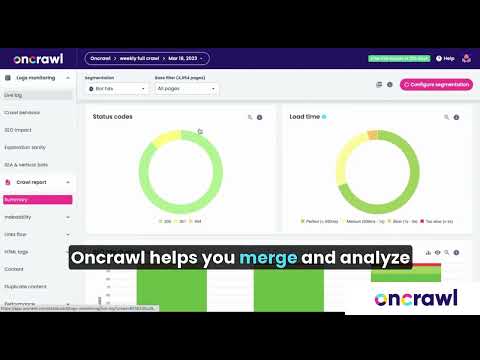
Discover the Oncrawl app
Frequently Asked Questions (FAQ)
What buyers ask before choosing OnCrawl
Integrations What CRM, MAP, and data-provider integrations are available with Oncrawl?
Oncrawl offers a variety of integrations to enhance its technical SEO capabilities, including connections with popular Customer Relationship Management (CRM) and Marketing Automation Platforms (MAP). Notably, Oncrawl integrates with Google Analytics and Adobe Analytics (formerly Omniture), allowing users to combine web analytics data with SEO insights for a comprehensive view of performance. Additionally, Oncrawl supports integration with Splunk, enabling users to fetch and analyze log files related to SEO visits and Googlebot hits. These integrations facilitate a seamless flow of data, empowering businesses to optimize their digital strategies effectively. By leveraging these tools, users can gain deeper insights into user behavior and improve their overall SEO performance.
Integrations How does Oncrawl connect to Salesforce, HubSpot, or Marketo?
Oncrawl connects to Salesforce, HubSpot, and Marketo through its robust integration capabilities, allowing users to leverage their SEO data alongside customer relationship management (CRM) and marketing automation insights. To establish these connections, users typically need to access the integration settings within Oncrawl, where they can input their API keys or authentication credentials for the respective platforms. This integration enables seamless data flow, allowing businesses to analyze how SEO performance impacts lead generation and customer engagement. By combining Oncrawl's technical SEO insights with the marketing data from Salesforce, HubSpot, or Marketo, users can gain a comprehensive view of their digital marketing efforts, optimize their strategies, and ultimately enhance their overall marketing effectiveness.
Integrations What are the setup steps for integrating Oncrawl with Adobe Analytics?
To integrate Oncrawl with Adobe Analytics, first ensure you have an active Oncrawl account and access to your Adobe Analytics setup. Begin by signing into your Oncrawl account and navigating to the main dashboard. From there, click on the “Integrations” section and select Adobe Analytics. You may need to contact Oncrawl support via the blue chat button for assistance, especially if you have a highly customized Adobe Analytics setup, as the integration is currently in beta. Once you have the necessary permissions, follow the prompts to connect your Adobe Analytics account, allowing Oncrawl to access your analytics data. This integration will enable you to leverage user behavior insights during site audits, enhancing your SEO strategies.
Integrations How does the Oncrawl API facilitate data flow between systems?
The Oncrawl API facilitates data flow between systems by providing seamless access to all of Oncrawl's features and services programmatically. This allows users to automate data retrieval and integration with other platforms, such as Google BigQuery, Google Analytics, and Splunk, enhancing the efficiency of SEO workflows. By leveraging the API, businesses can extract raw SEO data, perform custom analyses, and integrate insights into their existing data science or business intelligence frameworks. This capability not only streamlines the management of technical SEO data but also enables users to create tailored reports and dashboards, ensuring that critical SEO metrics are readily available for decision-making. Overall, the Oncrawl API empowers organizations to enhance their data-driven strategies and improve their SEO performance.
Integrations What are the integration limitations when using Oncrawl with Google Search Console?
When integrating Oncrawl with Google Search Console, users may encounter certain limitations that can affect data analysis and reporting. One key limitation is that while Oncrawl can pull in valuable metrics from Google Search Console, such as click-through rates and user behavior, it does not provide a comprehensive view of all search engine activity in a single chart. This means that users may need to analyze data from individual search engines separately, which can complicate the overall understanding of site performance. Additionally, the integration primarily focuses on organic search data, so insights related to paid search or other traffic sources are not included. Understanding these limitations is crucial for users to effectively leverage Oncrawl's capabilities alongside Google Search Console for their SEO strategies.
Integrations How does Oncrawl sync data with external sources like Splunk and Data Studio?
Oncrawl syncs data with external sources like Splunk and Data Studio through specific integrations designed to facilitate seamless data transfer and analysis. For Splunk, Oncrawl fetches log files, filters for SEO-related lines, and uploads the results to Oncrawl's FTP for analysis using the Oncrawl Log Analyzer. This integration supports both Splunk Cloud and Splunk Enterprise versions, allowing for third-party connections. For Data Studio, Oncrawl provides a dedicated connector that simplifies the process of transferring crawl data, ensuring it remains up to date for reporting and visualization purposes. Users can leverage these integrations to enhance their SEO strategies by combining Oncrawl's insights with external datasets, enabling more comprehensive analysis and decision-making.
Features What does the JavaScript crawl feature do in Oncrawl?
The JavaScript crawl feature in Oncrawl allows users to analyze how search engines, particularly Google, render and interpret JavaScript-driven content on their websites. This feature is crucial for understanding the visibility and accessibility of dynamic web pages, as it simulates the rendering process that search engine bots undergo when crawling a site. By utilizing this feature, businesses can identify potential issues related to JavaScript rendering, such as content that may not be indexed properly or elements that could hinder SEO performance. This insight enables users to optimize their sites effectively, ensuring that all content is accessible to search engines, ultimately improving organic traffic and search rankings.
Features How do I set up crawl scheduling in Oncrawl?
To set up crawl scheduling in Oncrawl, first navigate to your project page and click on the “Scheduled crawls” tab located at the top of the crawl tracking box. Next, click on the “+ Schedule crawl” button to initiate a new crawl schedule. You will need to select the crawl profile you wish to use for this scheduled crawl, which defines the parameters for how the site will be crawled. Additionally, choose the frequency for the crawl; you can opt for “Just once” if you only want to run it a single time. Once you have configured these settings, save your schedule, and Oncrawl will handle the crawling process according to your specifications, allowing you to monitor your SEO performance effectively.
Features What are the capabilities of the custom dashboards in Oncrawl?
The custom dashboards in Oncrawl offer a powerful drag-and-drop interface that allows users to create tailored SEO reports from scratch, enhancing the ability to visualize and analyze data effectively. Users can add, modify, and remove data elements to build reports that meet their specific needs, making it a time-saving tool for SEO professionals. Additionally, the dashboards support the application of OQL filters, enabling targeted analysis by filtering out irrelevant URLs and focusing on critical data points. This flexibility allows for deeper insights into website performance and search engine behavior, ultimately aiding in better decision-making and strategy formulation. By leveraging these capabilities, businesses can optimize their SEO efforts and improve their online presence.
Features How can I use the alerting feature to monitor my website in Oncrawl?
To use the alerting feature in Oncrawl to monitor your website, start by accessing the platform and navigating to the alert settings. Here, you can customize alerts based on specific SEO metrics that matter to your site, such as crawl errors, performance issues, or significant changes in traffic. Set thresholds for these metrics, and Oncrawl will notify you via email or within the platform whenever these thresholds are crossed. This proactive approach allows you to quickly address potential issues before they impact your site's performance. Additionally, you can integrate data from other sources like Google Analytics or Google Search Console to enhance the alerting capabilities, ensuring you receive comprehensive insights into your website's health and SEO performance.
Features What does the Core Web Vitals analysis feature provide in Oncrawl?
The Core Web Vitals analysis feature in Oncrawl provides a comprehensive evaluation of your website's performance based on three key user experience metrics: Largest Contentful Paint (LCP), First Input Delay (FID), and Cumulative Layout Shift (CLS). By analyzing these metrics, Oncrawl helps you identify and prioritize issues that may affect your site's loading speed, interactivity, and visual stability, which are crucial for enhancing user experience and SEO performance. The feature allows for both crawl analyses and blended data analyses, enabling you to correlate Core Web Vitals scores with organic traffic and search engine bot behavior. This insight is vital for optimizing your site in line with Google's ranking algorithm, ensuring that you can effectively manage your crawl budget and improve overall site performance.
Features How do I manage multiple projects and crawl profiles in Oncrawl?
To manage multiple projects and crawl profiles in Oncrawl, start by creating distinct crawl profiles for each project based on your specific needs, such as frequency and scope of analysis. Navigate to the project page and click on the “Scheduled crawls” tab to view your existing profiles. To schedule a new crawl, click on “+ Schedule crawl,” select the desired crawl profile, and set the frequency for the crawl, whether it’s a one-time event or recurring. This structured approach allows you to analyze results effectively, ensuring that you can monitor various aspects of your SEO performance across different projects simultaneously. By utilizing Oncrawl's capabilities, you can streamline your workflows and focus on optimizing your website's performance.
ROI & pricing What measurable business outcomes can I expect from using Oncrawl?
Using Oncrawl can lead to several measurable business outcomes that significantly enhance your online presence and performance. By leveraging its SEO crawling capabilities, you can improve your website's organic visibility, which directly correlates with increased traffic and higher conversion rates. Oncrawl provides actionable insights into your site's health, allowing you to identify and rectify issues such as duplicate content and structural challenges that may hinder performance. Additionally, with features like Oncrawl Rankings, you gain access to reliable data on search intent and keyword performance, enabling you to optimize your content effectively. As a result, businesses often see improved user engagement metrics, such as click-through rates and time spent on site, ultimately driving better ROI from their digital marketing efforts.
ROI & pricing How does Oncrawl contribute to cost savings and increased revenue for businesses?
Oncrawl contributes to cost savings and increased revenue for businesses by providing comprehensive insights into their SEO performance, enabling them to identify and resolve technical issues that could hinder website traffic and conversions. By monitoring website health and tracking Googlebot behavior, Oncrawl helps businesses optimize their site structure and content, reducing the likelihood of duplicate content and improving overall user experience. This proactive approach not only enhances organic search visibility but also lowers customer acquisition costs, as companies can attract more visitors through improved SEO strategies. For instance, Wealthsimple leveraged Oncrawl to address technical SEO challenges, resulting in a significant increase in traffic and customer acquisition, demonstrating how effective SEO management can lead to substantial financial benefits.
ROI & pricing What are the different pricing plans available for Oncrawl and what do they include?
Oncrawl offers several pricing plans tailored to different SEO needs, starting from €9.90 per month. The Basic plan includes features for auditing, crawling, and analyzing results using a high-performance cloud SEO crawler designed for enterprise-level and complex sites. The Core plan enhances this by providing technical SEO insights that connect SEO performance to business outcomes, allowing users to perform deeper analyses. Additionally, Oncrawl offers customizable subscription options to meet specific use cases, ensuring that businesses can select a plan that aligns with their goals. Each plan is designed to help users drive website success through data-driven decisions, making it easier to monitor and improve SEO performance effectively.
ROI & pricing What is the total cost of ownership for using Oncrawl over time?
The total cost of ownership (TCO) for using Oncrawl over time includes several factors such as subscription fees, which start from €9.90 per month, and any additional costs associated with integrating the tool into your existing SEO workflows. Businesses should also consider the potential savings from improved SEO performance, such as increased organic traffic and higher conversion rates, which can offset the subscription costs. Additionally, investing in Oncrawl can lead to more efficient use of resources by providing actionable insights into technical SEO issues, thus reducing the time spent on manual audits. Over time, the value derived from Oncrawl's capabilities, including its ability to monitor SEO performance and optimize crawl budget management, can significantly enhance your website's visibility and overall health, making it a worthwhile investment.
ROI & pricing How quickly can I expect to see value from implementing Oncrawl in my SEO strategy?
When implementing Oncrawl in your SEO strategy, you can expect to see value relatively quickly, often within the first few weeks. By the end of week two, you should have five concrete deliverables that provide insights into your site's performance and areas for improvement. Oncrawl's SEO crawler helps you monitor your SEO performance against the latest Google guidelines, allowing you to identify technical issues, content duplications, and other critical factors that may be hindering your organic visibility. As you address these issues based on Oncrawl's recommendations, you should start noticing improvements in your site's health and potentially an increase in organic traffic. However, the full impact may take longer to materialize as search engines re-crawl and re-evaluate your optimized pages.
ROI & pricing What is the estimated ROI for businesses that utilize Oncrawl for their SEO efforts?
The estimated ROI for businesses utilizing Oncrawl for their SEO efforts can be significant, as the platform provides comprehensive insights into website performance and search engine behavior. By leveraging Oncrawl's capabilities, businesses can identify technical SEO issues, optimize content, and improve site structure, which can lead to increased organic traffic and higher conversion rates. For instance, companies like carwow have successfully used Oncrawl to enhance their SEO strategies, addressing challenges such as structural and duplicate content, ultimately driving better business performance. While specific ROI figures can vary based on industry and implementation, the potential for improved visibility and user engagement makes Oncrawl a valuable investment for businesses aiming to maximize their online presence and achieve measurable results in their SEO initiatives.
Capabilities What can Oncrawl do for technical SEO audits?
Oncrawl is a powerful technical SEO analysis platform that significantly enhances the auditing process for websites. It allows users to monitor SEO performance by collecting and analyzing a wide range of metrics, including crawl data, server logs, and performance indicators. With Oncrawl, you can identify critical issues such as duplicate content, internal linking structures, and overall site health, which are essential for optimizing your website according to the latest Google guidelines. The platform also offers advanced features like AI bot monitoring and Oncrawl Lenses for targeted analysis, enabling you to make informed strategic decisions. By leveraging Oncrawl during your technical SEO audits, you can ensure that your website is well-optimized for search engines, ultimately improving visibility, traffic, and revenue.
Capabilities Can Oncrawl handle large datasets and complex websites?
Yes, Oncrawl is specifically designed to handle large datasets and complex websites, making it an ideal solution for enterprises with extensive SEO needs. Its infrastructure is built to manage the intricacies associated with big websites, such as those found in e-commerce, job boards, and media platforms, which often contain millions of URLs. Oncrawl offers excellent scalability, allowing users to analyze vast amounts of data efficiently. Additionally, its powerful segmentation system enables users to group pages and break down website sections, facilitating the identification of trends and technical behaviors. This capability is crucial for spotting quick wins and prioritizing SEO projects effectively, ensuring that businesses can derive actionable insights from their data without compromising performance.
Capabilities Does Oncrawl support high-speed crawls for e-commerce sites?
Yes, Oncrawl supports high-speed crawls specifically designed for e-commerce sites, enabling businesses to efficiently monitor their SEO performance and optimize their online presence. The platform is equipped to handle the complexities of e-commerce, such as managing large inventories and dynamic content, ensuring that crawls are both fast and thorough. This capability is crucial for e-commerce businesses, especially during peak times like Black Friday, where rapid indexing and visibility can significantly impact revenue. Oncrawl's advanced crawling technology allows users to gain insights into their site's health, identify technical issues, and make informed decisions to enhance their SEO strategy, ultimately driving more organic traffic and improving conversion rates.
Capabilities Can Oncrawl provide permanent data availability for historical analysis?
Yes, Oncrawl provides permanent data availability for historical analysis, allowing users to store and access their crawl data as long as their subscription is active. This feature is particularly beneficial for businesses that need to track trends and optimizations over time, as it organizes crawl data by date within projects. Users can analyze months or even years of data, which is crucial for understanding long-term SEO performance and making informed decisions based on historical insights. Additionally, Oncrawl's powerful segmentation system enables users to group pages and break down website sections, further enhancing the ability to spot trends and identify areas for improvement in their SEO strategy.
Capabilities Does Oncrawl offer a powerful segmentation system for analyzing website trends?
Yes, Oncrawl offers a powerful segmentation system designed to analyze website trends effectively. This system allows users to split their website pages into distinct groups, making it easier to analyze data from crawl reports, log analysis, and cross-analysis with tools like Google Analytics and Google Search Console. By utilizing Oncrawl's segmentation features, businesses can identify trends, spot technical behaviors, and prioritize projects based on data-driven insights. The platform even automates the initial segmentation based on the first path encountered in URLs, providing immediate analysis post-crawl. Users can further refine their segmentations using Oncrawl Query Language (OQL) to tailor their analysis to specific needs, ensuring they can focus on the most impactful areas of their website.
Capabilities Can Oncrawl securely manage access to shared data for enterprise teams?
Yes, Oncrawl can securely manage access to shared data for enterprise teams. The platform includes features that allow users to share projects with colleagues, prospects, or clients while maintaining control over data access. This is achieved through a secure user interface that enables read-only sharing options, ensuring that sensitive information remains protected. Additionally, Oncrawl prioritizes data security and compliance, including adherence to GDPR regulations, which is crucial for enterprises handling personal data. By implementing robust security measures, Oncrawl allows teams to collaborate effectively on technical SEO projects without compromising data integrity or privacy, making it a reliable choice for organizations looking to manage their SEO data securely.
Use cases How can SDRs use Oncrawl to improve their understanding of website performance metrics?
Sales Development Representatives (SDRs) can leverage Oncrawl to enhance their understanding of website performance metrics by utilizing its comprehensive SEO crawling capabilities. By analyzing data on how search engines interact with the website, SDRs can gain insights into key performance indicators such as page load times, crawl efficiency, and content quality. Oncrawl allows SDRs to segment data effectively, enabling them to identify which pages are performing well and which require optimization. This understanding can inform their outreach strategies, as they can better articulate the website's strengths and weaknesses to potential clients. Additionally, by tracking changes over time, SDRs can measure the impact of SEO efforts on overall site performance, making their conversations with prospects more data-driven and impactful.
Use cases What are the best practices for marketers to implement Oncrawl in their SEO project workflows?
To effectively implement Oncrawl in your SEO project workflows, marketers should start by integrating Oncrawl with their existing tools, such as Google Analytics and Ahrefs, to enhance data analysis and backlink tracking. Begin by conducting a comprehensive SEO audit using Oncrawl's crawler to identify technical issues, duplicate content, and performance bottlenecks. Prioritize the findings based on their impact on your business goals, focusing on high-traffic pages that need improvement. Regularly monitor your SEO performance against the latest Google guidelines and adjust your strategies accordingly. Additionally, leverage Oncrawl's reporting features to create actionable insights and share them with your team, ensuring everyone is aligned on SEO objectives. By following these best practices, marketers can streamline their SEO efforts and drive better organic visibility.
Use cases In what situations should RevOps teams leverage Oncrawl for technical SEO audits?
RevOps teams should leverage Oncrawl for technical SEO audits in situations where they need to ensure that their website aligns with the latest search engine guidelines and optimizes user experience. For instance, during website migrations or redesigns, Oncrawl can help assess the potential impact of changes on SEO performance, allowing teams to prioritize critical technical factors that may affect visibility and traffic. Additionally, when launching new websites or content, Oncrawl's crawler can identify issues such as duplicate content, internal linking structures, and overall site health, providing actionable insights to enhance search engine discoverability. By integrating Oncrawl into their workflows, RevOps teams can make data-driven decisions that improve their website's performance and ultimately drive revenue growth.
Use cases How can sales leaders utilize Oncrawl to track the impact of SEO changes on lead generation?
Sales leaders can utilize Oncrawl to effectively track the impact of SEO changes on lead generation by leveraging its comprehensive SEO data analytics capabilities. By integrating Oncrawl with their existing CRM systems, such as Salesforce or HubSpot, sales teams can monitor how specific SEO adjustments influence website traffic and conversion rates. Oncrawl allows users to analyze key metrics, such as organic traffic growth and user engagement, which are crucial for understanding lead generation performance. Additionally, sales leaders can use Oncrawl's insights to identify high-performing pages and optimize content strategies, ensuring that SEO efforts align with sales goals. This data-driven approach enables sales teams to make informed decisions, prioritize resources effectively, and ultimately enhance their lead generation strategies.
Use cases What specific use cases does Oncrawl address for technical SEO teams during website audits?
Oncrawl addresses several specific use cases for technical SEO teams during website audits, making it an invaluable tool for optimizing site performance. It enables teams to monitor SEO performance in line with the latest Google guidelines, helping to identify critical areas for improvement such as HTML structure, content duplication, and overall site performance. Oncrawl's crawler analyzes thousands of metrics, allowing teams to view their site as search engines do, which aids in understanding the impact of website changes on overall health. Additionally, it facilitates stress-free migrations and redesigns by providing insights into internal linking and PageRank flows, ensuring that teams can prioritize issues effectively and make informed decisions that enhance visibility and traffic.
Use cases How can development teams effectively adopt Oncrawl to enhance collaboration with SEO efforts?
Development teams can effectively adopt Oncrawl to enhance collaboration with SEO efforts by leveraging its tailored solutions designed to bridge the gap between SEO and development. First, teams should utilize Oncrawl's specific dashboards and alerts to monitor SEO performance and identify technical issues that may affect site health. By tracking information in server logs and server performance, developers can gain insights into how their changes impact SEO metrics. Customizing URL normalization and crawling settings within Oncrawl allows for better alignment with SEO strategies. Additionally, integrating notifications through platforms like Slack or Teams facilitates seamless communication between SEO and development teams, ensuring that everyone is informed about updates and issues. By exporting data in formats like CSV, JSON, or Parquet, teams can further analyze and share insights, fostering a collaborative environment that prioritizes both technical excellence and SEO success.
Alternatives What are the best alternatives to OnCrawl for technical SEO analysis?
When considering alternatives to Oncrawl for technical SEO analysis, several notable options stand out. SEMrush offers a comprehensive suite of tools that includes site audits, keyword tracking, and competitive analysis, making it a robust choice for SEO professionals. Ahrefs is another strong contender, known for its powerful backlink analysis and site audit features, which help identify technical issues affecting site performance. Moz Pro also provides valuable insights with its site crawl and optimization tools, focusing on improving search visibility. Additionally, Screaming Frog SEO Spider is a popular desktop application that allows users to crawl websites and analyze various SEO elements in-depth. Each of these tools has unique strengths, so the best choice will depend on your specific technical SEO needs and workflow preferences.
Alternatives How does OnCrawl compare to Screaming Frog in terms of crawl speed and data analysis?
Oncrawl and Screaming Frog both serve as powerful SEO tools, but they differ in crawl speed and data analysis capabilities. Oncrawl is designed for larger websites and offers advanced crawling technology that can handle extensive datasets efficiently, making it suitable for enterprises with complex SEO needs. Its ability to reconcile third-party and natively collected data allows for deeper insights and comprehensive analysis. In contrast, Screaming Frog is known for its speed and effectiveness in crawling smaller to medium-sized sites quickly, providing immediate feedback on technical SEO issues. While Screaming Frog excels in real-time data analysis for quick audits, Oncrawl's robust segmentation and scalability make it a better choice for ongoing, in-depth analysis of larger websites. Ultimately, the choice between the two depends on the specific requirements of your SEO strategy.
Alternatives What unique strengths does OnCrawl offer over SEMrush for SEO reporting?
Oncrawl and SEMrush both offer valuable SEO reporting tools, but Oncrawl stands out with its focus on technical SEO and in-depth data analysis. One of its unique strengths is the ability to provide pre-defined reports while also allowing users to export raw data for custom analysis, which is particularly beneficial for advanced users looking to build tailored SEO models. Additionally, Oncrawl seamlessly integrates with the Google Search Console (GSC) API, enabling users to cross-reference data and gain deeper insights into their site's performance. This capability, combined with its comprehensive website crawling features, allows Oncrawl to deliver a more granular view of how search engines interact with a site, making it an excellent choice for those who prioritize technical SEO and detailed performance metrics over broader marketing analytics offered by SEMrush.
Alternatives Is Ahrefs a better choice than OnCrawl for comprehensive SEO audits?
When comparing Ahrefs and Oncrawl for comprehensive SEO audits, both tools offer unique strengths tailored to different aspects of SEO. Ahrefs excels in backlink analysis, keyword research, and competitive analysis, making it a powerful choice for understanding your site's link profile and keyword opportunities. Oncrawl, on the other hand, focuses on technical SEO, providing in-depth site crawling capabilities that help identify issues related to site structure, content duplication, and performance metrics. If your primary need is to analyze backlinks and keywords, Ahrefs may be the better option. However, if you require a detailed technical audit to optimize your website's health and compliance with search engine guidelines, Oncrawl would be more suitable. Ultimately, the choice depends on your specific SEO needs and objectives.
Alternatives What differentiates OnCrawl from DeepCrawl in terms of crawl comparison features?
Oncrawl and DeepCrawl both offer robust crawl comparison features, but they differ in their specific functionalities and user experience. Oncrawl's "Crawl over Crawl" feature allows users to compare two different crawls, focusing on changes in on-page SEO factors such as structure, internal linking, content, status codes, and performance. This feature is particularly valuable for tracking SEO improvements over time and understanding the impact of site changes. In contrast, DeepCrawl provides a comprehensive analysis of crawl data but may not emphasize direct comparisons between two crawls as effectively as Oncrawl. Users seeking detailed insights into specific changes and trends may find Oncrawl's approach more beneficial, while those looking for broader crawl analysis might prefer DeepCrawl's extensive reporting capabilities.
Alternatives Why should I choose OnCrawl over Moz for managing large-scale SEO projects?
Choosing Oncrawl over Moz for managing large-scale SEO projects can be advantageous due to its specialized focus on technical SEO and comprehensive data analysis capabilities. Oncrawl is designed to handle complex websites, offering features like advanced AI bot monitoring, Oncrawl Lenses for targeted analysis, and the ability to cross-reference data with Google Search Console (GSC) API, which enhances the depth of insights available. Additionally, Oncrawl allows for multi-level crawl strategies, enabling users to define the scope and frequency of analyses tailored to their specific needs. While Moz provides valuable SEO tools, it may not match Oncrawl's robust capabilities in managing intricate crawl data and performance metrics, making Oncrawl a preferred choice for businesses requiring detailed technical insights and strategic decision-making in their SEO efforts.
OnCrawl Competitors


OnCrawl Features
- Low
- Medium
- High
| FEATURE | RATINGS AND REVIEWS |
|---|---|
| AI Powered | Read Reviews (22) |
| Analytics | Read Reviews (169) |
| Custom Reports | Read Reviews (213) |
| CAPABILITIES | RATINGS AND REVIEWS |
|---|---|
| AI Powered | Read Reviews (22) |
| Analytics | Read Reviews (169) |
| Custom Reports | Read Reviews (213) |
Software Failure Risk Guidance
?for OnCrawl
Overall Risk Meter
Top Failure Risks for OnCrawl
Cogniteev SAS News
Topic Discovery for AI Visibility using Oncrawl
Oncrawl introduces a method for AI search optimization using its platform. The process involves exporting URLs, scraping content, and using LLM APIs to identify topical entities. This approach aids in discovering content gaps and optimizing for AI visibility, enhancing SEO strategies.
Oncrawl MCP: Connect your crawl data to Claude Code to automate your SEO audits
Oncrawl introduces the MCP server, enabling users to connect crawl data to models like Claude Code for automated SEO audits. This integration allows for efficient data analysis and report generation, transforming datasets into actionable insights without needing extensive API documentation. The MCP server facilitates comprehensive technical audits, offering features like crawl discovery, competitive benchmarking, and content quality assessment, enhancing the SEO audit process.
Scrape your websites data with our custom fields
Oncrawl introduces custom fields for its SEO platform, enabling users to extract specific data from web pages using REGEX or XPATH. This feature allows for tailored data analysis, such as e-commerce insights and technical verification, enhancing SEO strategies through flexible data collection and analysis.
Cogniteev SAS Profile
Company Name
Cogniteev SAS
Company Website
https://www.oncrawl.com/HQ Location
5 Rue Dubourdieu, Bordeaux, Nouvelle-Aquitaine 33800, FR
Employees
11-50
Social


Financials
PRIVATE

