


Creately Online Overview
Creately elevates project execution with its diagramming and visual collaboration platform, designed to streamline team efforts in brainstorming, planning, and analysis. Offering thousands of scenario-specific templates and over 70 diagram types, Creately enhances visual communication and project clarity. This platform empowers teams to visualize complex processes, fostering efficient project management and strategic planning. By simplifying the visualization of data and ideas, Creately aids in reducing misunderstandings and improving workflow efficiency, ultimately driving better project outcomes and ROI. Its extensive template library supports diverse industry needs, making it a versatile tool for visual collaboration.
Use Cases
Customers recommend Collaboration, Onboarding, Create Learning Path, as the business use cases that they have been most satisfied with while using Creately Online.
Business Priorities
Acquire Customers and Enhance Customer Relationships are the most popular business priorities that customers and associates have achieved using Creately Online.
Creately Online Use-Cases and Business Priorities: Customer Satisfaction Data
Creately Online works with different mediums / channels such as Website.
Creately Online's features include Templates, Dashboard, and Personalization. and Creately Online support capabilities include Chat Support, Email Support, 24/7 Support, etc. also Creately Online analytics capabilities include Analytics, and Custom Reports.
Reviews
"...It works very intuitively and is simply the fastest and easiest way to share and collaborate in workflow designs...." Peer review by Ricardo W, Jefe de proyecto, Financial Services
Peer review evidence (same sources as the product rating summary)
"...If you're working as a team and constantly collaborate when doing documentation..." Peer review by Lars Lindberg
"...Popular Templates for Online Teaching and Learning. ..." Your Virtual Classroom
"...You can use them to learn more about Creately or simply link to them so your users can benefit. ..." Press Resources
Creately Online, Elucidat, Xodo, Localize, Lucidchart, etc., all belong to a category of solutions that help Authoring and Publishing. Each of them excels in different abilities. Therefore, determining the best platform for your business will depend on your specific needs and requirements.
Creately integrates with Confluence, Slack, and Google Drive for seamless team collaboration. Stay connected with essential apps through Creately integrations.
Popular Business Setting
for Creately Online
Top Industries
- Computer Software
- Education
- Information Technology and Services
Popular in
- Small Business
- Mid Market
- Large Enterprise
Creately Online is popular in Computer Software, Education, and Information Technology And Services and is widely used by Small Business, Mid Market, and Large Enterprise.
Creately Online Customer wins, Customer success stories, Case studies
How can Creately Online optimize your Collaboration Workflow?
How does Creately Online facilitate Onboarding?
What solutions does Creately Online provide for Create Learning Path?
Why is Creately Online the best choice for Workflow Management?
How does Creately Online facilitate Content Management?
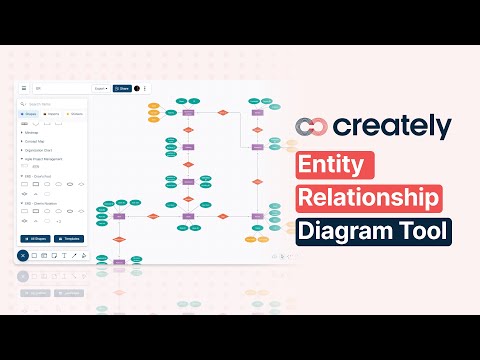
How to create an ER Diagram with Creately
Frequently Asked Questions (FAQ)
What buyers ask before choosing Creately Online
Integrations What CRM integrations are available for Creately Online?
Creately Online offers seamless integration with popular CRM platforms, specifically Salesforce and HubSpot. These integrations enable users to enhance their project management and collaboration efforts by connecting their visual planning and knowledge management capabilities with their existing customer relationship workflows. By integrating Creately with Salesforce, teams can visualize customer data and streamline processes directly within their CRM environment. Similarly, the HubSpot integration allows users to create and manage visual content that complements their marketing and sales strategies. This connectivity not only improves efficiency but also fosters better communication across cross-functional teams, ensuring that all stakeholders have access to the necessary information for informed decision-making.
Integrations How does Creately Online connect with Salesforce and HubSpot?
Creately Online connects with Salesforce and HubSpot through seamless integrations that enhance project management and collaboration. By integrating with Salesforce, users can visualize customer data, create workflows, and manage projects directly within the Creately platform, allowing for better alignment between sales and project teams. Similarly, the HubSpot integration enables users to embed Creately diagrams and visualizations into HubSpot's CRM, facilitating improved communication and project tracking across marketing and sales efforts. To set up these integrations, users can follow the specific guidelines provided in Creately's help articles, ensuring a smooth connection that leverages the strengths of both platforms for enhanced productivity and collaboration.
Integrations What are the setup steps for integrating Creately Online with Marketo?
To integrate Creately Online with Marketo, start by logging into your Creately account and navigating to the integrations section. Look for Marketo in the list of supported platforms and select it. You will need to authenticate your Marketo account by entering your Marketo credentials, which may include your client ID and client secret. Once authenticated, you can configure the integration settings, such as selecting which Creately projects or diagrams you want to sync with Marketo. After setting your preferences, save the changes to establish the connection. This integration allows you to enhance your marketing campaigns by utilizing visual content created in Creately directly within your Marketo workflows, streamlining your project execution and collaboration efforts.
Integrations Can I access the API for Creately Online integrations, and what are the limitations?
Yes, you can access the API for Creately Online integrations, which allows you to connect Creately with other applications and automate workflows. The API is designed to support various functionalities, enabling users to create, read, update, and delete diagrams programmatically. However, there may be limitations based on your subscription plan, as higher volume users might need to subscribe to an advanced plan for enhanced API access and features. It's essential to review the specific API documentation provided by Creately to understand the full capabilities and any restrictions that may apply. This integration capability can significantly enhance your team's productivity by streamlining processes and ensuring seamless collaboration across platforms.
Integrations How does data flow between Creately Online and other systems like Salesforce?
Data flow between Creately Online and other systems like Salesforce is facilitated through integrations that allow seamless exchange of information. By integrating Creately with Salesforce, users can link their visual diagrams and flowcharts directly to Salesforce data, enabling real-time updates and collaboration. This integration allows teams to visualize customer journeys, sales processes, and project workflows while ensuring that all stakeholders have access to the most current data. Users can attach Salesforce documents, notes, and datasets to their Creately diagrams, enhancing the context and usability of their visualizations. To set up this integration, users can follow the instructions provided in Creately’s help articles, ensuring that their workflows are streamlined and efficient across both platforms.
Integrations What is the sync behavior when integrating Creately Online with external data providers?
When integrating Creately Online with external data providers, such as Google Sheets or Microsoft Excel, the sync behavior is designed to ensure that any updates made in the external data source are automatically reflected in your Creately diagrams. This is achieved through the External Data Binding feature, which allows you to link shapes directly to a central process registry in your chosen spreadsheet. By designating a key column for stable IDs and mapping your data to specific shape properties, you can maintain a dynamic connection between your data and visual representations. This real-time synchronization enhances collaboration and ensures that all team members are working with the most current information, ultimately streamlining project execution and decision-making processes.
Features What does the Infinite Canvas feature do in Creately?
The Infinite Canvas feature in Creately is a versatile visual workspace that allows users to create and organize any structure they can imagine without the constraints of traditional page limits. This feature enables drag-and-drop functionality for shapes, datasets, and embedded external content, facilitating a seamless creative process. With real-time editing capabilities, multiple collaborators can work simultaneously, tracking each other's contributions and making adjustments on the fly. Users can spotlight their own work or follow others to enhance collaboration. The Infinite Canvas is particularly valuable for teams looking to brainstorm, visualize complex ideas, and manage projects dynamically, making it an essential tool for effective ideation and teamwork within organizations.
Features How do I use the real-time editing functionality in Creately?
To use the real-time editing functionality in Creately, first sign in to your Creately account and open your desired workspace. Once inside, you can invite team members to collaborate by sharing the workspace link or adding their email addresses directly. As you and your collaborators make changes, such as adding shapes, text, or other elements, you will see updates reflected instantly on everyone's screens. Utilize the comments feature to discuss specific elements or provide feedback in real time. Additionally, version control allows you to track changes and revert to previous versions if needed, ensuring that your project remains organized and up-to-date. This collaborative environment enhances teamwork and streamlines project execution, making it easier to achieve your goals efficiently.
Features What are the advanced sharing permissions in Creately and how do they work?
Advanced sharing permissions in Creately allow users to control access at multiple levels, ensuring that collaboration is both secure and efficient. Users can set permissions for folders and workspaces, enabling role-based access that determines who can view, comment, or edit content. To manage these permissions, navigate to the sharing settings within your workspace, where you can invite specific users by entering their email addresses and assigning them the desired access level. This feature is particularly beneficial for teams working on sensitive projects, as it allows for granular control over who can make changes or view certain information, enhancing both collaboration and data security. By utilizing these advanced sharing permissions, organizations can streamline their workflows while maintaining oversight and governance over their shared content.
Features How can I access and utilize the version history feature in Creately?
To access and utilize the version history feature in Creately, first, sign in to your Creately account and open the specific workspace you want to work on. Once in your workspace, navigate to the version history option, typically found in the settings or file menu. This feature allows you to view previous versions of your work, making it easy to track progress, revert changes, or audit collaboration history. You can select any version to review its content and decide whether to restore it or continue with the current version. Utilizing version history enhances your workflow by providing a safety net for your projects, ensuring that you can always return to a previous state if needed, thus maintaining the integrity of your work over time.
Features What does the data-linked visuals feature do and how can I implement it?
The data-linked visuals feature in Creately allows users to connect their visual representations directly to relevant data sources, enhancing the interactivity and context of their projects. This feature enables you to embed links, attach data tables, and include notes within your visuals, making it easier to document and analyze information comprehensively. To implement this feature, start by creating a visual on the Creately canvas, then use the drag-and-drop functionality to add data elements from your shape library. You can link these elements to external resources or internal data fields, ensuring that all relevant information is easily accessible. Additionally, utilize contextual comments to gather feedback and maintain discussions with stakeholders, further enriching the collaborative experience. This integration not only streamlines project management but also fosters a more informed decision-making process.
Features How do I organize and manage my workspace using Creately's folder structure options?
To organize and manage your workspace using Creately's folder structure options, start by launching Creately and accessing your workspace. You can create multiple folders to categorize your projects effectively. To add a new folder, click on the "Add Folder" option in the sidebar, then name your folder appropriately to reflect its contents. You can drag and drop existing projects into these folders for better organization. Additionally, utilize permission controls to set access levels for team members, ensuring that sensitive information is protected. Regularly review and update your folder structure to maintain clarity and efficiency as your projects evolve. This structured approach not only enhances collaboration but also streamlines project management within your team.
ROI & pricing What measurable business outcomes can I expect from using Creately Online?
Using Creately Online can lead to several measurable business outcomes that enhance productivity and collaboration. By leveraging its visual platform, teams can streamline project execution, resulting in faster turnaround times and improved efficiency. The ability to collaborate in real-time allows for quicker decision-making and reduces the time spent on revisions, which can lead to cost savings. Additionally, Creately's extensive library of templates and tools facilitates better brainstorming and ideation processes, ultimately driving innovation. Organizations can also expect improved knowledge management, as Creately helps in organizing and visualizing complex information, making it easier for teams to access and utilize data effectively. Overall, these outcomes contribute to enhanced team performance and a stronger alignment towards business goals.
ROI & pricing How does Creately Online contribute to cost savings for my business?
Creately Online contributes to cost savings for your business by streamlining collaboration and project execution through its visual platform, which reduces the need for multiple tools and minimizes overhead costs. With features like real-time collaboration, dynamic whiteboarding, and process mapping, teams can work together efficiently, eliminating delays and enhancing productivity. The platform's flexibility allows for easy customization of templates and workflows, which can adapt to various business needs without requiring extensive training or additional resources. Furthermore, Creately's integration with popular platforms like Microsoft Teams, Slack, and Atlassian Services ensures that your existing workflows remain intact, reducing the costs associated with transitioning to new systems. Overall, Creately helps organizations optimize their processes, leading to significant time and cost savings.
ROI & pricing What are the different pricing plans available for Creately Online, and what do they include?
Creately offers several pricing plans tailored to different user needs, including the Free, Starter, and Team plans. The Free plan provides access to three infinite workspaces with multi-user collaboration, ideal for individuals or small teams. The Starter plan includes unlimited documents, shapes, and folders, along with the ability to export as PNGs, SVGs, and PDFs, making it suitable for users who require more extensive features. The Team plan enhances collaboration with unlimited canvases, priority support, and access to AI diagrams and capabilities, perfect for larger teams or organizations. Additionally, all plans support integrations with platforms like Microsoft Teams and Google Workspace, ensuring seamless workflow integration. For educational institutions, discounted pricing is also available, making Creately accessible for various user groups.
ROI & pricing What is the total cost of ownership for using Creately Online over a year?
The total cost of ownership for using Creately Online over a year depends on the chosen plan and the number of users. Creately offers a Free plan that includes access to three infinite workspaces with multi-user collaboration, which incurs no cost. For more advanced features, users can opt for paid plans available at a fixed monthly price, with an annual subscription offering a 40% discount. Payment methods include all major credit and debit cards. Additionally, organizations may consider costs related to integrations with platforms like Microsoft Teams, Slack, and Atlassian Services, as well as any potential training or support expenses. Overall, the total cost will vary based on the specific needs and scale of your organization, but Creately is designed to provide significant value for its pricing.
ROI & pricing How quickly can I expect to see a return on investment after implementing Creately Online?
The return on investment (ROI) after implementing Creately Online can vary based on several factors, including the specific use case, team size, and the complexity of projects being managed. Generally, users report seeing benefits within a few weeks, particularly in terms of improved collaboration and efficiency. Creately's visual workspace allows teams to streamline project execution and enhance communication, which can lead to faster decision-making and reduced project timelines. Additionally, the AI-driven features help in generating insights quickly, further accelerating the value derived from the platform. To maximize ROI, it's essential to fully leverage Creately's templates and collaborative tools, ensuring that all team members are engaged and utilizing the platform effectively.
ROI & pricing What factors should I consider when evaluating the business value of Creately Online?
When evaluating the business value of Creately Online, consider several key factors. First, assess its capabilities for visual collaboration, which can enhance teamwork and streamline project execution across your organization. Look into the platform's flexibility and customization options, particularly if your business has complex diagramming needs. The integration capabilities with tools like Salesforce and HubSpot can also be crucial, as they allow for seamless workflows. Additionally, evaluate the pricing structure and the availability of a free plan that offers multi-user collaboration, which can be beneficial for teams looking to test the platform before committing. Finally, consider the support and resources available, such as evaluation licenses and comprehensive guides, which can facilitate a smoother onboarding process and maximize the platform's potential for your business.
Capabilities What can Creately do for visual collaboration and project execution?
Creately is a powerful visual platform designed to enhance visual collaboration and streamline project execution across teams. It offers an infinite visual canvas where users can create and organize ideas, workflows, and processes in real-time, making it ideal for brainstorming sessions and project planning. With over 100 proprietary features, Creately supports dynamic whiteboarding, process mapping, and the creation of custom databases, allowing teams to visualize complex information easily. Its collaborative tools enable remote teams to work together seamlessly, integrating multimedia content like images, documents, and links into their projects. Additionally, Creately's robust API and white-labeling capabilities make it a flexible solution that can adapt to various organizational needs, ensuring that teams can execute projects efficiently while maintaining clear communication and alignment.
Capabilities Can Creately support real-time editing for multiple collaborators?
Yes, Creately fully supports real-time editing for multiple collaborators, allowing teams to work together seamlessly on a shared canvas. With its intuitive interface, users can invite team members to join a workspace, where they can simultaneously add, edit, and organize content. The platform features live mouse tracking, enabling participants to see each other's contributions in real-time, which enhances collaboration and decision-making. Additionally, Creately allows users to spotlight their own cursor or follow others, making it easy to focus on specific contributions during discussions. This functionality is particularly beneficial for remote teams, as it fosters an interactive environment for brainstorming, design, and project planning without the need for additional software installations.
Capabilities Does Creately offer advanced sharing permissions for different user roles?
Yes, Creately offers advanced sharing permissions that cater to different user roles, allowing for a tailored collaboration experience. Users can manage access at multiple levels, including folders and workspaces, ensuring that each collaborator has the appropriate permissions based on their role. This feature is particularly beneficial for teams working on complex projects, as it enables administrators to control who can view, edit, or comment on specific elements within the workspace. By utilizing these advanced sharing permissions, organizations can enhance security and streamline collaboration, making it easier to manage workflows and maintain governance across various projects. This flexibility in user roles and permissions is a key advantage of using Creately for visual collaboration and diagramming needs.
Capabilities Can I create custom databases for various types of information in Creately?
Yes, you can create custom databases for various types of information in Creately. The platform allows you to visualize the same items in multiple contexts while keeping everything in sync, which is a key feature of Creately’s functionality. You can design and manage custom databases tailored to your specific needs, whether for project management, HR, marketing, or sales. With Creately's flexible templates and drag-and-drop interface, you can easily organize and connect data points, making it simple to expose client-specific views and manage subsets of information dynamically. This capability enhances collaboration across cross-functional teams, ensuring that everyone has access to the most relevant and up-to-date information.
Capabilities Is Creately capable of handling enterprise-grade security and compliance requirements?
Yes, Creately is fully capable of handling enterprise-grade security and compliance requirements. It is certified for ISO 27001, SOC 2 Type II, and GDPR compliance, ensuring that it meets the highest standards in data protection and regulatory adherence. Creately supports regional data residency in key locations such as the United States, Australia, the EU, and the Middle East, allowing organizations to comply with local data regulations. Additionally, for organizations with stringent compliance needs, Creately offers an on-premise deployment option, providing full control over data management. With a multi-layered security approach, Creately prioritizes the protection of user data, making it a reliable choice for enterprises seeking robust security and compliance solutions.
Capabilities Does Creately provide an infinite canvas for organizing complex structures?
Yes, Creately provides an infinite canvas that allows users to visually create and organize any complex structure they can imagine. This feature enables you to drag and drop shapes, datasets, and even embed external content, making it highly versatile for various applications, from project planning to process mapping. The infinite canvas supports real-time collaboration, allowing multiple users to work together seamlessly, track changes, and visualize relationships among concepts. This flexibility is particularly valuable for teams that need to adapt their frameworks dynamically, ensuring that all members can contribute effectively to the organization and execution of ideas. Overall, Creately's infinite canvas enhances creativity and efficiency in managing complex structures.
Use cases How can SDRs use Creately to develop effective sales strategies and monitor their progress?
Sales Development Representatives (SDRs) can leverage Creately to develop effective sales strategies by utilizing its visual planning and collaboration features. They can start by mapping out their sales processes using Creately's infinite canvas, which allows for the creation of flowcharts, diagrams, and strategy templates tailored to their specific needs. By collaborating in real-time with team members, SDRs can gather insights and feedback, ensuring that their strategies are well-informed and aligned with organizational goals. Additionally, Creately's customizable templates can help SDRs track their progress through visual dashboards, enabling them to monitor key performance indicators and adjust their tactics as necessary. This structured approach not only enhances clarity and communication but also fosters a more agile response to changing market conditions, ultimately driving better sales outcomes.
Use cases What are the best practices for marketers to collaborate on campaign planning using Creately?
To effectively collaborate on campaign planning using Creately, marketers should start by defining clear objectives and key performance indicators (KPIs) for the campaign. Utilize Creately’s infinite visual canvas to brainstorm ideas collectively, allowing team members to contribute in real-time. Leverage the platform's customizable templates for content calendars and project roadmaps to organize tasks and timelines efficiently. Encourage open communication by embedding comments and feedback directly within the visual workspace, ensuring everyone stays aligned. Additionally, utilize Creately’s data-connected features to analyze market trends and competitor strategies, which can inform decision-making. Regularly review progress against the established KPIs to adapt strategies as needed, fostering a dynamic and responsive planning process. By following these best practices, marketers can enhance collaboration and drive successful campaign outcomes.
Use cases In what ways can RevOps teams leverage Creately for cross-functional collaboration and task management?
RevOps teams can leverage Creately to enhance cross-functional collaboration and task management through its data-powered visual platform, which facilitates real-time collaboration and ideation across teams. By utilizing Creately's infinite canvas, teams can visually organize tasks, brainstorm strategies, and develop roadmaps that monitor campaign progress, ensuring that every member understands their contributions. The platform's customizable templates and advanced sharing permissions allow for tailored workflows that align with specific project needs, while its integration capabilities with tools like Microsoft Teams enable seamless communication. Additionally, Creately's ability to link OKRs to related diagrams and workflows ensures that all team members are aligned on goals and progress, fostering a cohesive working environment that drives efficiency and accountability within RevOps initiatives.
Use cases How can sales leaders utilize Creately to align their team's goals with marketing strategies?
Sales leaders can utilize Creately to align their team's goals with marketing strategies by leveraging its work management capabilities and visual planning tools. They can start by defining clear objectives and selecting from customizable frameworks to map out sales and marketing strategies collaboratively. Using Creately's infinite canvas, teams can brainstorm ideas, link strategies to specific goals, and visualize the entire process, ensuring everyone understands their roles and contributions. Additionally, Creately facilitates real-time collaboration, allowing sales and marketing teams to provide feedback and make adjustments as needed. By integrating Creately with other platforms like project management tools, sales leaders can ensure seamless communication and alignment across departments, ultimately driving better results and achieving business growth.
Use cases What specific workflows can software teams implement in Creately to enhance their project execution?
Software teams can implement a variety of workflows in Creately to enhance their project execution, leveraging its visual platform for comprehensive planning and collaboration. Teams can utilize Kanban boards to manage tasks and visualize progress, Gantt charts for scheduling and tracking timelines, and user story maps to prioritize features based on user needs. Additionally, Creately supports the creation of wireframes and UI mockups, enabling designers and developers to collaborate effectively on user interfaces. By integrating these workflows, teams can streamline communication, ensure alignment on project goals, and maintain a clear overview of both high-level objectives and detailed tasks. The platform's real-time collaboration features further enhance teamwork, allowing for immediate feedback and adjustments throughout the project lifecycle.
Use cases How does Creately support brainstorming sessions for identifying market opportunities in a collaborative environment?
Creately supports brainstorming sessions for identifying market opportunities by providing a collaborative platform that enables teams to work together in real time, regardless of their physical location. Users can start by selecting from a variety of ready-made templates, such as mind maps or SWOT analysis, tailored for market opportunity exploration. The platform allows for seamless collaboration through features like live cursors, comments, and @mentions, enabling participants to contribute ideas and feedback instantly. Additionally, Creately's AI Brainstorming Generator can help organize and prioritize ideas, ensuring that teams can focus on the most promising opportunities. By integrating with tools commonly used in business workflows, Creately enhances the brainstorming experience, making it easier to capture, visualize, and execute innovative market strategies collaboratively.
Alternatives What are the best alternatives to Creately Online for diagramming?
When considering alternatives to Creately Online for diagramming, several notable options stand out. Lucidchart is a popular choice, offering a user-friendly interface and robust collaboration features, making it ideal for teams. Microsoft Visio is another strong contender, particularly for organizations already using Microsoft products, as it integrates seamlessly with other Microsoft applications. Draw.io, a free and open-source tool, provides a versatile platform for creating various diagrams without the need for a subscription. Additionally, Miro is excellent for collaborative brainstorming and visual project planning, while Gliffy offers straightforward diagramming capabilities within a web-based environment. Each of these tools has unique strengths, so the best choice will depend on your specific needs and team dynamics.
Alternatives How does Creately Online compare to OmniGraffle in terms of features?
Creately Online and OmniGraffle are both powerful diagramming tools, but they cater to different user needs and preferences. Creately Online excels in real-time collaboration, making it ideal for remote teams who need to work together seamlessly on visual projects. It offers a wide range of built-in templates, UML shape libraries, and smart formatting options, which enhance usability for various diagram types. In contrast, OmniGraffle is known for its precision and is often favored by professionals in design and architecture for its advanced features and detailed control over graphics. While OmniGraffle is a desktop application primarily for macOS, Creately Online operates in the cloud, providing accessibility from any device. Ultimately, the choice between them depends on whether you prioritize collaborative features or advanced design capabilities.
Alternatives What are the key differences between Creately Online and Draw.io?
Creately Online and Draw.io are both popular diagramming tools, but they cater to different user needs and preferences. Creately Online is designed as a comprehensive visual collaboration platform that offers real-time collaboration, an infinite canvas, and over 100 proprietary features tailored for ease of use, making it ideal for teams needing a flexible, no-code solution for project execution and knowledge management. In contrast, Draw.io is a free, open-source tool that focuses primarily on diagram creation with a straightforward interface, but it may lack some of the advanced features and integrations that Creately provides. While Draw.io is suitable for users looking for a simple, cost-effective option, Creately excels in supporting complex workflows and cross-functional collaboration, making it a better choice for organizations that require robust project management capabilities.
Alternatives Why should I choose Creately Online over other diagramming tools?
Choosing Creately Online over other diagramming tools is advantageous due to its intuitive interface, extensive built-in UML shape libraries, and customizable templates that cater to both beginners and professionals. Creately supports real-time collaboration, making it ideal for remote and hybrid teams to work together seamlessly on complex diagrams. Its powerful API and white-labeling capabilities provide flexibility for businesses with specific branding needs. Additionally, Creately allows users to import data from other tools, enriching diagrams with custom fields, notes, and links, which enhances the overall visual planning experience. With over 100 proprietary features and an infinite visual canvas, Creately stands out as a comprehensive solution for effective diagramming and project execution, making it a preferred choice for teams looking to streamline their workflows.
Alternatives What are the strengths of Creately Online compared to its competitors?
Creately Online stands out among its competitors due to its intelligent visual platform that enhances collaboration, knowledge management, and project execution. One of its key strengths is the infinite visual canvas, allowing users to create and organize complex diagrams effortlessly. The platform offers over 100 proprietary features, including real-time collaboration, drag-and-drop functionality, and customizable templates, making it user-friendly for teams across various industries. Additionally, Creately supports integrations with popular tools like Slack and Google Drive, facilitating seamless workflows. Unlike some competitors, Creately provides a free plan with essential features, enabling users to explore its capabilities without commitment. This combination of flexibility, ease of use, and robust functionality positions Creately as a leading choice for businesses seeking effective visual collaboration tools.
Alternatives Is Creately Online a better option than Lucidchart for team collaboration?
Creately Online and Lucidchart both offer robust features for team collaboration, but they cater to slightly different needs. Creately excels with its intuitive interface, real-time collaboration capabilities, and a wide range of built-in templates and UML shape libraries, making it particularly suitable for teams looking to create complex diagrams and visualizations effortlessly. Additionally, Creately's infinite canvas allows for flexible brainstorming and project execution, which can enhance teamwork across various functions. On the other hand, Lucidchart is known for its extensive integration options and is often favored for its compatibility with other tools like Google Workspace and Microsoft Office. Ultimately, the choice between Creately and Lucidchart will depend on your team's specific requirements, such as the need for advanced diagramming features or seamless integration with existing workflows.
Creately Online Competitors


Creately Online Features
- Low
- Medium
- High
| FEATURE | RATINGS AND REVIEWS |
|---|---|
| Analytics | Read Reviews (30) |
| Custom Reports | Read Reviews (495) |
| CAPABILITIES | RATINGS AND REVIEWS |
|---|---|
| Analytics | Read Reviews (30) |
| Custom Reports | Read Reviews (495) |
Software Failure Risk Guidance
?for Creately Online
Overall Risk Meter
Top Failure Risks for Creately Online
cinergix Profile
Company Name
cinergix
Company Website
https://creately.com/about-us/?redirect=cinergix.comHQ Location
Orion City, 752, Dr Danister De Silva Mawatha, Colombo 09, Sri Lanka
Employees
11-50
Social


Financials
PRIVATE

