


Ultimaker Overview
UltiMaker's 3D printing solutions are designed for professionals seeking innovative production capabilities. Known for their desktop 3D printers, UltiMaker offers a comprehensive suite that includes advanced software and diverse materials. This ecosystem supports streamlined production processes and fosters limitless innovation. The UltiMaker S series, including the S8 model, is tailored for engineering applications, providing specialized capabilities for complex projects. With a focus on carbon composites, UltiMaker delivers a unique advantage in material versatility, catering to a wide range of industry needs. The integration of UltiMaker Cura software enhances the user experience, offering precision and efficiency in 3D printing tasks. This combination of hardware and software positions UltiMaker as a leader in the professional 3D printing space, driving forward-looking solutions for various engineering challenges.
Use Cases
Customers recommend Customer Feedback Management, Workflow Management, Merchandising, as the business use cases that they have been most satisfied with while using Ultimaker.
Business Priorities
Improve ROI is the most popular business priority that customers and associates have achieved using Ultimaker.
Ultimaker Use-Cases and Business Priorities: Customer Satisfaction Data
Ultimaker works with different mediums / channels such as Chat. E-Mail. and Video.
Ultimaker's features include Feedback Surveys. and Ultimaker support capabilities include 24/7 Support, Chat Support, Email Support, etc. also Ultimaker analytics capabilities include Analytics, and Custom Reports.
Reviews
"...It's also helpful for mockups and seeing how a marketing tool / merchandise would look before spending all the money to get it produced...." Peer review by Steven K, Advertisement and Marketing
Peer review evidence (same sources as the product rating summary)
"...Aerospace and aviation customer, Ultimaker feedback survey 2020. Keep up the back-end support... chat, email, video tutorials, and troubleshooting...." The Ultimaker platform: Make innovation happen
"...And with industry-standard software integration, you can streamline your workflow for maximum efficiency...." Peer review
"...It's also helpful for mockups and seeing how a marketing tool / merchandise would look before spending all the money to get it produced...." Peer review by Steven K, Advertisement and Marketing
Ultimaker, belong to a category of solutions that help Video Advertising. Each of them excels in different abilities. Therefore, determining the best platform for your business will depend on your specific needs and requirements.
Ultimaker provides professional 3D printers, software, and materials. These solutions streamline production and foster unlimited innovation.
Popular Business Setting
for Ultimaker
Top Industries
- Mechanical or Industrial Engineering
- Medical Devices
- Entertainment
Popular in
- Small Business
- Mid Market
- Large Enterprise
Ultimaker is popular in Mechanical Or Industrial Engineering, Medical Devices, and Entertainment and is widely used by Small Business, Mid Market, and Large Enterprise.
Ultimaker Customer wins, Customer success stories, Case studies
How efficiently Does Ultimaker manage your Customer Feedback Management?
How does Ultimaker address your Workflow Management Challenges?
Ocean Alliance - Research - Small
Arash Motor Company - Automotive - Small
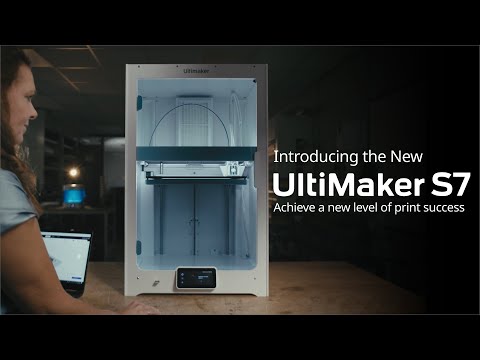
Introducing the UltiMakerS7: Achieve a new level of print success
Frequently Asked Questions (FAQ)
What buyers ask before choosing Ultimaker
Integrations What CRM integrations are available for Ultimaker 3D printers?
UltiMaker 3D printers can integrate with various Customer Relationship Management (CRM) systems to enhance workflow and customer engagement. While specific CRM integrations are not explicitly listed in the provided context, UltiMaker's software ecosystem, including UltiMaker Cura and the Digital Factory, is designed to support seamless operations across different platforms. Businesses often utilize integrations with popular CRMs like Salesforce and HubSpot to streamline communication and manage customer interactions effectively. By connecting UltiMaker's 3D printing solutions with CRM systems, companies can improve project tracking, customer service, and overall efficiency in managing client relationships, ultimately driving better business outcomes. For tailored integration solutions, it's advisable to consult with UltiMaker experts or explore their support resources.
Integrations How does Ultimaker connect with Salesforce for managing print jobs?
Ultimaker integrates with Salesforce through its UltiMaker CloudPrint software, which allows users to manage print jobs efficiently within the Salesforce ecosystem. This integration enables businesses to streamline their 3D printing workflows by connecting their customer relationship management (CRM) data with print job management. Users can import native CAD files, arrange parts, and select printers and materials directly from Salesforce, ensuring that print jobs are aligned with customer needs and project timelines. By leveraging this integration, companies can enhance collaboration between sales and production teams, improve order accuracy, and ultimately drive productivity in their 3D printing operations. This seamless connection between Ultimaker and Salesforce empowers businesses to optimize their manufacturing processes and respond more effectively to customer demands.
Integrations Can Ultimaker integrate with HubSpot for tracking customer interactions?
Yes, Ultimaker can integrate with HubSpot to enhance tracking of customer interactions. This integration allows businesses to streamline their customer relationship management by connecting Ultimaker's 3D printing solutions with HubSpot's marketing, sales, and service tools. By utilizing this integration, companies can automatically sync customer data, track engagement metrics, and manage leads more effectively. This ensures that all customer interactions related to Ultimaker products, such as inquiries about 3D printers like the UltiMaker S8 or Method XL, are captured and analyzed within HubSpot. This capability not only improves communication and follow-up processes but also provides valuable insights into customer behavior, ultimately driving better sales strategies and customer satisfaction.
Integrations What are the setup steps for connecting Ultimaker to Marketo?
To connect UltiMaker to Marketo, start by ensuring you have administrative access to both platforms. First, log into your Marketo account and navigate to the Admin section, where you can create a new API user specifically for UltiMaker integration. Generate the necessary API credentials, including the client ID and secret. Next, in your UltiMaker software, locate the integration settings and input the Marketo API credentials you just created. Configure the data sync settings to determine what information you want to transfer between UltiMaker and Marketo, such as lead data or campaign metrics. Finally, test the connection to ensure data flows correctly, and monitor the integration for any issues. This setup will enable seamless communication between your 3D printing operations and marketing efforts, enhancing your overall workflow.
Integrations How does data flow between Ultimaker and external data providers?
Data flow between Ultimaker and external data providers typically occurs through integrations facilitated by software like UltiMaker Cura and UltiMaker Digital Factory. These platforms enable seamless communication by allowing users to upload 3D models in various formats, such as STL or OBJ, which are then processed for printing. The data is transmitted over secure connections, ensuring that sensitive information remains protected. Additionally, Ultimaker's cloud-based solutions can interact with external systems for printer management and monitoring, enhancing workflow efficiency. Users can also leverage plugins from the Ultimaker Marketplace to further customize their data interactions, making it easier to integrate with other tools and platforms. This streamlined data flow ultimately supports improved productivity and collaboration in 3D printing projects.
Integrations Are there any limitations to the API access for Ultimaker integrations?
Yes, there are some limitations to the API access for Ultimaker integrations. While Ultimaker provides a robust API that allows for integration with various platforms and tools, such as their 3D printers and software, users may encounter restrictions related to the types of data that can be accessed or modified. For instance, certain sensitive operations may require elevated permissions or may not be available through the API at all. Additionally, the API may have rate limits to prevent excessive requests, which could impact performance during high-demand periods. It's essential for users to review the API documentation provided by Ultimaker to understand these limitations fully and ensure that their integration meets their specific needs.
Features What does the actively heated chamber feature do in the Ultimaker 3D printer?
The actively heated chamber feature in the Ultimaker 3D printer, particularly in models like the UltiMaker Method, plays a crucial role in enhancing print quality and material performance. By maintaining a controlled temperature environment, typically up to 65°C or even 110°C in advanced models, the heated chamber minimizes warping and ensures better adhesion of layers during the printing process. This results in parts that are not only dimensionally accurate but also exhibit improved strength, particularly on the z-axis, making them suitable for engineering-grade applications. The patented VECT™ Thermal Regulation system evenly distributes heat, allowing for consistent printing conditions that lead to higher-quality prototypes and end-use parts, ultimately providing significant value in production efficiency and material utilization.
Features How do I configure the VECT thermal regulation system for optimal printing?
To configure the VECT thermal regulation system for optimal printing with your UltiMaker Method 3D printer, start by ensuring that the printer's actively heated chamber is set to the appropriate temperature for the material you are using, typically up to 65°C or 110°C depending on the model. Use the UltiMaker Cura software to select the correct print profile that matches your filament type, as it includes professionally tuned settings that optimize the VECT system's performance. Make sure to regularly check and maintain the printer's components, such as the dual extrusion print head and flexible build plate, to ensure consistent heat distribution. Additionally, monitor the print environment for any drafts or temperature fluctuations that could affect print quality, and adjust the settings in Cura as needed to achieve the best results.
Features What is the UltiMaker Cheetah motion planner and how does it improve print quality?
The UltiMaker Cheetah motion planner is an advanced technology designed to enhance the performance of UltiMaker 3D printers, particularly the S8 and Factor 4 Plus models. This innovative motion planner optimizes the printer's movements, allowing for speeds of up to 500mm/s while maintaining high precision. By improving the coordination of the printer's components, the Cheetah motion planner significantly reduces print time and enhances overall print quality, achieving a resolution of 0.15mm ± 0.15%. This means that users can expect more accurate and detailed prints, making it ideal for professional applications that require high-quality results. The integration of this technology not only boosts productivity but also supports a wider range of materials, empowering businesses to innovate and streamline their 3D printing processes.
Features How do I use the UltiMaker CloudPrint software for managing my 3D printing workflow?
To use UltiMaker CloudPrint for managing your 3D printing workflow, start by downloading and installing the software, which is designed to streamline the process from digital file to final part. Import your native CAD files into CloudPrint, where you can arrange your parts and select the appropriate printer and materials. Utilize the preset print modes to optimize your settings for speed and quality, ensuring efficient printing. Once your model is prepared, you can monitor and manage your 3D printers remotely, allowing for seamless collaboration with your team. Additionally, take advantage of the software's features for scheduling prints in advance, which helps in maximizing productivity and minimizing downtime. With these steps, you can effectively manage your 3D printing projects using UltiMaker CloudPrint.
Features What benefits does the flexible build plate provide during the printing process?
The flexible build plate in UltiMaker 3D printers offers several significant benefits during the printing process. Firstly, it allows for easy removal of printed parts, reducing the risk of damage to both the print and the build surface, which is particularly important for intricate designs. This feature enhances efficiency, as users can quickly detach completed prints without the need for additional tools or excessive force. Additionally, the PEI coating on the flexible build plate promotes excellent adhesion during printing, ensuring that parts remain securely in place throughout the process, which minimizes warping and improves print quality. Overall, the flexible build plate contributes to a more user-friendly experience, enabling designers and engineers to focus on creativity and precision without the hassle of complicated post-printing procedures.
Features How does the Material Station in the UltiMaker S8 Pro Bundle automate material handling?
The Material Station in the UltiMaker S8 Pro Bundle automates material handling by seamlessly integrating with the S8 and S6 3D printers to manage up to six spools of filament. It utilizes NFC technology to automatically detect the materials and switch between them as needed, eliminating the need for manual swaps. This automation allows for uninterrupted 24/7 printing, significantly reducing downtime and enhancing productivity. Users can load materials quickly—simply open the door and drop in the spools—making it ideal for large-scale production runs. By streamlining the material management process, the Material Station ensures that complex jobs can be tackled efficiently, allowing businesses to maximize their output and minimize labor costs associated with manual material handling.
ROI & pricing What measurable business value can I expect from using Ultimaker 3D printers?
Using UltiMaker 3D printers can deliver significant measurable business value across various operational areas. By enabling rapid prototyping and the production of custom parts, businesses can reduce lead times and accelerate product development cycles, leading to faster time-to-market. The ability to 3D print tools and fixtures on-demand minimizes downtime and enhances manufacturing efficiency, resulting in cost savings and improved overall equipment effectiveness (OEE). Additionally, UltiMaker printers support sustainable manufacturing practices by reducing material waste and allowing for low-volume production without the need for extensive tooling. Companies have reported increased productivity and quality improvements, making UltiMaker a valuable investment for enhancing innovation and operational efficiency in diverse industries.
ROI & pricing How does investing in Ultimaker technology impact ROI for manufacturing operations?
Investing in UltiMaker technology significantly enhances ROI for manufacturing operations by streamlining production processes and reducing costs. UltiMaker 3D printers enable the rapid creation of custom parts, tools, and prototypes, which minimizes lead times and waste, ultimately leading to faster time-to-market. By integrating UltiMaker printers into manufacturing workflows, companies can increase operational efficiency, reduce unplanned downtime, and speed up changeovers, resulting in higher overall equipment effectiveness (OEE). Additionally, the ability to produce jigs and fixtures on-demand allows for more flexible and responsive manufacturing environments. These benefits collectively contribute to lower production costs and improved product quality, making UltiMaker technology a valuable investment for manufacturers looking to enhance their competitive edge and achieve a strong return on investment.
ROI & pricing What are the different pricing plans available for Ultimaker products?
UltiMaker offers a variety of pricing plans tailored to meet the needs of businesses and educational institutions interested in their 3D printing solutions. Customers can request a custom quote that includes options for business or education packages, which may feature flexible pricing or financing options. Additionally, UltiMaker provides extended service plans through UltiMaker Care, allowing users to choose coverage for 1, 2, 3, or even 5 years, ensuring uninterrupted support for their 3D printers, including the S series, Method series, and Factor series. This flexibility allows organizations to protect their investment while optimizing productivity. For specific pricing details and to explore the best plan for your needs, it is recommended to contact UltiMaker directly for a personalized quote.
ROI & pricing How can Ultimaker help reduce costs and improve efficiency in my business?
UltiMaker can significantly reduce costs and improve efficiency in your business by enabling fast, low-waste production of custom parts and tools directly on-site. With UltiMaker 3D printers, you can create jigs and fixtures overnight, allowing for streamlined workflows that enhance manufacturing line efficiency. This capability minimizes downtime and accelerates changeovers, which is particularly beneficial in automated packaging lines. By producing same-day fixes for equipment and utilizing color-coded parts for quicker transitions, businesses can reduce unplanned downtime and increase overall equipment effectiveness (OEE). Furthermore, UltiMaker's ability to print with a variety of materials ensures that you can meet specific production needs while maintaining high quality, ultimately leading to significant cost savings and improved operational productivity.
ROI & pricing What is the total cost of ownership for Ultimaker 3D printers over time?
The total cost of ownership (TCO) for UltiMaker 3D printers encompasses several factors, including the initial purchase price, maintenance costs, material expenses, and potential downtime. While the upfront cost varies by model—ranging from the more affordable UltiMaker S3 to the industrial-grade Factor 4—ongoing expenses such as filament and replacement parts must also be considered. Additionally, investing in UltiMaker Care can significantly reduce TCO by providing extended service plans that include hot swap coverage, minimizing downtime and ensuring continuous productivity. By evaluating these components, businesses can better understand the long-term financial implications of owning an UltiMaker printer, ultimately leading to more informed purchasing decisions.
ROI & pricing What is the typical time-to-value for implementing Ultimaker solutions in a business?
The typical time-to-value for implementing UltiMaker solutions in a business can vary based on several factors, including the specific UltiMaker model chosen, the complexity of the applications, and the existing infrastructure. Generally, businesses can expect to see initial benefits within a few weeks of installation, as UltiMaker 3D printers are designed for quick setup and ease of use. For instance, companies often report significant improvements in production efficiency and reduced downtime shortly after integrating UltiMaker printers into their workflows. Additionally, with the support of UltiMaker Experts, businesses can accelerate their learning curve and optimize their 3D printing processes, further enhancing the speed at which they realize value from their investment. Overall, many users find that the return on investment can be achieved within a few months, depending on their specific use cases and operational goals.
Capabilities What can UltiMaker's 3D printing platform do for secure distributed manufacturing?
UltiMaker's 3D printing platform significantly enhances secure distributed manufacturing by enabling rapid production of parts and tools while maintaining robust data security protocols. With the ability to train engineers and operators to 3D print in as little as 30 minutes, UltiMaker facilitates quick adaptation to manufacturing needs, which is crucial for mitigating supply chain challenges. The platform supports various workflows, including online, offline, and intranet options, ensuring flexibility in different operational environments. Additionally, the UltiMaker Secure Line, featuring models like the S6 Secure and S8 Secure, is specifically designed for high-security applications, offering tamper-resistant firmware and encrypted file handling. This combination of speed, security, and adaptability allows businesses to optimize their manufacturing processes while ensuring compliance with stringent security requirements.
Capabilities Can UltiMaker Cura Enterprise support cross-platform systems distribution?
Yes, UltiMaker Cura Enterprise does support cross-platform systems distribution, making it an ideal choice for businesses that operate in diverse IT environments. This capability allows organizations to deploy, configure, and manage the software across various operating systems seamlessly, ensuring that all users, regardless of their platform, can access the same powerful features and functionalities. With UltiMaker Cura Enterprise, companies benefit from enhanced stability and security, receiving two thoroughly tested updates each year, which include essential security patches and bug fixes for up to 12 months after release. This cross-platform support not only streamlines the 3D printing process but also fosters collaboration among teams using different systems, ultimately improving productivity and efficiency in manufacturing workflows.
Capabilities Does the UltiMaker Secure Line offer tamper-resistant firmware for high-security environments?
Yes, the UltiMaker Secure Line, which includes the S6 Secure and S8 Secure models, is specifically designed for high-security environments and features tamper-resistant firmware. This advanced security measure ensures that the firmware cannot be easily altered or compromised, making it ideal for defense and sensitive applications. In addition to tamper-resistant firmware, the Secure Line also incorporates encrypted file handling and sealed hardware, further enhancing its security profile. These features collectively enable organizations to maintain strict control over their 3D printing processes, ensuring that sensitive data and production capabilities remain protected against unauthorized access or cyber threats. This makes the UltiMaker Secure Line a reliable choice for organizations that prioritize security in their manufacturing operations.
Capabilities What types of materials can be used with UltiMaker 3D printers?
UltiMaker 3D printers, particularly the S series, are compatible with a wide range of materials, allowing for diverse applications in professional settings. Users can utilize NFC-enabled UltiMaker filaments that have been rigorously tested for thousands of hours, ensuring reliability and performance. Additionally, the printers support polymers from leading material companies, which come with proven material profiles. This extensive compatibility includes materials such as PLA, TPU, and carbon fiber, enabling the production of dimensionally accurate parts and prototypes. The ability to work with both standard and specialized materials enhances the versatility of UltiMaker printers, making them suitable for various industries, including engineering and manufacturing. This flexibility ultimately helps businesses meet demanding requirements and unlock new application potentials.
Capabilities Can the UltiMaker Factor 4 Plus provide trace validation for quality assurance in manufacturing?
Yes, the UltiMaker Factor 4 Plus is specifically designed to provide trace validation for quality assurance in manufacturing. It features integrated UltiMaker TRACE technology, which ensures automatic print validation throughout the production process. This capability is particularly beneficial in industries such as manufacturing and aerospace, where maintaining high-quality standards is crucial. The TRACE system allows for real-time monitoring and documentation of the printing process, enabling manufacturers to track and verify the quality of each printed part. By implementing this technology, businesses can enhance their production reliability, reduce waste, and ensure compliance with industry standards, ultimately leading to improved operational efficiency and product quality.
Capabilities Does UltiMaker's platform support offline and intranet workflows for enhanced security?
Yes, UltiMaker's platform does support offline and intranet workflows, which significantly enhances security for users. This feature is particularly beneficial for organizations that require stringent data protection measures, such as those in defense or high-security environments. By allowing secure distributed manufacturing, UltiMaker enables companies to mitigate supply chain challenges while maintaining control over their sensitive data. Users can choose to operate their 3D printing processes without an internet connection, ensuring that proprietary designs and information remain protected from external threats. This flexibility in workflow options makes UltiMaker an ideal choice for businesses prioritizing security alongside efficient manufacturing processes.
Use cases How can SDRs leverage UltiMaker 3D printers to enhance their product demonstrations?
Sales Development Representatives (SDRs) can leverage UltiMaker 3D printers to enhance their product demonstrations by creating tangible, high-quality prototypes that showcase the functionality and design of their products. By utilizing UltiMaker's advanced 3D printing capabilities, SDRs can produce custom models and parts quickly, allowing them to demonstrate product features in real-time during client meetings. This hands-on approach not only engages potential customers but also provides a clear visual representation of the product's value, making it easier to convey complex ideas. Additionally, the ability to print with various materials enables SDRs to highlight different aspects of their products, such as durability or design flexibility, ultimately leading to more effective sales pitches and increased customer interest.
Use cases What are the best use cases for UltiMaker 3D printers in automotive manufacturing workflows?
UltiMaker 3D printers are highly effective in automotive manufacturing workflows for several key use cases. They enable rapid prototyping of custom parts and tools, allowing engineers to create and test designs overnight, which significantly accelerates the production process. Additionally, UltiMaker printers can produce jigs and fixtures that streamline assembly lines, enhancing efficiency and reducing waste. They are also valuable for creating color-coded parts that facilitate quicker changeovers, even for untrained operators, thereby minimizing downtime. Furthermore, the ability to print same-day fixes for equipment can drastically reduce unplanned downtime, leading to substantial cost savings. Overall, UltiMaker 3D printers empower automotive manufacturers to innovate, optimize production, and maintain high-quality standards while promoting sustainability.
Use cases In what scenarios should RevOps teams consider implementing UltiMaker 3D printing solutions for operational efficiency?
RevOps teams should consider implementing UltiMaker 3D printing solutions in scenarios where operational efficiency is critical, such as in manufacturing, automated packaging, and product development. For instance, UltiMaker 3D printers enable the rapid production of custom jigs, fixtures, and parts, which can significantly reduce downtime and speed up changeovers on production lines. This capability is particularly beneficial for teams looking to enhance overall equipment effectiveness (OEE) and minimize unplanned downtime through same-day fixes. Additionally, in product development, UltiMaker allows for the creation of functional prototypes and test rigs with high dimensional accuracy, streamlining the design process. By integrating UltiMaker's solutions, RevOps teams can drive innovation, improve productivity, and ultimately achieve cost savings across various operational workflows.
Use cases How can sales leaders utilize UltiMaker's 3D printing technology to address customer pain points in prototyping?
Sales leaders can leverage UltiMaker's 3D printing technology to effectively address customer pain points in prototyping by enabling rapid creation of concept models and functional prototypes. This technology allows teams to produce high-quality prototypes using real production materials with a high degree of dimensional accuracy, significantly reducing the time and cost associated with traditional prototyping methods. By utilizing UltiMaker 3D printers, sales leaders can demonstrate the ability to quickly iterate designs based on customer feedback, thereby enhancing collaboration and responsiveness. Additionally, the capability to print custom parts overnight means that businesses can meet tight deadlines and adapt to changing customer requirements, ultimately leading to improved customer satisfaction and faster time to market for new products.
Use cases What specific challenges in education can be solved using UltiMaker 3D printers for classroom innovation?
UltiMaker 3D printers address several specific challenges in education by enhancing classroom innovation and engagement. One major challenge is the need for hands-on learning experiences that foster creativity and critical thinking; UltiMaker printers enable educators to create interactive projects across various subjects, including Robotics, Engineering, and Art. Additionally, they help bridge the gap between theoretical knowledge and practical application, allowing students to design and prototype real-world solutions. The cloud-based software and comprehensive Educators Guidebook provide teachers with structured resources and over 150 pages of learning content, making it easier to integrate 3D printing into the curriculum. Furthermore, UltiMaker's reliability and ease of use ensure that educators can focus on teaching rather than troubleshooting, ultimately preparing students for 21st-century technologies and careers in engineering and manufacturing.
Use cases How do manufacturing teams integrate UltiMaker 3D printers into their existing production processes for maximum efficiency?
Manufacturing teams can integrate UltiMaker 3D printers into their existing production processes by following a few actionable steps. First, assess the specific needs of the production line, identifying areas where custom parts, jigs, or tools could enhance efficiency. Next, select the appropriate UltiMaker model, such as the S series or Method series, based on material requirements and production volume. Teams should then train operators on how to use the printers effectively, ensuring they can quickly produce parts overnight for next-day use. Implementing a streamlined workflow that includes 3D printing for rapid prototyping and same-day fixes can significantly reduce downtime and speed up changeovers. Finally, continuously monitor performance metrics like overall equipment effectiveness (OEE) to evaluate the impact of 3D printing on productivity and make adjustments as necessary.
Alternatives What are the best alternatives to Ultimaker for professional 3D printing?
When considering alternatives to Ultimaker for professional 3D printing, several notable brands stand out. Prusa Research offers the Prusa i3 MK3S+, known for its reliability and excellent community support, making it a favorite among professionals. Raise3D provides the Pro2 series, which features dual extrusion capabilities and a large build volume, ideal for complex projects. Another strong contender is the Formlabs Form 3, which specializes in resin printing, delivering high-resolution prints suitable for detailed prototypes. Additionally, MakerBot's Method series is designed for engineering applications, offering a user-friendly experience with production-grade materials. Each of these alternatives presents unique features and benefits, allowing businesses to choose based on specific needs and applications in the professional 3D printing landscape.
Alternatives How does the Ultimaker S6 compare to the Prusa i3 MK3S+?
The Ultimaker S6 and the Prusa i3 MK3S+ are both popular 3D printers, but they cater to different user needs and preferences. The Ultimaker S6 is designed for professional use, offering high-speed printing, dual extrusion capabilities, and compatibility with a wide range of materials, making it ideal for engineering and manufacturing applications. It also integrates seamlessly with UltiMaker's ecosystem, including the Air Manager and Material Station for enhanced workflow. In contrast, the Prusa i3 MK3S+ is known for its affordability, user-friendly assembly, and strong community support, making it a great choice for hobbyists and small businesses. While the S6 excels in speed and material versatility, the Prusa i3 MK3S+ offers excellent value and ease of use, appealing to those who prioritize cost-effectiveness and community-driven resources.
Alternatives What are the key differentiators between Ultimaker and MakerBot 3D printers?
The key differentiators between Ultimaker and MakerBot 3D printers lie in their target applications, performance capabilities, and design features. Ultimaker printers, such as the Factor 4 and S series, are designed for industrial-grade performance, offering high precision and the ability to print with a wide range of materials, making them suitable for manufacturing applications and prototyping. In contrast, MakerBot's Sketch series focuses on ease of use and accessibility, catering primarily to educational environments and hobbyists. While Ultimaker emphasizes advanced features like dual extrusion and an actively heated build chamber for engineering-grade polymers, MakerBot prioritizes user-friendly interfaces and quick setup. Ultimately, the choice between the two brands depends on the specific needs of the user, whether for professional-grade production or educational purposes.
Alternatives Why should I choose the Ultimaker Method X over the Raise3D Pro2?
Choosing the Ultimaker Method X over the Raise3D Pro2 can be advantageous for businesses focused on precision and material versatility. The Method X features an actively heated build chamber, which enhances dual extrusion capabilities and allows for the use of engineering-grade polymers, making it ideal for producing complex parts with high dimensional accuracy. Additionally, the Method X supports carbon fiber composites, enabling users to replace metal parts effectively. In contrast, while the Raise3D Pro2 offers a robust build volume and dual extrusion, it may not match the specialized features of the Method X for engineering applications. Ultimately, if your priority is repeatable production with advanced materials and precision, the Ultimaker Method X is a compelling choice.
Alternatives Ultimaker vs Formlabs: Which is better for high-precision 3D printing?
When comparing Ultimaker and Formlabs for high-precision 3D printing, both brands offer distinct advantages tailored to different needs. Ultimaker, particularly with its Method series, excels in producing durable parts using engineering-grade polymers and features an actively heated build chamber for precision dual extrusion, making it ideal for functional prototypes and manufacturing applications. In contrast, Formlabs specializes in resin-based printing, which typically delivers finer details and smoother finishes, making it suitable for applications requiring intricate designs, such as dental or jewelry models. Ultimately, the choice between Ultimaker and Formlabs depends on your specific requirements: if you prioritize material versatility and production efficiency, Ultimaker may be the better option, while for detailed, high-resolution prints, Formlabs could be more advantageous.
Alternatives What makes the Ultimaker S5 a better choice than the Anycubic Mega X?
The Ultimaker S5 stands out as a superior choice compared to the Anycubic Mega X due to its larger build volume of 330 x 240 x 300 mm, which allows for the creation of bigger parts, and its world-leading material compatibility, supporting over 280 materials. This versatility is crucial for businesses that require diverse applications, from prototyping to end-use parts. Additionally, the S5 features an award-winning touchscreen interface and advanced functionalities like filament run-out detection, enhancing user experience and reliability. In contrast, the Anycubic Mega X, while a solid entry-level printer, lacks the same level of material options and professional-grade features, making the Ultimaker S5 a more robust solution for serious 3D printing ambitions.
Ultimaker Features
- Low
- Medium
- High
| FEATURE | RATINGS AND REVIEWS |
|---|---|
| Analytics | Read Reviews (13) |
| Custom Reports | Read Reviews (9) |
| CAPABILITIES | RATINGS AND REVIEWS |
|---|---|
| Analytics | Read Reviews (13) |
| Custom Reports | Read Reviews (9) |
Software Failure Risk Guidance
?for Ultimaker
Top Failure Risks for Ultimaker
Ultimaker News
UltiMaker and Bioactivx to co-develop a scalable, on-demand medical printing solution for regenerative wound care
UltiMaker and Bioactivx have signed an MOU to co-develop a scalable, on-demand medical printing solution for regenerative wound care. This collaboration aims to enhance wound care accessibility by reducing reliance on traditional logistics and centralized manufacturing, leveraging UltiMaker's 3D printing technology.
UltiMaker Emphasizes NATO-Aligned Security as Competition Intensifies
UltiMaker is emphasizing NATO-aligned security features in its S-series 3D printers, targeting military applications. The printers are fully air-gapped and offline, catering to security needs that competitors cannot address due to legal restrictions. This strategic shift aims to capitalize on a niche market amid intense competition from large Asian companies.
UltiMaker Launches Factor 4 Plus with High-Speed Production and ...
UltiMaker has launched the Factor 4 Plus, an industrial-grade 3D printing platform offering twice the speed of its predecessor. It features UltiMaker TRACE for quality assurance and is designed for manufacturing and defense sectors. The platform supports high-performance materials and ensures precision in harsh environments, enhancing scalability and production efficiency.
UltiMaker launches Factor 4 Plus platform
UltiMaker has introduced the Factor 4 Plus, an industrial 3D-printing platform that doubles the speed of its predecessor, Factor 4. Designed for manufacturing and defense, it supports PPS-CF materials and features TRACE for quality assurance. The platform includes a revised gantry system for precision at high speeds and Cheetah motion planner to minimize vibration, enhancing production efficiency.
Ultimaker Profile
Company Name
Ultimaker
Company Website
https://ultimaker.com/HQ Location
Stationsplein 32 3511 ED Utrecht
Employees
251-500
Social


Financials
PRIVATE

